12
If the camera has a depth-of-field preview button, press it to fire a 1-sec.
burst of flashes. This is the modeling flash.
You can check the lighting and shadow effects.
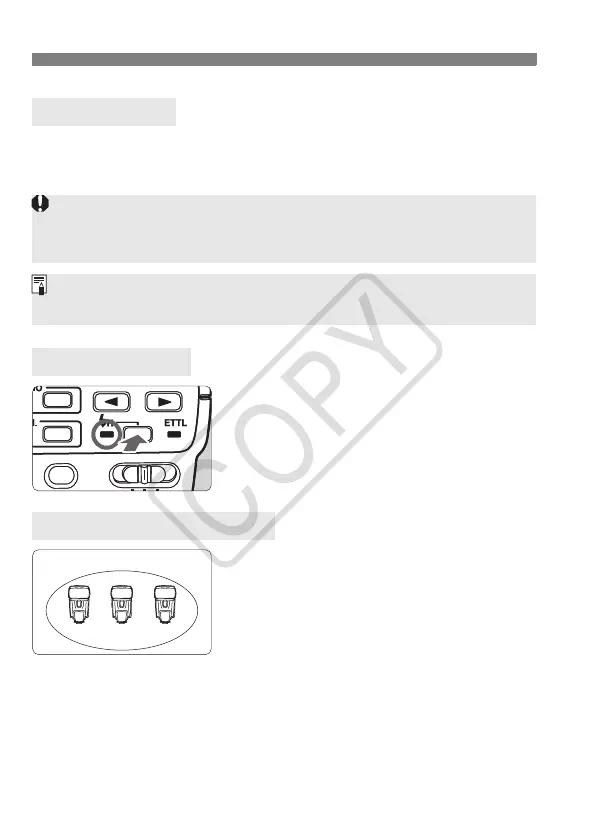
Press the <F> button to turn on the
<F> lamp. High-speed sync will then be
enabled with the wireless slave units.
For example, if you have the slave ID set
to <1> for three Speedlites, all three
Speedlites will be controlled as if they
were one Speedlite in slave group A.
Modeling Flash
High-Speed Sync
Do not fire the modeling flash more than 10 consecutive times. If you fire the
modeling flash 10 consecutive times, allow the Speedlite to rest for at least
10 min. to avoid overheating and deteriorating the flash head.
The modeling flash cannot be fired with the EOS REBEL 2000/300 and
Type-B cameras (p.2).
About Slave Group Control
ID = A ID = AID = A
Slave group A
ST-E2_E.fm Page 12 Monday, May 1, 2006 4:09 PM













 To Next Page