8
This method has all the Speedlites fire at the same flash output with E-TTL II
autoflash controlling the total flash output to obtain a standard flash exposure.
1
Set the slave unit(s).
As for the setting procedure, refer to the
slave Speedlite’s instruction manual.
2
Check the communication channel.
If the ST-E2 and slave unit(s) are set
to a different channel, set them all to
the same channel (p.7).
3
Position the camera and Speedlites as desired.
Position the Speedlites within the
range shown on the next page.
4
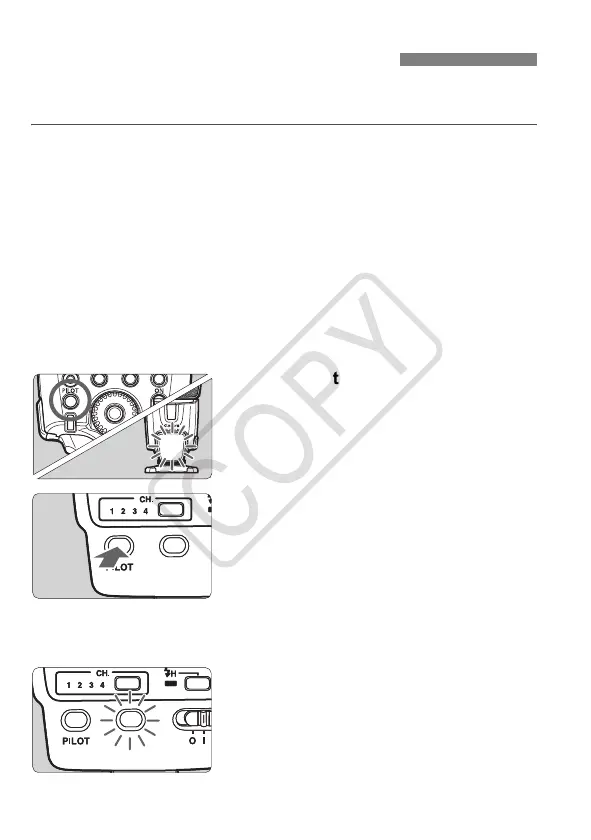
Check that the flash is ready.
When the slave unit(s) is ready to fire,
the AF-assist beam will blink for 1
sec.
5
Check that the wireless flash
system works.
Press the ST-E2’s <J> (test
transmission) button.
X The slave unit will fire.
If the flash does not fire, adjust the
slave unit’s angle toward the master
unit and distance from the master unit.
6
Set the camera and shoot.
Set the camera in the same way as
with normal flash shooting.
X
If a standard flash exposure was
obtained, the flash exposure confirmation
lamp will light for about 3 sec.
Fully Automatic Wireless Flash
ST-E2_E.fm Page 8 Tuesday, May 9, 2006 2:25 PM














 To Next Page