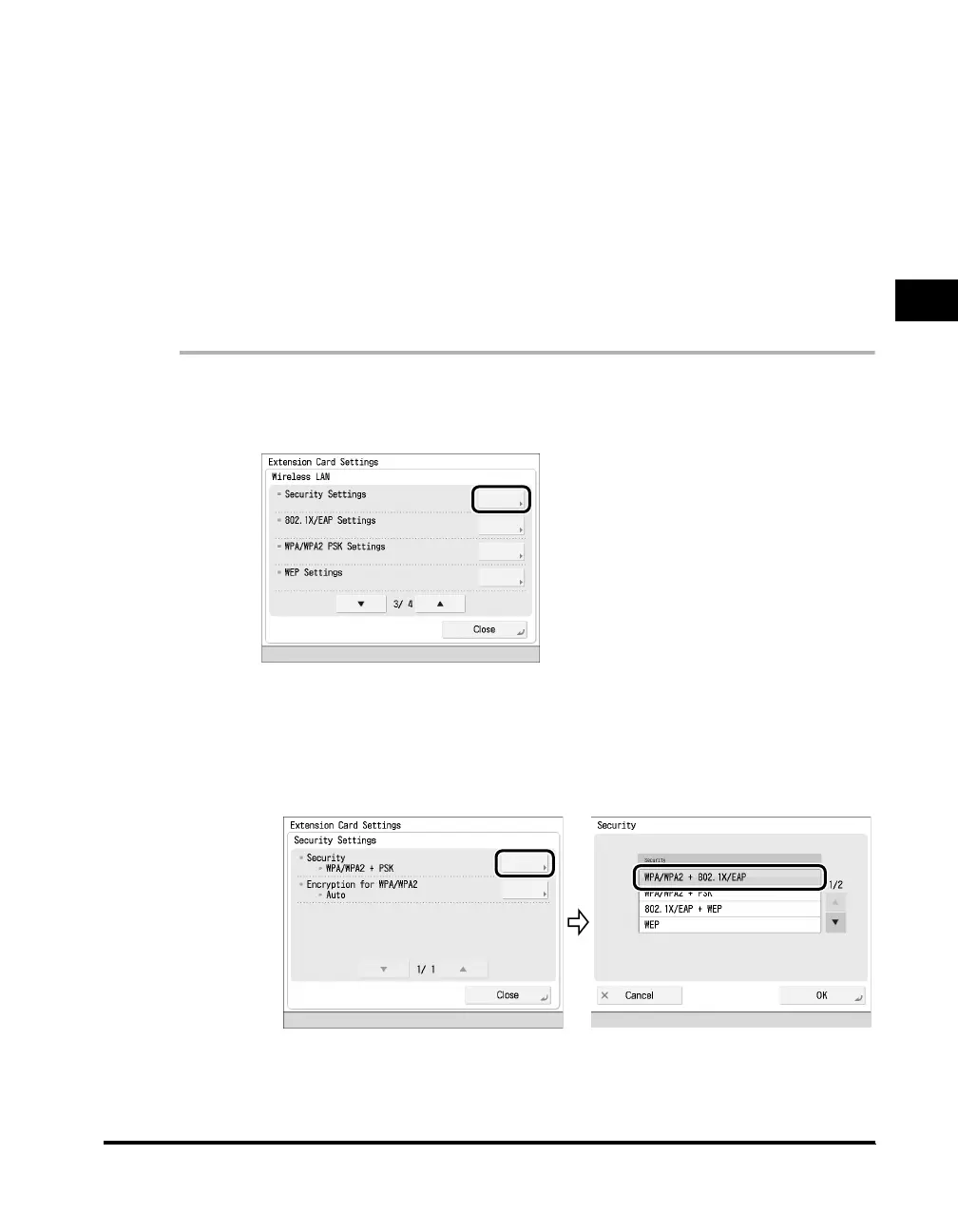
Security Settings
2-11
Using the Wireless LAN Board in a Network
2
■ WPA/WPA2-PSK
Uses PSK for authentication, and by adopting TKIP or AES-CCMP for the encryption,
fixes the vulnerability of Static WEP by automatically updating the encryption key. As
WPA-PSK does not require an authentication server, it is particularly suited for use in
small-scale network environments such as SOHO.
■ WEP (Static WEP)
As WEP enables you to encrypt the data sent and received via the access point, even if a
third party intercepts data, it is hard for them to decode it. As an encryption key is set for
both the computer and the access point, unauthorized access by a third party that does
not know the encryption key can be prevented. However, as the WEP encryption key is
fixed, there is the possibility that it will be decoded.
1
Press [Security Settings] on the Extension Card Settings
screen.
2
Specify the following settings in [Security Settings].
● If you want to select WPA/WPA2+802.1X/EAP:
❑
Press [Security] ➞ select [WPA/WPA2+802.1X/EAP].



 To Next Page