Security Settings
2-14
Using the Wireless LAN Board in a Network
2
1
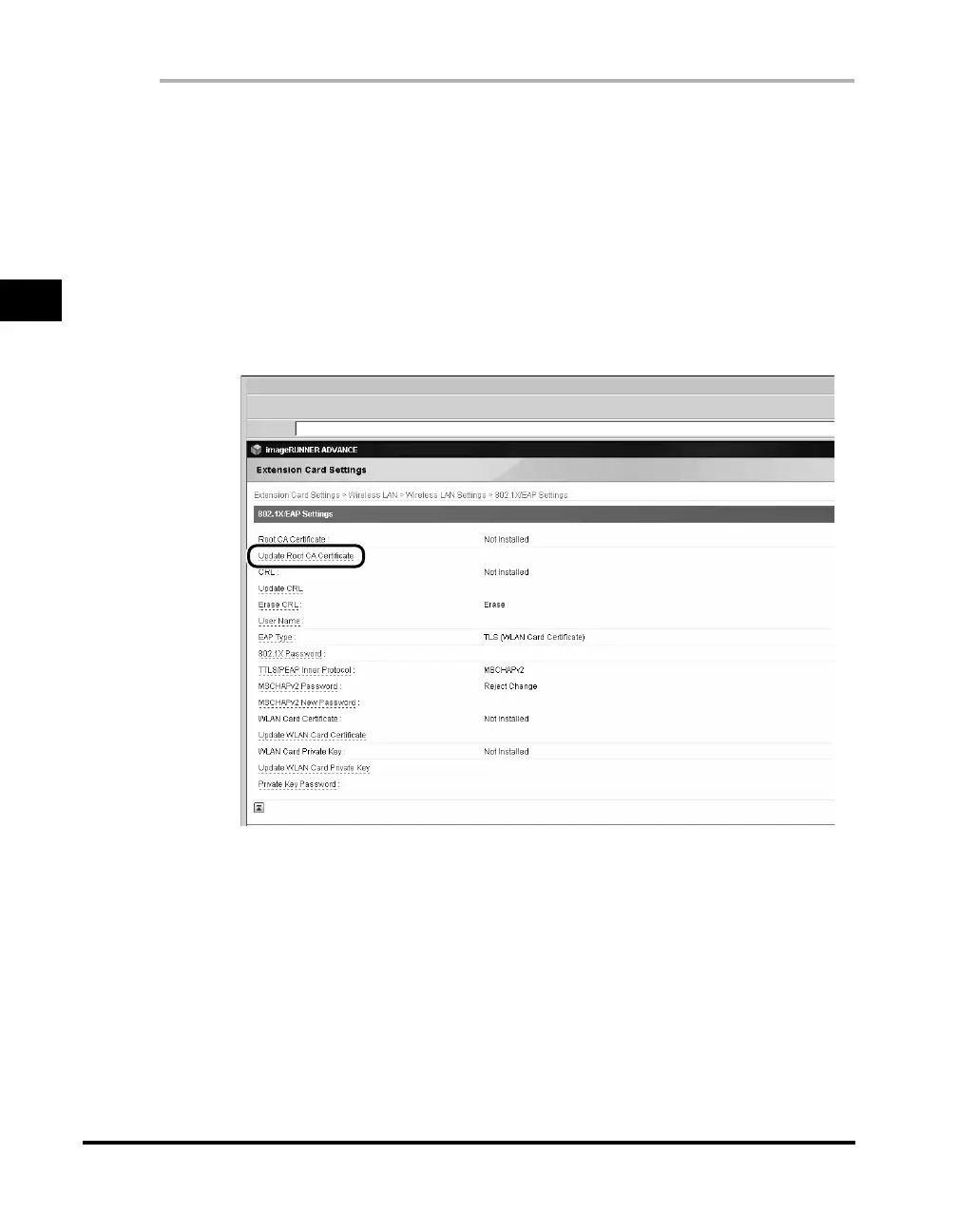
Click [Settings/Registration] ➞ select [External Interface]
under <Preferences> ➞ click [Extension Card Settings] ➞
[Wireless LAN] ➞ [Wireless LAN Settings] ➞ [802.1X/EAP
Settings].
If the System Manager ID and password have been set, a dialog box prompting
you to enter the System Manager ID and password appears. Enter the System
Manager ID and password ➞ click [OK].
2
Click [Update Root CA Certificate].
3
Click [Browse] ➞ select the root CA certificate to install ➞
click [OK].
You can also directly enter the path to the root CA certificate.



 To Next Page