77
Recording Audio
3 Close the audio controls cover to prevent the audio controls from being changed inadvertently.
Recording the Same Audio Input to Two Channels
By default, when using the INPUT terminals, each audio input is recorded to a separate audio channel (INPUT 1
to CH1 and INPUT 2 to CH2). If necessary (for example, as an audio backup recording), you can record the
audio input into the INPUT 1 terminal to both audio channels, CH1 and CH2. In that case, you can adjust the
audio recording levels of each channel independently of each other.
1Select [CH2 Input].
> [C ! Audio Setup] > [CH2 Input]
2 Select the desired option and then select [X].
Options
Selecting the Audio Input Recorded to CH3/CH4
When the audio format is LPCM (4-channel audio recording) and CH1/CH2 are set to the INPUT terminals, you
can select the audio input that will be recorded to channels CH3/CH4 (A 75).
1 Select [CH3/CH4 Input].
> [C ! Audio Setup] > [CH3/CH4 Input]
2 Select the desired option and then select [X].
• When [ Built-In Mic/MIC Terminal] is selected, the camcorder will record audio from the built-in
microphone unless an external microphone is connected to the MIC terminal.
Recording Audio from the Built-In Microphone or MIC Terminal to CH1/CH2
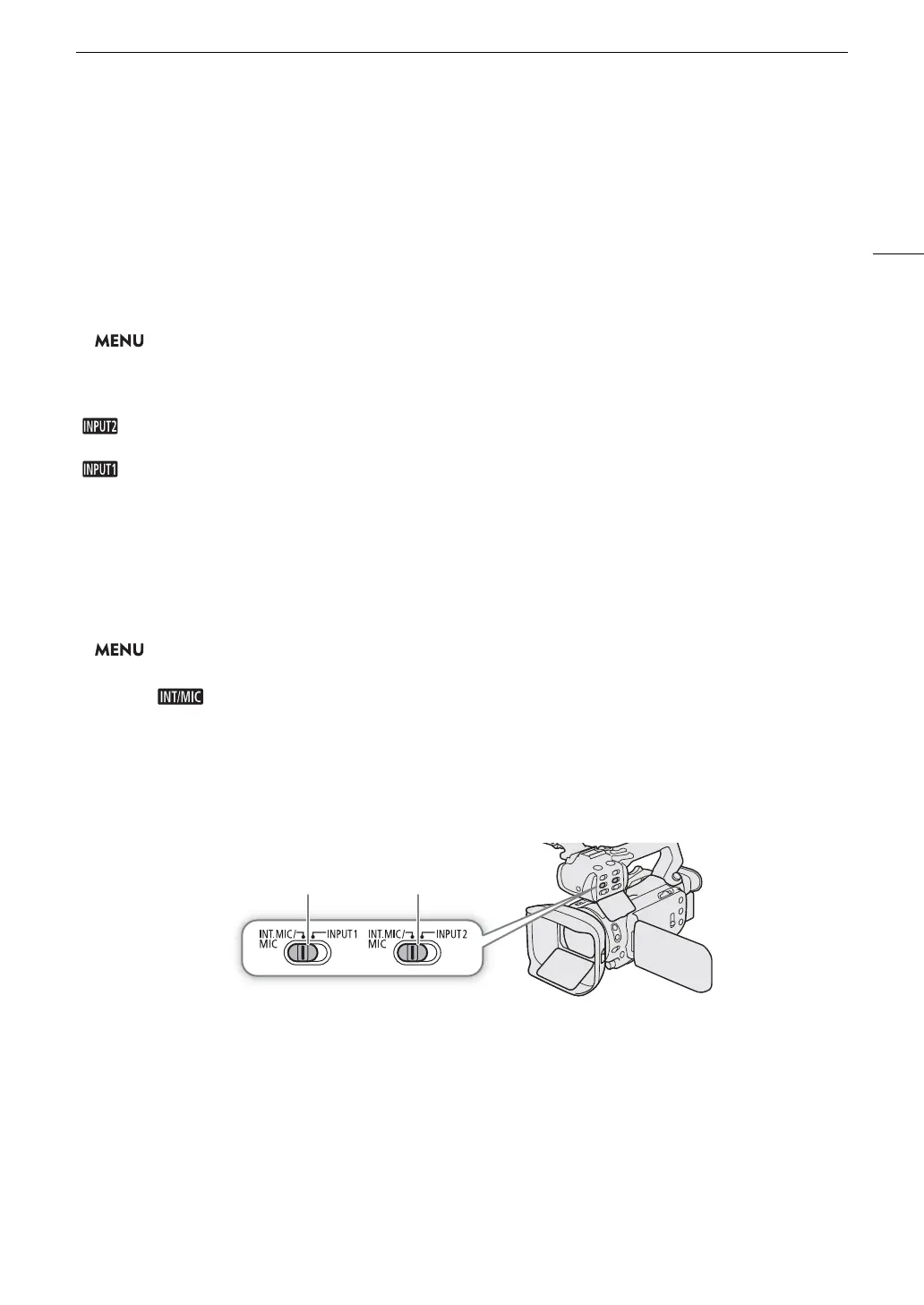
1 If the handle unit is connected to the camcorder, set the corresponding AUDIO IN switch to
INT.MIC/MIC.
2To use an external microphone, connect it to the MIC terminal.
• The camcorder will record audio from the built-in microphone unless an external microphone is connected
to the MIC terminal.
3 Close the audio controls cover to prevent the audio controls from being changed inadvertently.
[ INPUT 2]: Records audio to each channel separately. Audio input into INPUT 1 is recorded to CH1, while
audio input into INPUT 2 is recorded to CH2.
[ INPUT 1]: Audio input into INPUT 1 is recorded to both channels. Audio input into INPUT 2 will not be
recorded.
AUDIO IN switches (audio input selection)
for INPUT 1 for INPUT 2



 To Next Page