EasyManua.ls Logo

Canon XL H1A - User Manual

Canon XL H1A
161 pages
Print Icon
To Next Page IconTo Next Page
Loading...
Mini
Digital
Video
Cassette
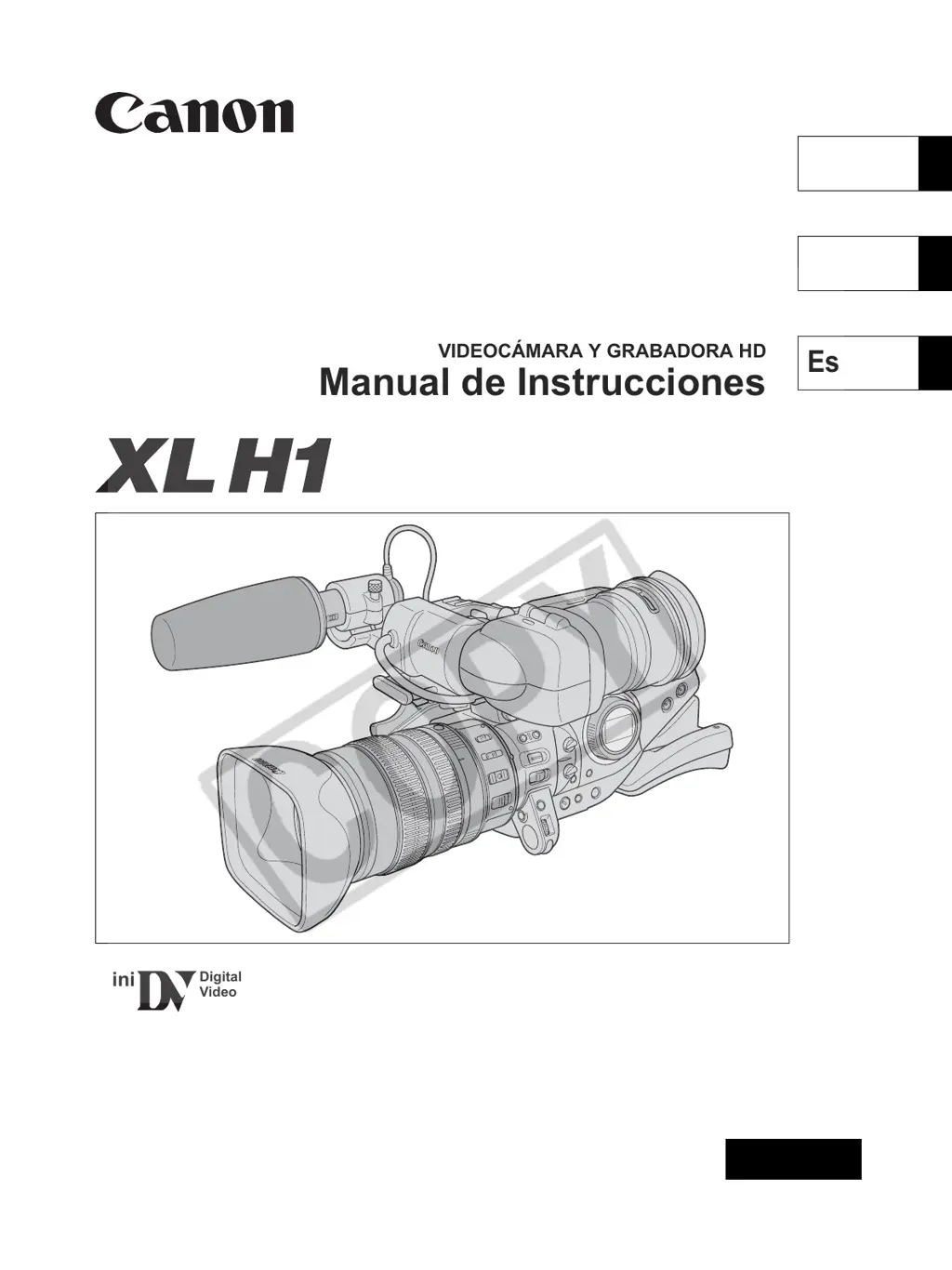
HD VIDEO CAMERA RECORDER
Instruction Manual
CAMÉSCOPE ET LECTEUR VIDÉO HD
Manuel d’instruction
VIDEOCÁMARA Y GRABADORA HD
Manual de Instrucciones
NTSC
A
PUB. DIM-720
English
Fran
ç
ais
Español

Table of Contents

Questions and Answers

  • J
    John GarciaSep 23, 2025
    What to do if “ ” flashes red on my Canon Camcorder?
    • J
      Jennifer VegaSep 23, 2025
      If “ ” flashes red on your Canon Camcorder, a card error has occurred. Turn off the camcorder, remove and reinsert the memory card. If flashing persists, initialize the memory card.
  • C
    cynthia87Aug 25, 2025
    Why does my Canon XL H1A keep turning off?
    • C
      Curtis StephensAug 25, 2025
      If the Canon Camcorder switches off by itself, the power save function may have been activated. Turn the camcorder on.
  • A
    Allen ParksAug 25, 2025
    How to fix Canon XL H1A when it will not focus?
    • J
      Jeffery AliAug 26, 2025
      If your Canon Camcorder will not focus, try focusing manually. Also, adjust the viewfinder with the dioptric adjustment lever and ensure that the lens is clean.
  • A
    andersonmarkAug 27, 2025
    How to fix blurred viewfinder picture on Canon XL H1A Camcorder?
    • S
      Sheila GreenAug 27, 2025
      If the viewfinder picture on your Canon Camcorder is blurred, adjust the viewfinder with the dioptric adjustment lever.
  • J
    Jacqueline RichardsonAug 27, 2025
    Why image will not appear on the screen of my Canon Camcorder?
    • K
      kayla01Aug 27, 2025
      If no image appears on the screen of your Canon Camcorder, ensure that the POWER dial is set to a recording program.
  • J
    Joel PetersSep 14, 2025
    Why tally lamp will not light up on my Canon Camcorder?
    • B
      Bonnie WhiteheadSep 14, 2025
      If the tally lamp on your Canon Camcorder will not light up, check if [TALLY LAMP] is set to [OFF] in the menu. If so, set [TALLY LAMP] to [ON] or [BLINK].
  • T
    Tiffany CoxSep 12, 2025
    Why memory card cannot be played back on my Canon Camcorder?
    • M
      Melissa FosterSep 12, 2025
      If the memory card cannot be played back on your Canon Camcorder, ensure that the POWER dial is set to VCR/PLAY and the TAPE/CARD switch to .
  • C
    Christine HernandezSep 13, 2025
    Why image cannot be erased on my Canon XL H1A?
    • D
      Debra ClarkSep 13, 2025
      If the image cannot be erased on your Canon Camcorder, it may be protected. Cancel the protection.
  • V
    Vanessa LoveSep 5, 2025
    Why is audio recorded in a very low level on my Canon XL H1A Camcorder?
    • N
      Nathan MillerSep 5, 2025
      If the audio is recorded in a very low level on your Canon Camcorder, and a microphone is connected to the XLR terminal, ensure that the +48V switch is set to ON. Also, check if the microphone attenuator is turned on and set the MIC ATT. switch to OFF.
  • B
    breidSep 2, 2025
    Why is the start/stop button not working on my Canon XL H1A Camcorder?
    • L
      Linda SweeneySep 2, 2025
      If your Canon Camcorder is not recording when you press the start/stop button, make sure a cassette is loaded, the POWER dial is set to a recording program, and the lock lever on the carrying handle is deactivated by sliding it to the left.

Canon XL H1A Specifications

General IconGeneral
LensCanon 20x HD Video Zoom Lens
Filter Diameter72 mm
Recording FormatHDV, DV
Sensor Type3CCD
Effective Pixels1.67 Megapixels (each CCD)
Focal Length5.4 - 108 mm
Maximum Aperturef/1.6
Shutter Speed1/6 - 1/2000 sec
LCD Screen2.4" Color LCD
Viewfinder0.57" Color LCD
Audio InputXLR inputs
Video OutputComponent, Composite, S-Video
Input/OutputFireWire (IEEE 1394)
Resolution1440 x 1080
Frame Rate60i, 30F, 24F
Weight2.6 kg

Related product manuals