3
39
English
CONNECTION TO TV DEVICE
HDMI
®
(recommended)
1
Connect a HDMI
®
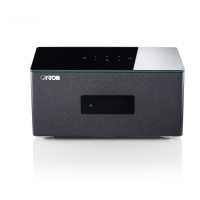
cable from the HDMI OUT (ARC) output on the back of
the Amp 5.1 to the HDMI IN (eARC/ARC) input of your TV.
2
Now select the input [TV] by the Smart-remote using the up or down
arrow key
( / )
.
Notes:
• A HDMI
®
connection supports digital audio and video with a single cable.
It is the best option for connecting your Amp 5.1.
• If your TV features a HDMI
®
ARC/eARC connector, you can enjoy also the
TV internal audio through your Amp 5.1 by using this HDMI
®
cable.
• This HDMI
®
connection is required if you intend to connect additional
source devices to the Amp 5.1 inputs to display them on your TV.
• In this case, activate CEC mode on your TV. CEC (Consumer Electronics
Control) is a feature that allows compatible devices to be controlled from
a single remote control. For details, refer to the instruction manual of your
TV.
Optical digital input (alternative)
1
Connect the input OPTICAL at the Amp 5.1 to the OPTICAL OUT connector
of your TV with an optical cable (TOSLINK).
2
On the Smart-remote, use the up and down arrows
( / )
to select the input
[CD].
Note:
• Make sure you have removed the protective caps from both ends of the
optical cable, if present.


 To Next Page
 Loading...