86
English
LED Indications
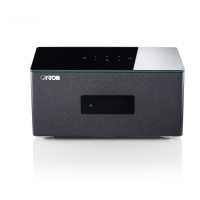
The LED indicates the following conditions:
• LED off (not illuminated) Pre-amplifier disconnected from the mains
• LED shining red Pre-amplifier in standby mode
• LED flashing green quickly Pre-amplifier is booting
• LED shining green Pre-amplifier is active (network connected)
-------------------------------------------------------------------------------------------------------------
• LED flashing green/red Pre-amplifier is executing a firmware update
• LED flashing green slowly Network disconnected
• LED flashing green Network setup mode
• LED flashing green two times Ethernet setup mode (ethernet cable connected)
Display Indications
On-Screen Display (OSD)
All settings and configurations of the Connect 5.1 can comfortably be done using the On-Screen display with your TV-Screen. To do so the
Connect must be connected with your TV using a HDMI
®
-cable. The menu is comprehensibly structured. Pressing the menu button (M) on
the remote guides you to the main menu.
To change the default language of the On-Screen display (german or english) please do as follows:
1
Press and hold the input-button " " for minimum 3 seconds.
2
Confirm the first menu item Systemeinstellungen [SYS] with the Play /Pause button" ".
3
Use the "+" or "–" button to navigate to the menu item Sprache [LAN] and confirm with the Play/Pause button" ".
4
Use the "+" or "–" button to select the desired language German [DEU] or English [ENG] and confirm your selection with the Play/Pause
button "
".
5
Exit the menu by pressing the Input-button " " twice.



 To Next Page
 Loading...