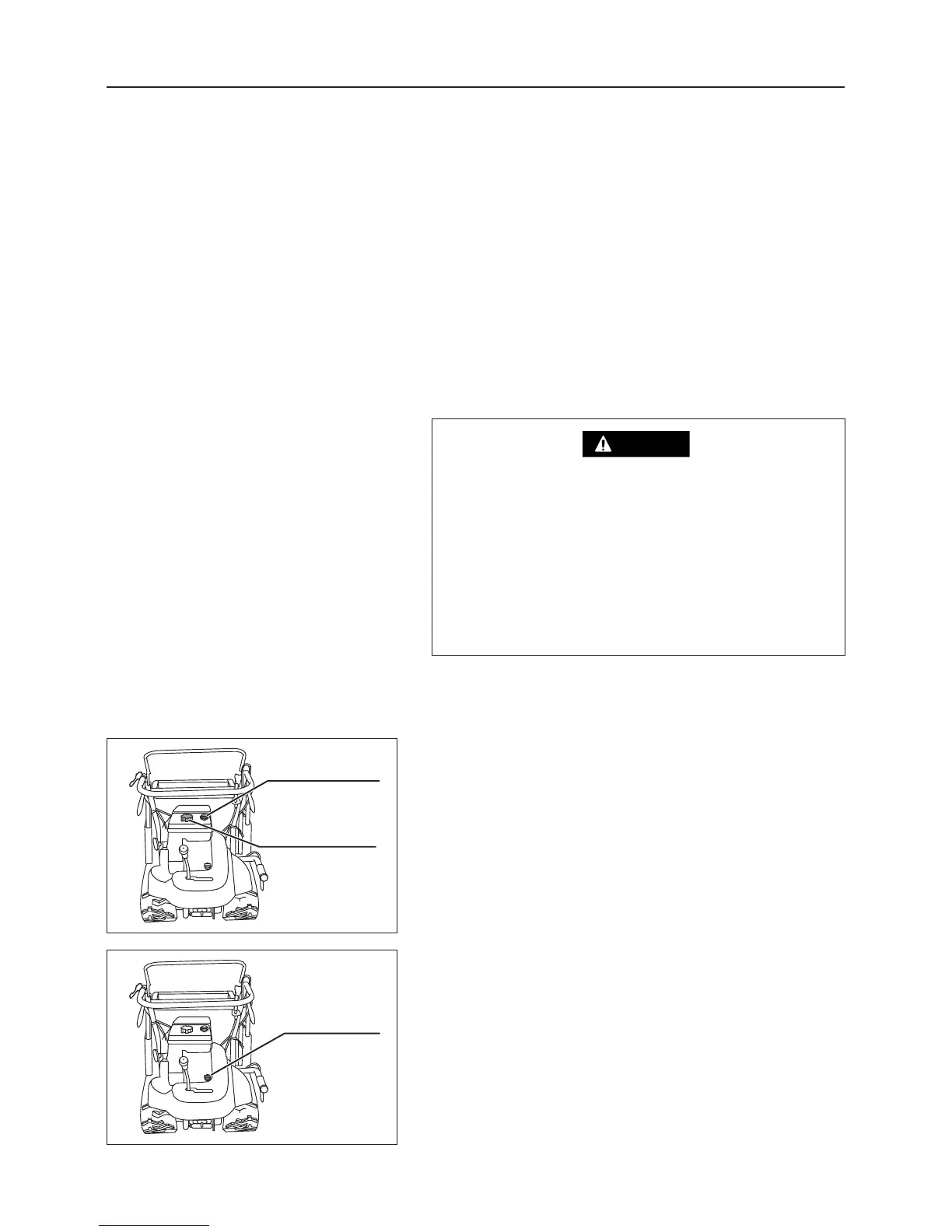
6.1 Preparation Before Operation
6.1.1 Adding Fuel
1. Visually check the oil level gauge. If fuel is low, open
the fuel tank cap, and add fuel.
Fuel to use: Lead free gasoline for cars
Fuel tank capacity: 2.2 liters
6.1.2 Checking Engine Oil Level and Adding Oil
1. Remove the engine oil filler plug (this plug has a
dipstick).
Oil level gauge
Fuel tank cap
Oil filler plug
3558M-0601-010
3558M-0601-020
6. Operation
• Before reading this section, be sure to read Section 3 "Rules for Safe Operation and
Maintenance"(see pages 4-8).
• When operating the machine, always follow the instructions in this section. Do not operate the
machine unless you are familiar with the operation of all controls and safety devices.
• When adding fuel, keep open flames (lighted
cigarettes, etc.) away from fuel and engine.
Flames will cause the fuel to ignite.
• Always stop the engine before adding fuel.
• Do not overfill so that fuel spills out of filler cap.
Wipe up any spilt before starting engine.



 To Next Page