19
Instruction manual C2105/C2106
Please keep this instruction manual for future reference
In demo mode, the normal operation of the cooling fan, circulation fan, and lighting work
normally, however all heating elements and other functions are disabled.
If the oven is turned off, it will remain in Demo mode when the oven is turned back on.
TO TURN OFF DEMO MODE
Press the button to enter standby mode, then press and hold the button for 5 seconds.
The alarm will beep 3 times, and the will disappear from the display to conrm the system
has exited Demo mode, and is ready for normal use.
DEMO MODE
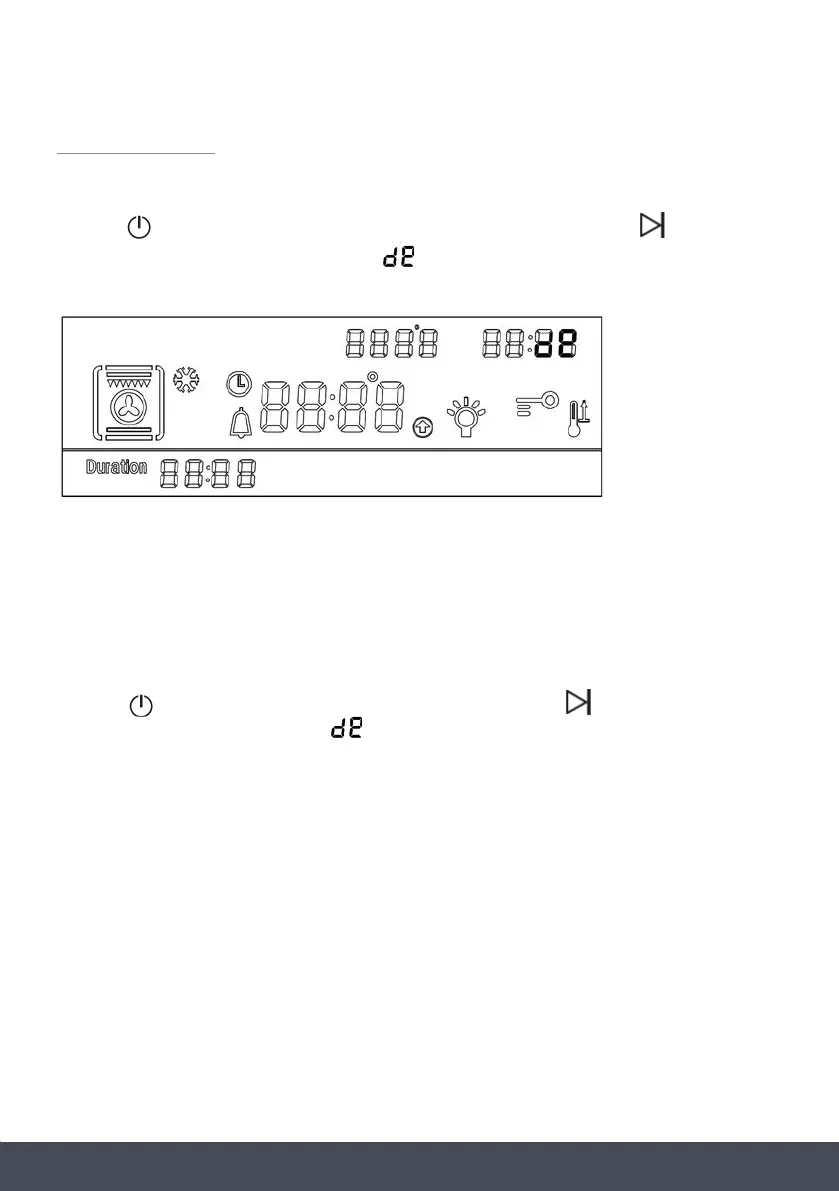
TO TURN ON DEMO MODE:
Press the button to turn the oven on (in standby mode). Press and hold the button for
5 seconds. The alarm will beep 3 times, and will appear in the top right of the display to
conrm the oven has entered demo mode.
www.caple.co.uk
CC22110011 // CC22110055
D
DEEMMOO MMOODDEE
T
Too ttuurrnn oonn ddeemmoo mmooddee::
Press the button to turn the oven on (in standby mode). Press and hold the button for 5
seconds. The alarm will beep 3 times, and will appear in the top right of the display to
confirm the oven has entered demo mode.
In demo mode, the normal operation of the cooling fan, circulation fan, and lighting work normally,
however all heating elements and other functions are disabled.
If the oven is turned off, it will remain in Demo mode when the over is turned back on.
T
Too ttuurrnn ooffff ddeemmoo mmooddee
Press the button to enter standby mode, then press and hold the button for 5 seconds. The
alarm will beep 3 times, and the will disappear from the display to confirm the system has
exited Demo mode, and is ready for normal use.
www.caple.co.uk
CC22110011 // CC22110055
DDEEMMOO MMOODDEE
T
Too ttuurrnn oonn ddeemmoo mmooddee::
Press the button to turn the oven on (in standby mode). Press and hold the button for 5
seconds. The alarm will beep 3 times, and will appear in the top right of the display to
confirm the oven has entered demo mode.
In demo mode, the normal operation of the cooling fan, circulation fan, and lighting work normally,
however all heating elements and other functions are disabled.
If the oven is turned off, it will remain in Demo mode when the over is turned back on.
T
Too ttuurrnn ooffff ddeemmoo mmooddee
Press the button to enter standby mode, then press and hold the button for 5 seconds. The
alarm will beep 3 times, and the will disappear from the display to confirm the system has
exited Demo mode, and is ready for normal use.
www.caple.co.uk
CC22110011 // CC22110055
DDEEMMOO MMOODDEE
T
Too ttuurrnn oonn ddeemmoo mmooddee::
Press the button to turn the oven on (in standby mode). Press and hold the button for 5
seconds. The alarm will beep 3 times, and will appear in the top right of the display to
confirm the oven has entered demo mode.
In demo mode, the normal operation of the cooling fan, circulation fan, and lighting work normally,
however all heating elements and other functions are disabled.
If the oven is turned off, it will remain in Demo mode when the over is turned back on.
T
Too ttuurrnn ooffff ddeemmoo mmooddee
Press the button to enter standby mode, then press and hold the button for 5 seconds. The
alarm will beep 3 times, and the will disappear from the display to confirm the system has
exited Demo mode, and is ready for normal use.
www.caple.co.uk
CC22110011 // CC22110055
DDEEMMOO MMOODDEE
T
Too ttuurrnn oonn ddeemmoo mmooddee::
Press the button to turn the oven on (in standby mode). Press and hold the button for 5
seconds. The alarm will beep 3 times, and will appear in the top right of the display to
confirm the oven has entered demo mode.
In demo mode, the normal operation of the cooling fan, circulation fan, and lighting work normally,
however all heating elements and other functions are disabled.
If the oven is turned off, it will remain in Demo mode when the over is turned back on.
T
Too ttuurrnn ooffff ddeemmoo mmooddee
Press the button to enter standby mode, then press and hold the button for 5 seconds. The
alarm will beep 3 times, and the will disappear from the display to confirm the system has
exited Demo mode, and is ready for normal use.
www.caple.co.uk
CC22110011 // CC22110055
D
DEEMMOO MMOODDEE
T
Too ttuurrnn oonn ddeemmoo mmooddee::
Press the button to turn the oven on (in standby mode). Press and hold the button for 5
seconds. The alarm will beep 3 times, and will appear in the top right of the display to
confirm the oven has entered demo mode.
In demo mode, the normal operation of the cooling fan, circulation fan, and lighting work normally,
however all heating elements and other functions are disabled.
If the oven is turned off, it will remain in Demo mode when the over is turned back on.
T
Too ttuurrnn ooffff ddeemmoo mmooddee
Press the button to enter standby mode, then press and hold the button for 5 seconds. The
alarm will beep 3 times, and the will disappear from the display to confirm the system has
exited Demo mode, and is ready for normal use.
www.caple.co.uk
CC22110011 // CC22110055
D
DEEMMOO MMOODDEE
T
Too ttuurrnn oonn ddeemmoo mmooddee::
Press the button to turn the oven on (in standby mode). Press and hold the button for 5
seconds. The alarm will beep 3 times, and will appear in the top right of the display to
confirm the oven has entered demo mode.
In demo mode, the normal operation of the cooling fan, circulation fan, and lighting work normally,
however all heating elements and other functions are disabled.
If the oven is turned off, it will remain in Demo mode when the over is turned back on.
T
Too ttuurrnn ooffff ddeemmoo mmooddee
Press the button to enter standby mode, then press and hold the button for 5 seconds. The
alarm will beep 3 times, and the will disappear from the display to confirm the system has
exited Demo mode, and is ready for normal use.
www.caple.co.uk
CC22110011 // CC22110055
DDEEMMOO MMOODDEE
T
Too ttuurrnn oonn ddeemmoo mmooddee::
Press the button to turn the oven on (in standby mode). Press and hold the button for 5
seconds. The alarm will beep 3 times, and will appear in the top right of the display to
confirm the oven has entered demo mode.
In demo mode, the normal operation of the cooling fan, circulation fan, and lighting work normally,
however all heating elements and other functions are disabled.
If the oven is turned off, it will remain in Demo mode when the over is turned back on.
T
Too ttuurrnn ooffff ddeemmoo mmooddee
Press the button to enter standby mode, then press and hold the button for 5 seconds. The
alarm will beep 3 times, and the will disappear from the display to confirm the system has
exited Demo mode, and is ready for normal use.


 To Next Page
 Loading...