EasyManua.ls Logo

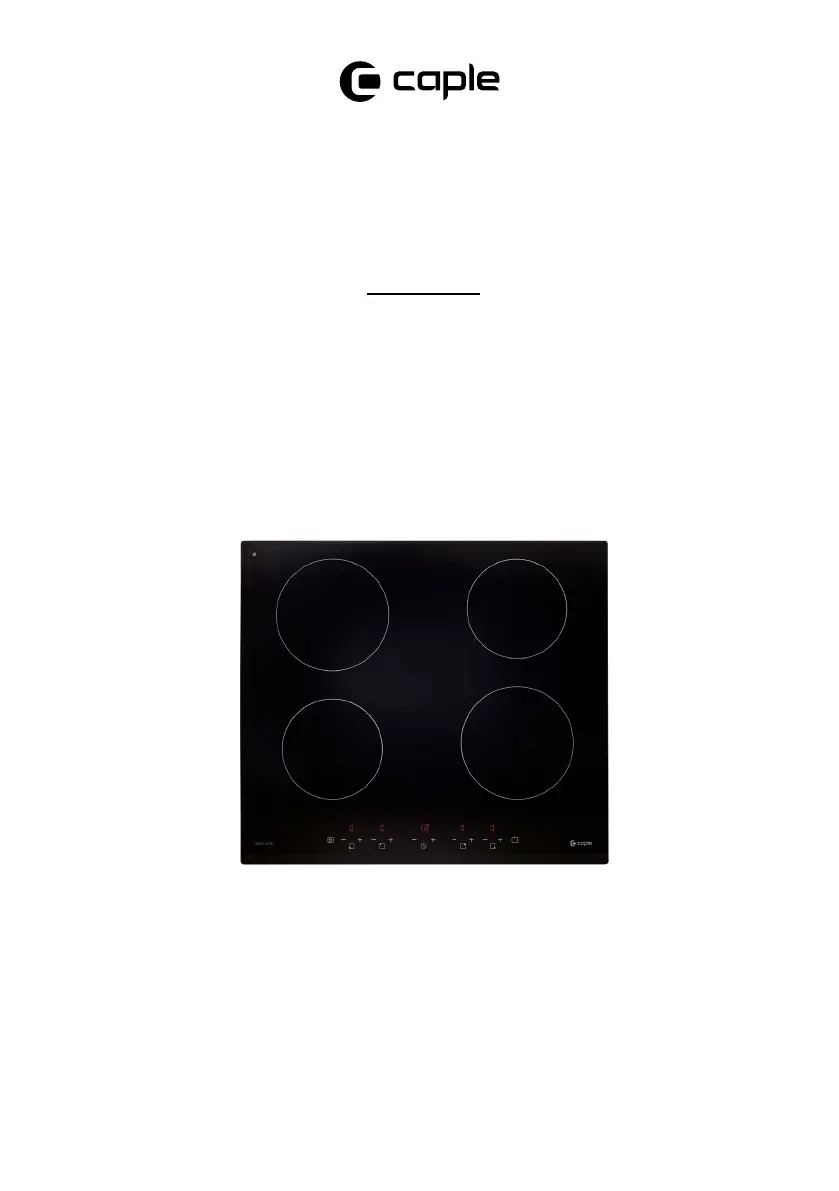
Caple C844I - User Manual

Caple C844I
32 pages
Print Icon
To Next Page IconTo Next Page
Loading...
Induction Hob
Instruction Manual
C844I
Contact Caple on 0117 938 7420 for spare parts or www.caple.co.uk

Questions and Answers

  • C
    Christine JonesAug 15, 2025
    How to fix Caple C844I if it won't turn on?
    • M
      Mr. Stephen MorrisonAug 15, 2025
      If your Caple hob isn't turning on, first ensure it's properly connected to the power supply and switched on. Then, check for any power outages in your home or area. If the issue continues after these checks, it is best to call a qualified technician.
  • K
    Keith ThorntonAug 18, 2025
    Why are my pans not heating on my Caple Hob?
    • R
      rhondajohnsonAug 18, 2025
      If your pans aren't heating up and a message appears on the display, it could be that the cookware isn't suitable for induction cooking, or the pan is too small or not centered on the cooking zone. Ensure you are using induction-compatible cookware and center the pan, matching its base to the cooking zone size.
  • A
    Ann WrightAug 21, 2025
    What to do if the touch controls on my Caple C844I Hob are unresponsive?
    • C
      Courtney MendezAug 22, 2025
      If the touch controls on your Caple hob aren't responding, it's likely that the controls are locked. Please refer to the section ‘Using your induction hob’ for instructions on how to unlock them.
  • K
    Kathleen CraigAug 25, 2025
    Why does my Caple C844I Hob turn off unexpectedly?
    • M
      Michelle ParksAug 26, 2025
      If your Caple induction hob unexpectedly turns off, emits a tone, and displays an error code, this indicates a technical fault. Please note down the error letters and numbers, switch the power to the induction hob off at the wall, and contact Caple Service on 0117 938 1900.
  • D
    Dr. Monique ChristensenAug 28, 2025
    Why are the touch controls on my Caple C844I difficult to operate?
    • M
      Miguel RobinsonAug 28, 2025
      If you're finding the touch controls on your Caple hob difficult to operate, it could be due to a slight film of water or using the tip of your finger. Ensure the control area is dry and use the ball of your finger when touching the controls.
  • A
    Alexander WilliamsAug 31, 2025
    What does error E1/E2 mean on Caple C844I Hob?
    • K
      karen40Sep 1, 2025
      If your Caple hob displays error code E1 or E2, it indicates an abnormal supply voltage. Check whether the power supply is normal and switch the hob on after confirming the power supply is stable.
  • C
    Carolyn GonzalezSep 4, 2025
    What does error E5/E6 mean on Caple C844I Hob?
    • L
      Louis WilliamsSep 4, 2025
      If your Caple hob is showing error code E5 or E6, it means there is bad induction hob heat radiation. Please restart it after the hob cools down.
  • G
    Gregory MolinaSep 7, 2025
    What does error E3/E4 mean on Caple C844I Hob?
    • M
      Mr. Daniel Moore IISep 7, 2025
      If your Caple hob displays error code E3 or E4, it indicates an abnormal temperature. Please check the pot or pan you are using.
  • L
    Lisa HannaSep 12, 2025
    How to prevent scratches on my Caple C844I Hob glass?
    • R
      Richard GomezSep 12, 2025
      If the glass on your Caple hob is getting scratched, it's likely due to rough-edged cookware or unsuitable cleaning products. Use cookware with flat, smooth bases and refer to ‘Care and Maintenance’ and ‘Choosing the right cookware’ for appropriate cleaning and cookware guidance.

Caple C844I Specifications

General IconGeneral
Hob typeInduction
Number of zones4
Control typeTouch
Width590 mm
Power Levels9
Boost FunctionYes
Voltage220-240 V
Frequency50/60 Hz
Safety FeaturesChild lock
Dimensions (mm)590 x 520 x 60

Related product manuals