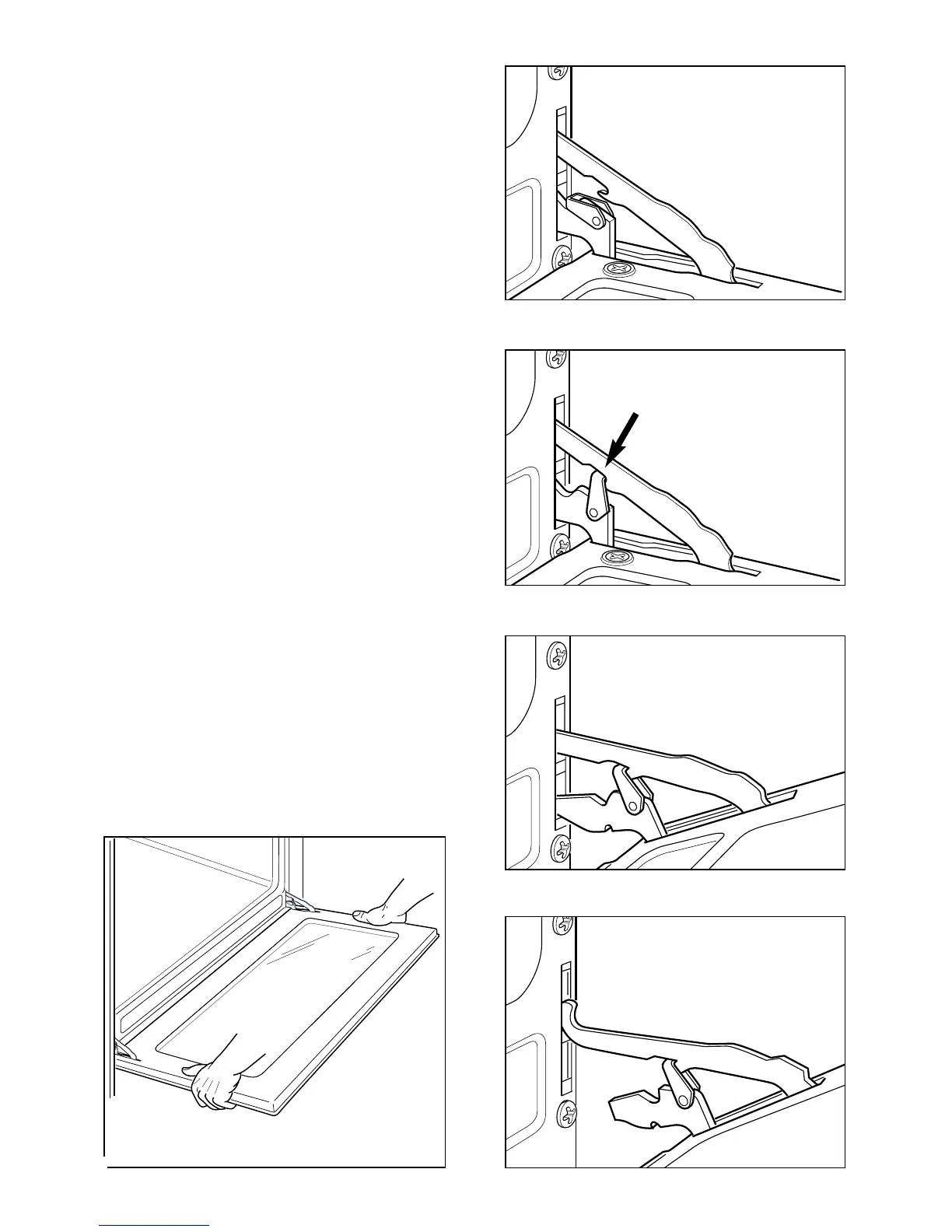
Fig. 7.12D
Fig. 7.12C
Fig. 7.12B
Fig. 7.12A
Fig. 7.12
REMOVING THE OVEN DOOR
The oven door can easily be removed
as follows:
– Open the door to the full extent (fig.
7.12A).
– Attach the retaining rings to the hooks
on the left and right hinges (fig.
7.12B).
– Hold the door as shown in fig. 7.12.
– Gently close the door and withdraw
the lower hinge pins from their
location (fig. 7.12C).
– Withdraw the upper hinge pins from
their location (fig. 7.12D).
– Rest the door on a soft surface.
– To replace the door, repeat the above
steps in reverse order.
32


 To Next Page