116 CaptionCall
Table of ContentsWireless Network Settings
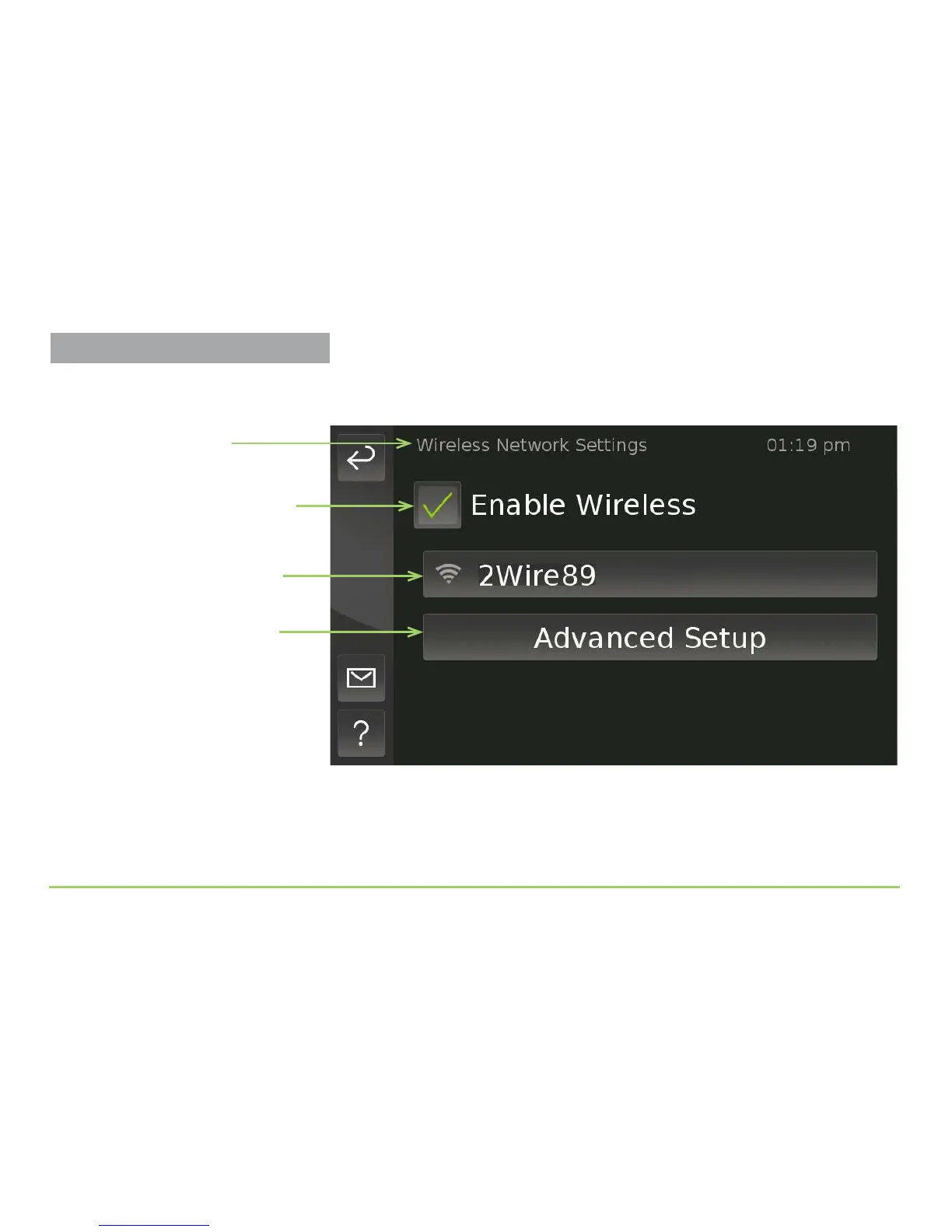
e Wireless Network Settings screen will then appear as shown below. If
wireless is not enabled, touch the check box to enable the feature.
All wireless routers (SSIDs) discovered by the phone will be shown in the
list on this screen. You can touch the Advanced Setup button to reveal the
controls for conguring the phone’s wireless network settings.
Advanced Setup button
Enable Wireless check box
Name of screen
Discovered router (SSID)
Already Connected to a Router?
After the phone connects to a nearby
router (SSID), the router’s name will be
shown in green type on this screen.



 To Next Page