user guide 31
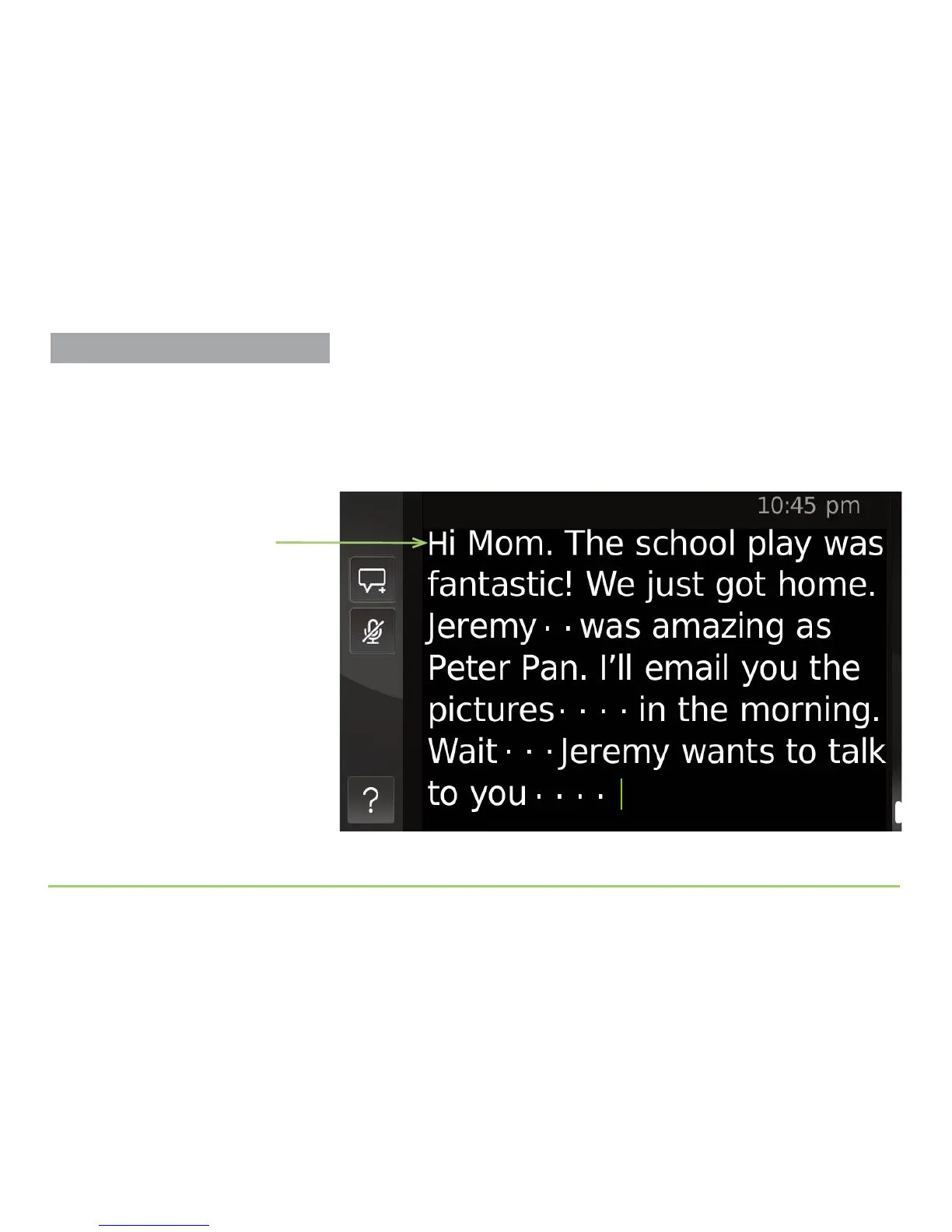
When the person you called starts talking, you’ll see captions appear on the
display showing what that person is saying to you. e image below shows
a captioning example. Notice the dots between some words in the
captioning. ese dots show when the person briey stops speaking. You’ll
see between 2 and 8 dots to indicate the length of a pause.
Captioned conversation
About the Captioning
There will be a slight delay after the
person you called starts talking before
you see the captions appear on the
display. The delay is due to the time
needed to convert the caller’s speech into
text captions for you to read.
Keep in mind the captions will only show
what the other person is saying, not what
you say during the conversation.
Making Phone Calls



 To Next Page