34 CaptionCall
Table of Contents
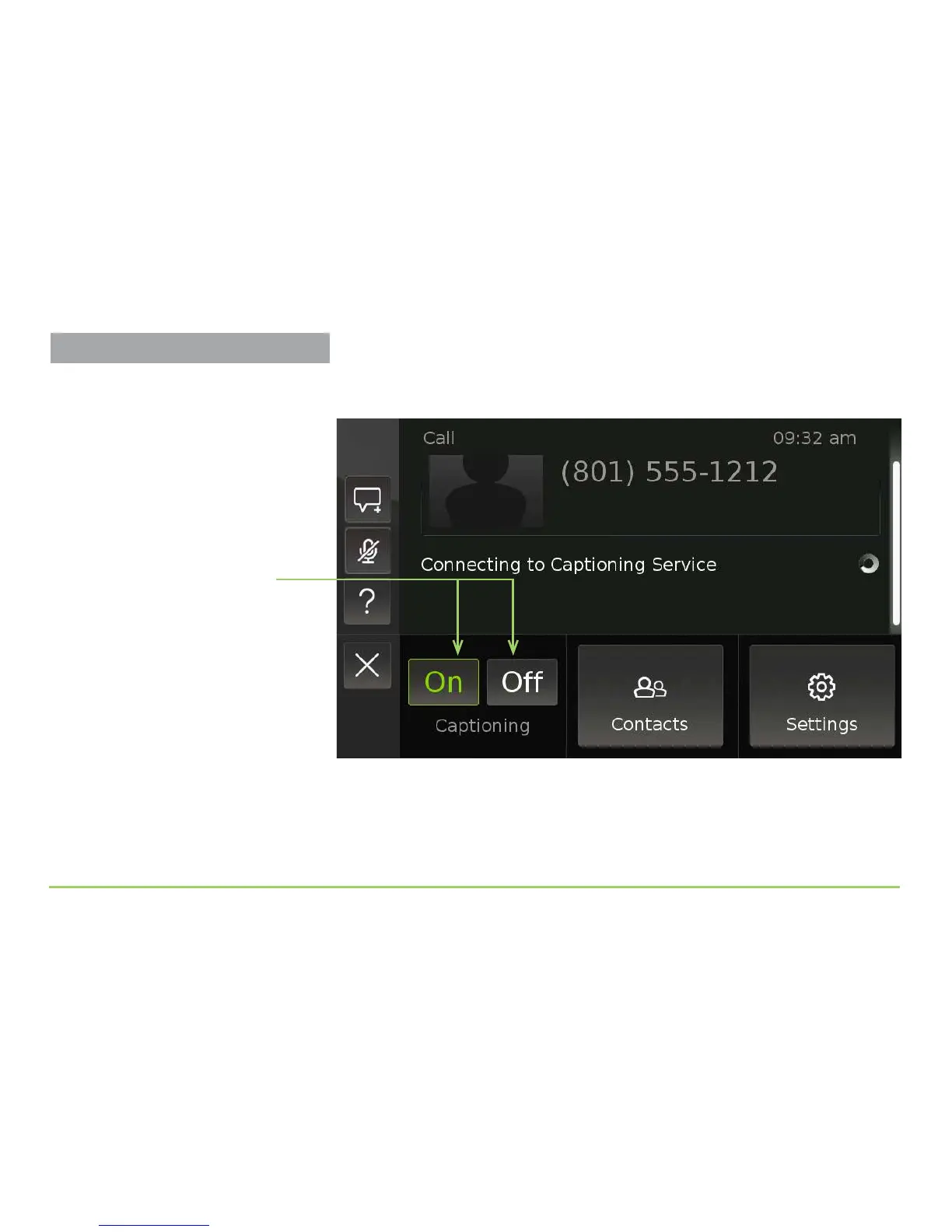
Pressing the Menu button will reveal a pop-up menu at the bottom of the
screen. Notice the Captioning On and O buttons.
Step 3: Touch the Off button to turn off the captioning service.
After touching the Captioning O button, captioning will stop. You can
turn captioning back on during this call by pressing the Menu button on
the front panel again and then touching the Captioning On button.
Buttons to turn captioning
on and off during a call
About the Other Buttons
The Contacts and Settings buttons in
the pop-up menu are used to access
these features during an active call.
Turning Captions Off



 To Next Page