ECG100+ - ECG200+ - ECG100S - ECG200S
6. PREPARATION FOR USE
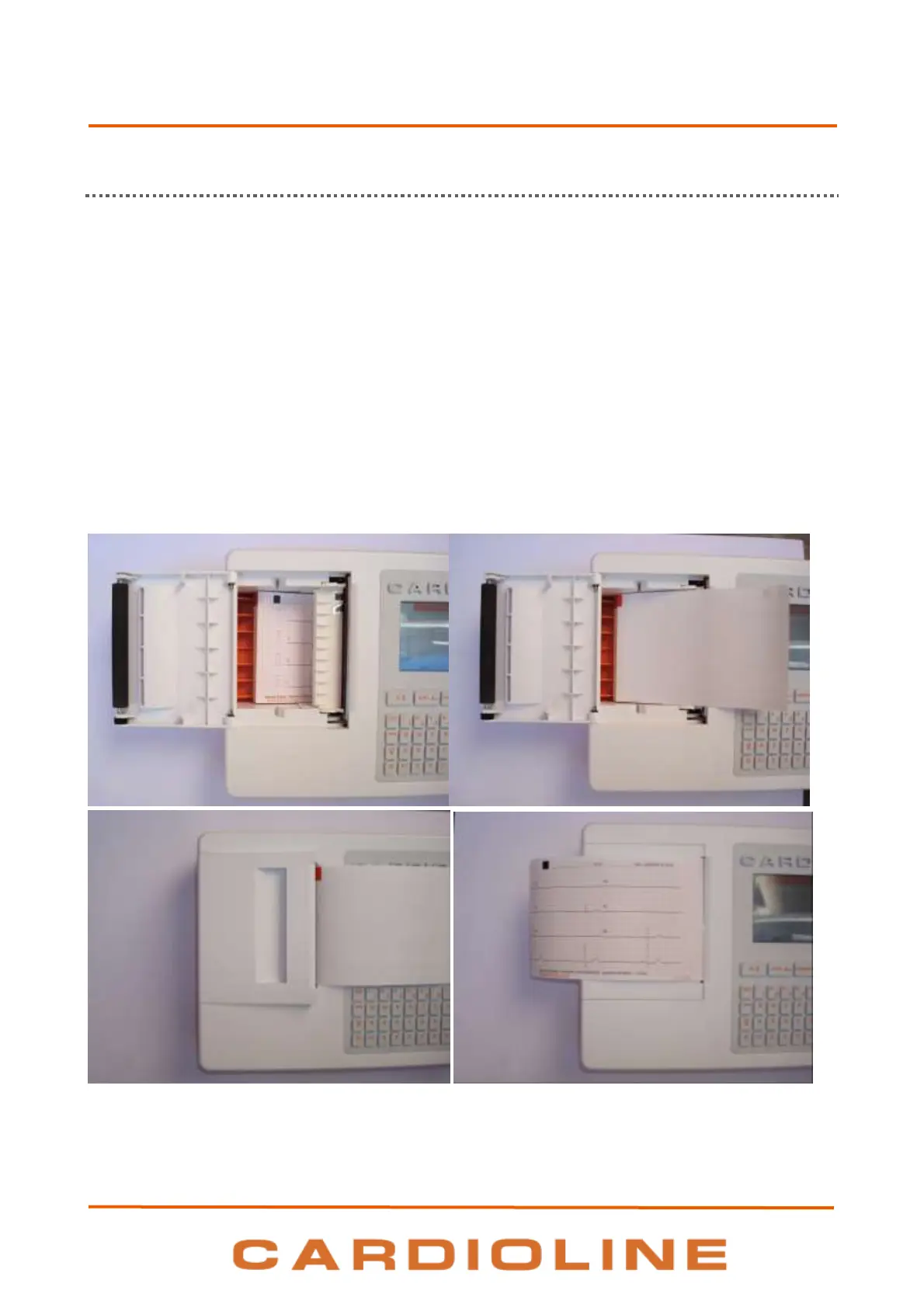
6.3. Loading the paper
Load paper in the electrocardiograph as follows:
1. Remove the outer packaging of the ream of paper.
2. Open the printer compartment, lifting the panel and turning it anticlockwise around its pivot.
3. Slip the ream of thermal paper into the drawer of the printer so that the side of the paper grid faces
upwards and the paper advancement sign (a small black rectangle) is at the top left.
4. Lift the first edge of paper, flip it over (so that the unprinted part faces upwards) and push it to the
right so that the edge rests on the right-hand side of the drawer.
5. Close the panel so that the edge of the sheet comes out on the right. The panel clicks when closed
properly.
Sequence for loading paper











 To Next Page