Page 8
FUNCTIONS
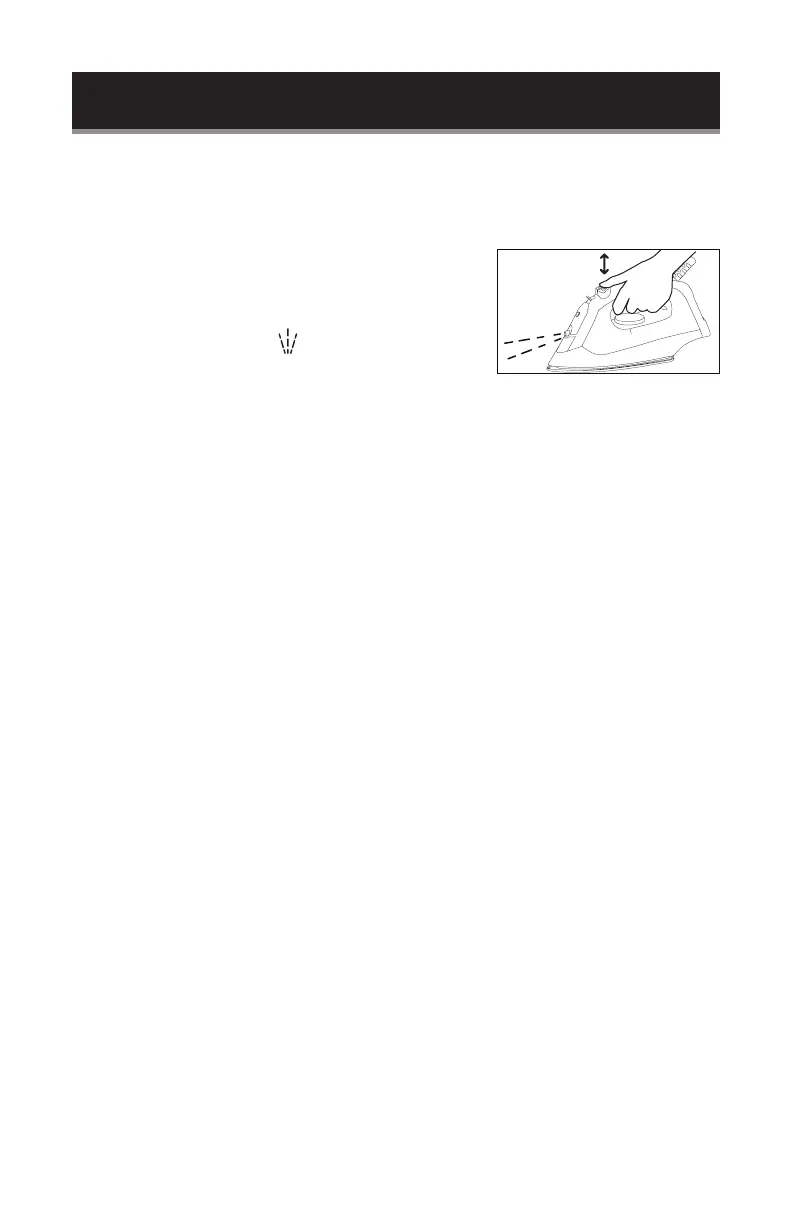
SPRAYING
This function can be used with stream or dry ironing and does not affect the ironing
temperature.
1. Check the water level. Add water if needed.
2. Aim the nozzle towards the garment.
3. Press the Spray Button, . Repeat if spray does not
work immediately.
STEAM IRONING
This function can be used only at higher ironing temperatures.
•• For moderate steam
••• or MAX For maximum steam
1. Check the water level. Add water if needed.
2. Stand the iron upright and be sure the temperature dial is set to MIN.
3. Plug the power cord into electrical outlet.
4. Turn the Temperature Control to the “••,” “•••” or MAX setting. Consider the fabric
type to be ironed.
5. The temperature operating indicator light turns off when the required
temperature is reached. The iron is ready for use. The light will go ON and OFF
while ironing.
6. Adjust the Steam Switch to the required position, steam starts coming out from
the holes in the soleplate.
NOTE: With conventional steam ironing, water may leak from the soleplate if too low a
temperature has been selected. If this happens, turn the Temperature Control to the
advised position. Steam will recommence as soon as the appropriate temperature has
been reached.
DRY IRONING
1. Ensure that the Steam Control Switch is in position “0.”
2. Select the setting on the Temperature Control. Consider the fabric type to be
ironed.
3. When the temperature operating indicator light turns off, the required
temperature is reached. The iron is ready for use.
SET UP & USE
m
ax



 To Next Page