EasyManua.ls Logo

CareFusion Alaris GP - Service Manual

CareFusion Alaris GP
80 pages
Print Icon
To Next Page IconTo Next Page
Loading...
s
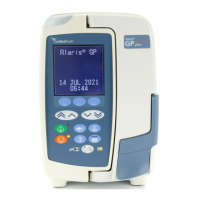
AlarisĀ® GP Volumetric Pump
Technical Service Manual

Table of Contents

Other manuals for CareFusion Alaris GP

Question and Answer IconNeed help?

Do you have a question about the CareFusion Alaris GP and is the answer not in the manual?

Summary

General Information

Introduction

Overview of the AlarisĀ® GP Volumetric Pump series and its purpose.

Product Familiarity

Emphasizes understanding the pump before operation or repair.

Purpose of this Manual

Outlines the models covered and the manual's intent for experienced personnel.

Conventions Used in this Manual

Explains formatting conventions like BOLD, quotes, italics, and symbols for notes.

Licensing Information

Details licensing information for the software components used in the pump.

General Precautions

Provides crucial safety warnings and precautions for operating and servicing the pump.

Features of the Pump

Illustrates and labels the various components and controls of the AlarisĀ® GP Volumetric Pump.

Configuration and Calibration

Service Mode

Accessing and using the pump's service mode for diagnostics and settings.

Factory Defaults

Restoring the pump to its original factory settings and performing a cold start.

Configuration Settings

Setting pump parameters like Date/Time, Serial Number, Language, and display contrast.

Near End Of Infusion (NEOI) Warning Configuration

Configuring the pump's warning for approaching the end of an infusion.

Data Set Transfer

Procedures for uploading or transferring data sets to the pump.

Calibration Procedures

Step-by-step guides for calibrating key pump functions.

Testing and Verification Procedures

Outlines tests for alarms, UI, sensors, comms, and includes the Performance Verification Procedure summary.

Preventative Maintenance

Visual Inspection

Inspecting the pump's exterior and interior for damage and wear.

Recommended Cleaning and Storage

Guidelines for cleaning the pump, infusion set, door, and flow sensor.

Firmware Updates

Instructions and requirements for upgrading the pump's firmware.

Battery Test and Replacement

Procedures for testing and replacing the pump's main battery.

Troubleshooting

Log Downloads

Procedures for downloading event logs from the pump via PC.

Software Fault Codes

Lists and explains various software fault codes and their resolution.

General Fault Diagnosis

A checklist for diagnosing general pump faults and identifying parts to check.

Exception Error Handling

Explains how the pump handles software exceptions and error reporting.

Circuit Descriptions

Functional Module Block Diagram

A visual representation of the pump's internal modules and their interconnections.

Major Assemblies Overview

Lists and briefly describes major pump assemblies and their components.

Key Module Functionality

Details the operation of critical modules like Processor, Safety, Power, and Communication systems.

Component Functions

Explains the function of specific components like Motor, Sensors, Battery Pack, and Input interfaces.

Corrective Maintenance

Torque Guide

Provides guidelines on torque specifications for fastener reassembly.

Pump Disassembly and Access

Step-by-step instructions for disassembling the pump.

Case and External Component Replacement

Procedures for replacing parts in the front/rear case, and external assemblies.

Internal Component and PCB Replacement

Details replacement of chassis, PCBs, sensors, and motor.

Specific Assemblies and Modules

Procedures for replacing smaller assemblies like Pole Clamp, Rail Cam, Handle, Door, and AIL/Safety Clamp Housing.

Keypad and Labels

Instructions for replacing the pump's keypad and various labels.

Appendix

Electromagnetic Compatibility

Details the pump's compliance with EMC standards and guidelines.

Disposal Information

Guidance on the proper disposal of the pump and its components.

Spare Parts and Software

Lists spare parts kits, keypads, labels, software, and test equipment.

Service Contacts

Contact information for CareFusion offices worldwide for service and support.

Document History and Records

Records of manual revisions and a form for tracking software upgrades.

Summary

General Information

Introduction

Overview of the AlarisĀ® GP Volumetric Pump series and its purpose.

Product Familiarity

Emphasizes understanding the pump before operation or repair.

Purpose of this Manual

Outlines the models covered and the manual's intent for experienced personnel.

Conventions Used in this Manual

Explains formatting conventions like BOLD, quotes, italics, and symbols for notes.

Licensing Information

Details licensing information for the software components used in the pump.

General Precautions

Provides crucial safety warnings and precautions for operating and servicing the pump.

Features of the Pump

Illustrates and labels the various components and controls of the AlarisĀ® GP Volumetric Pump.

Configuration and Calibration

Service Mode

Accessing and using the pump's service mode for diagnostics and settings.

Factory Defaults

Restoring the pump to its original factory settings and performing a cold start.

Configuration Settings

Setting pump parameters like Date/Time, Serial Number, Language, and display contrast.

Near End Of Infusion (NEOI) Warning Configuration

Configuring the pump's warning for approaching the end of an infusion.

Data Set Transfer

Procedures for uploading or transferring data sets to the pump.

Calibration Procedures

Step-by-step guides for calibrating key pump functions.

Testing and Verification Procedures

Outlines tests for alarms, UI, sensors, comms, and includes the Performance Verification Procedure summary.

Preventative Maintenance

Visual Inspection

Inspecting the pump's exterior and interior for damage and wear.

Recommended Cleaning and Storage

Guidelines for cleaning the pump, infusion set, door, and flow sensor.

Firmware Updates

Instructions and requirements for upgrading the pump's firmware.

Battery Test and Replacement

Procedures for testing and replacing the pump's main battery.

Troubleshooting

Log Downloads

Procedures for downloading event logs from the pump via PC.

Software Fault Codes

Lists and explains various software fault codes and their resolution.

General Fault Diagnosis

A checklist for diagnosing general pump faults and identifying parts to check.

Exception Error Handling

Explains how the pump handles software exceptions and error reporting.

Circuit Descriptions

Functional Module Block Diagram

A visual representation of the pump's internal modules and their interconnections.

Major Assemblies Overview

Lists and briefly describes major pump assemblies and their components.

Key Module Functionality

Details the operation of critical modules like Processor, Safety, Power, and Communication systems.

Component Functions

Explains the function of specific components like Motor, Sensors, Battery Pack, and Input interfaces.

Corrective Maintenance

Torque Guide

Provides guidelines on torque specifications for fastener reassembly.

Pump Disassembly and Access

Step-by-step instructions for disassembling the pump.

Case and External Component Replacement

Procedures for replacing parts in the front/rear case, and external assemblies.

Internal Component and PCB Replacement

Details replacement of chassis, PCBs, sensors, and motor.

Specific Assemblies and Modules

Procedures for replacing smaller assemblies like Pole Clamp, Rail Cam, Handle, Door, and AIL/Safety Clamp Housing.

Keypad and Labels

Instructions for replacing the pump's keypad and various labels.

Appendix

Electromagnetic Compatibility

Details the pump's compliance with EMC standards and guidelines.

Disposal Information

Guidance on the proper disposal of the pump and its components.

Spare Parts and Software

Lists spare parts kits, keypads, labels, software, and test equipment.

Service Contacts

Contact information for CareFusion offices worldwide for service and support.

Document History and Records

Records of manual revisions and a form for tracking software upgrades.

CareFusion Alaris GP Specifications

General IconGeneral
BrandCareFusion
ModelAlaris GP
CategoryMedical Equipment
LanguageEnglish

Related product manuals