EasyManua.ls Logo

Carel EVD evolution - User Manual

Carel EVD evolution
49 pages
Print Icon
To Next Page IconTo Next Page
Loading...

Questions and Answers

  • C
    Courtney BrownAug 14, 2025
    Why is the superheat value measured by my Carel Controller incorrect?
    • C
      christopherbarkerAug 14, 2025
      The incorrect superheat value measured by the Carel Controller might be caused by a few things. First, the probe may not be measuring correct values. Ensure the pressure and temperature readings are accurate, the probe is correctly positioned, the pressure transducer parameters match the probe, and the electrical connections are secure. Another cause could be that the refrigerant type set in the controller is incorrect. Verify and correct the refrigerant type parameter.
  • M
    Mark SmithAug 18, 2025
    What to do if my Carel Controller unit switches off due to low pressure during control?
    • V
      victorlambertAug 18, 2025
      If your Carel Controller unit is switching off due to low pressure, there are several potential causes. First, check if the LOP protection is disabled and set a LOP integration time greater than 0 s. If it's ineffective, ensure the LOP protection threshold is at the required saturated evaporation temperature and decrease the LOP integration time. Other possible issues include a blocked solenoid (check its electrical connections and operation), insufficient refrigerant (look for bubbles in the liquid indicator and ensure subcooling is above 5°C), an undersized valve (replace with a larger one), a broken or incorrectly connected stator (measure winding resistance, should be around 36 ohms), or a valve stuck closed (use manual control to open it).
  • T
    Taylor WilsonAug 25, 2025
    How to fix large superheat swings in Carel Controller?
    • S
      sparksthomasAug 25, 2025
      Large superheat swings around the set point in your Carel Controller can be caused by several factors. Condensing pressure swings can be addressed by adjusting the controller condenser settings. If superheat swings even in manual valve control, check for underlying issues like low refrigerant charge. If the superheat doesn't swing in manual control, decrease the proportional factor and increase the integration time. A low superheat set point can also cause swings; increase the set point, starting at 13°C, and gradually reduce it. Finally, ensure MOP protection is enabled with the correct threshold and integration time (recommended 4 seconds).
  • M
    Michele GomezAug 28, 2025
    Why isn't my Carel Controller cabinet reaching the set temperature even with the valve fully open?
    • D
      David LopezAug 28, 2025
      If your Carel Controller cabinet isn't reaching the set temperature despite the valve being fully open, several issues could be the cause. The solenoid may be blocked; check its electrical connections and operation. Insufficient refrigerant could be the problem; look for bubbles in the liquid indicator and ensure subcooling is above 5°C. The valve might be significantly undersized, requiring replacement with a larger equivalent. A broken or incorrectly connected stator is another possibility; check the winding resistance (should be around 36 ohms). Finally, the valve might be stuck closed; try using manual control to fully open the valve.
  • J
    Jonathan MerrittAug 30, 2025
    What to do if low pressure protection activates during the start-up of my Carel Controller?
    • S
      Shawn JacksonAug 31, 2025
      If the low pressure protection activates during the start-up phase of your Carel Controller, several factors could be responsible. The 'Valve opening at start-up' parameter might be set too low; check the calculation related to the evaporator and valve capacity. If using pLAN or tLAN, ensure the connections are correct, the pCO application manages the start signal, and the driver is not in stand-alone mode. For stand-alone configuration, verify the digital input connection and the driver's mode. Ensure LOP protection is enabled with an integration time greater than 0 s, and that the threshold is correctly set. Also, check for a blocked solenoid, insufficient refrigerant, an incorrectly connected valve, a broken stator, or a valve stuck closed.
  • T
    Tonya HallSep 7, 2025
    Why isn't my Carel Controller cabinet reaching the set temperature, and the valve position is always 0?
    • M
      Mr. Samuel GonzalezSep 7, 2025
      If your Carel Controller cabinet isn't reaching the set temperature and the valve position is always 0, the issue might be related to the driver's configuration. If the driver is in pLAN or tLAN configuration, check the connections and ensure the pCO application correctly manages the start signal, and that the driver is NOT in stand-alone mode. If the driver is in stand-alone configuration, check the digital input connection and ensure the driver is in stand-alone mode.
  • Y
    Yolanda BentonSep 10, 2025
    Why is liquid returning to the compressor only when starting the Carel Controller?
    • T
      timothy58Sep 10, 2025
      If liquid returns to the compressor only when starting the Carel Controller, the 'valve opening at start' parameter may be set too high. Check the calculation in reference to the ratio between the rated cooling capacity of the evaporator and the capacity of the valve; if necessary, lower the value.
  • J
    Jordan SimmonsNov 20, 2025
    Why is liquid returning to the compressor during control with my Carel Controller?
    • I
      Isaiah HodgeNov 20, 2025
      Liquid returning to the compressor during control with your Carel Controller can stem from several issues. The valve type might be set incorrectly, so check and correct the valve type parameter. The valve might be connected incorrectly, causing it to rotate in reverse; verify the valve's movement in manual control and check the electrical connections if reversed. Also, the superheat set point could be too low; increase it, starting at 12°C, and gradually reduce it while monitoring for liquid return. The low superheat protection might be ineffective; increase the low superheat threshold and/or decrease the low superheat integration time. A broken or incorrectly connected stator could be the cause; measure the winding resistance (should be around 36 ohms). Alternatively, the valve might be s...

Summary

Warnings and Safety Precautions

Disposal Information

Information for users on correct handling of waste electrical and electronic equipment (WEEE).

Product Warranty and Approval

Details on warranty period and quality/safety certifications.

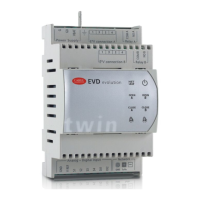
Introduction to EVD Evolution

EVD Evolution Models and Features

Details models, functions, and main characteristics of the EVD evolution driver.

Available Accessories

Describes optional battery modules and valve cables for EVD evolution.

Installation Guide

Physical Mounting and Terminal Description

Details DIN rail assembly, dimensions, and terminal functions.

Wiring and Connection Procedures

Covers installation steps, USB-tLAN connection, and general wiring diagrams.

Parameter Management via Display

Explains how to upload, download, and reset driver parameters using the display interface.

User Interface and Operation

Display Board Assembly and Function

Instructions for installing and using the optional display board.

Navigating Display and Programming Modes

Explains display modes, keypad functions, and parameter programming for different user levels.

Initial Setup and Commissioning

Commissioning Overview and Interfaces

Explains essential parameters and interface options for initial setup.

Guided Commissioning Procedure

Step-by-step instructions for configuring the driver via the display.

Post-Commissioning Checks and Advanced Functions

Verification steps and details on accessing other control types and customization.

Control Modes and Functions

Main, Auxiliary, and Superheat Control

Details the primary control types, their operation, and key parameters.

Special Control Modes

Covers EPR back-pressure, hot gas bypass, and PID parameter configurations.

Analogue Positioning and Gas Cooler Control

Explains control via analogue inputs and specific applications like transcritical CO2 gas coolers.

Advanced Auxiliary Controls and Protection

Details auxiliary functions, HITCond protection, and modulating thermostat operation.

System Functions and Status

Inputs, Outputs, and Sensor Calibration

Details analog/digital inputs, outputs, and calibration procedures for sensors.

Control Status, Valve Procedures, and Special Modes

Explains operational states, valve handling, and special control statuses.

System Protectors

Protector Overview and LowSH Function

Introduces protectors and details the LowSH protection mechanism.

LOP, MOP, and HiTcond Protections

Explains the Low Evaporation Pressure, High Evaporation Temperature, and High Condensing Temperature protections.

Parameter Reference Tables

Configuration and Sensor Parameters

Lists settings for network, refrigerant, valves, and sensors.

Control, Special, and Alarm Parameters

Details parameters for various control modes, special functions, and alarm configurations.

Variable Displays and Access

Displayed Variables by Control Mode

Shows which variables are visible on the display for different control modes.

Serial Link Accessible Variables

Lists variables accessible only via serial communication.

Alarms and Error Management

Alarm Types and Indications

Explains system/control alarms, their display, and relay configuration.

Specific Alarms and Error Conditions

Details sensor alarms, control alarms, motor errors, and network communication issues.

Troubleshooting Guide

Common Malfunctions and Solutions

Provides a table of common problems, their causes, and step-by-step solutions.

Technical Specifications

Electrical and Physical Characteristics

Lists power supply, dimensions, operating conditions, and certifications.

VPM Software Appendix

VPM Software Installation and Basic Programming

Instructions for installing and performing initial programming with VPM.

Advanced VPM Operations

Covers copying setups, setting defaults, and updating firmware using VPM.

Carel EVD evolution Specifications

General IconGeneral
Protection GradeIP20
Cooling MethodNatural convection
Power Supply24 VDC ±10%
Communication ProtocolCarel protocol, Modbus, BACnet, CANbus
Input Voltage24 Vac/dc ±10%
Communication ProtocolsCarel, Modbus, BACnet, CANbus
Relative Humidity5 to 90% RH non-condensing
AltitudeUp to 2000 m
TypeElectronic expansion valve controller

Related product manuals