22
ENG
mpxone +0300086EN rel. 2.2 - 13.11.2023
Installation
Caution:
the following warnings must be observed when connecting the controllers:
• incorrect connection to the power supply may seriously damage the controller;
• use cable ends suitable for the corresponding terminals. Loosen each screw and insert the cable ends, then tighten the screws
and lightly tug the cables to check correct tightness;
• separate as much as possible the probe and digital input cables from cables to inductive loads and power cables, so as to
avoid possible electromagnetic disturbance. Never run power cables (including the electrical panel cables) and probe signal
cables in the same conduits;
• do not install the probe cables in the immediate vicinity of power devices (contactors, circuit breakers, etc.). Reduce the path
of probe cables as much as possible, and avoid spiral paths that enclose power devices.
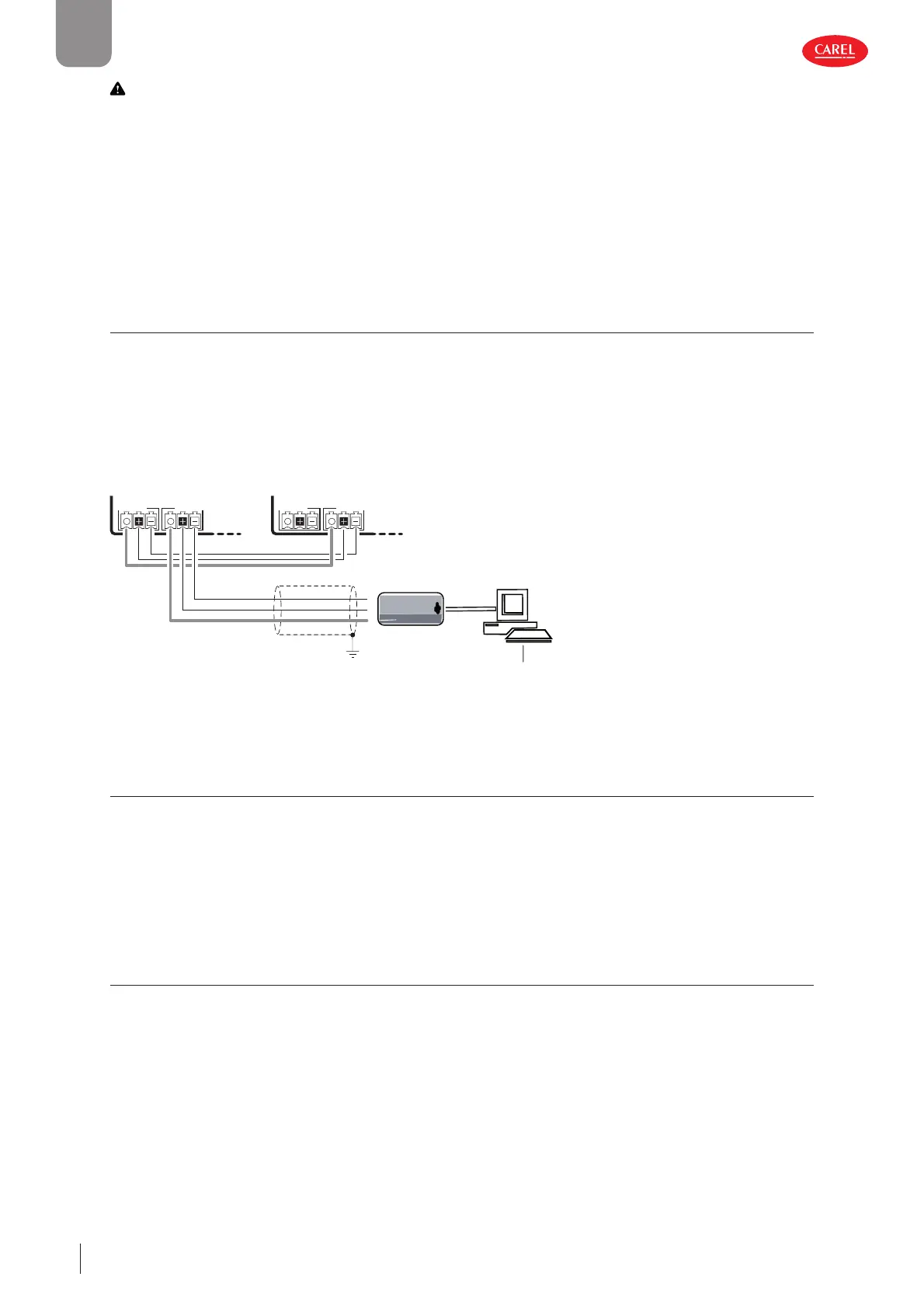
2.12 SPARK: conguration and commissioning software
SPARK is the configuration software, available for laptops, specifically designed to meet the needs of manufacturers and installers
of multiplexed cabinets. The software is used to:
• configure access and password levels;
• change parameter sets and create custom read/write lists to upload to the device;
• add languages and parameter descriptions;
• view the trends of physical quantities in real time, with the possibility to save data in Excel format.
For the electrical connection, use the USB/RS485 converter CVSTDUMOR0.
Any authorisation, under license, is issued by CAREL.
300086_003_R01
CVSTDUMOR0
USB/RS485 converter
J5 FBus
J4 BMS
J5 FBus
J4 BMS
RS485
Main Secondary
Shield
BMS
Commissioning tool
C
A
E
RL
i
s
o
l
a
t
e
d
B
S
U
-8
4
S
R
5
c
o
v
e
r
t
e
r
R
S
4
8
5
ne
t
w
o
r
k
G
D
N
R
x
+
/
T
x
+
R
x
-
/
T
x
-
Fig. 2.z
2.13 SPARKLY: command line tool
SPARKLY is command-line software designed to be integrated into production systems, and is used to:
• load the parameter configuration onto the controller;
• update the device software;
• write specific information directly to the controller’s s internal memory (serial number, production date, etc.);
• perform end-of-line tests (if properly integrated with a high-level system).
2.14 Setting the default parameters/loading the parameter sets
Two different sets of parameters are saved in the MPXone memory. These default sets can never be overwritten, being stored in
a non-modifiable memory area. When resetting the system using the configuration wizard, one of the two configurations can
be selected. The parameter set, differentiated by the user to control the specific refrigeration system, can be saved and uploaded
to the linked cloud account using the Applica app.











 To Next Page