26
ENG
mpxone +0300086EN rel. 2.2 - 13.11.2023
User interface
3.2.4 Programming mode
The user terminal only provides access to the Basic confi guration parameters, such as direct functions and active alarms without
password protection, or, with password protection, unit set-up (*).
Pressing PRG on the main screen for 3 s and entering the password 33 accesses programming mode; see the menu descriptions
for details of the available items.
Notice: (*) for any optimisations, use the APPLICA app.
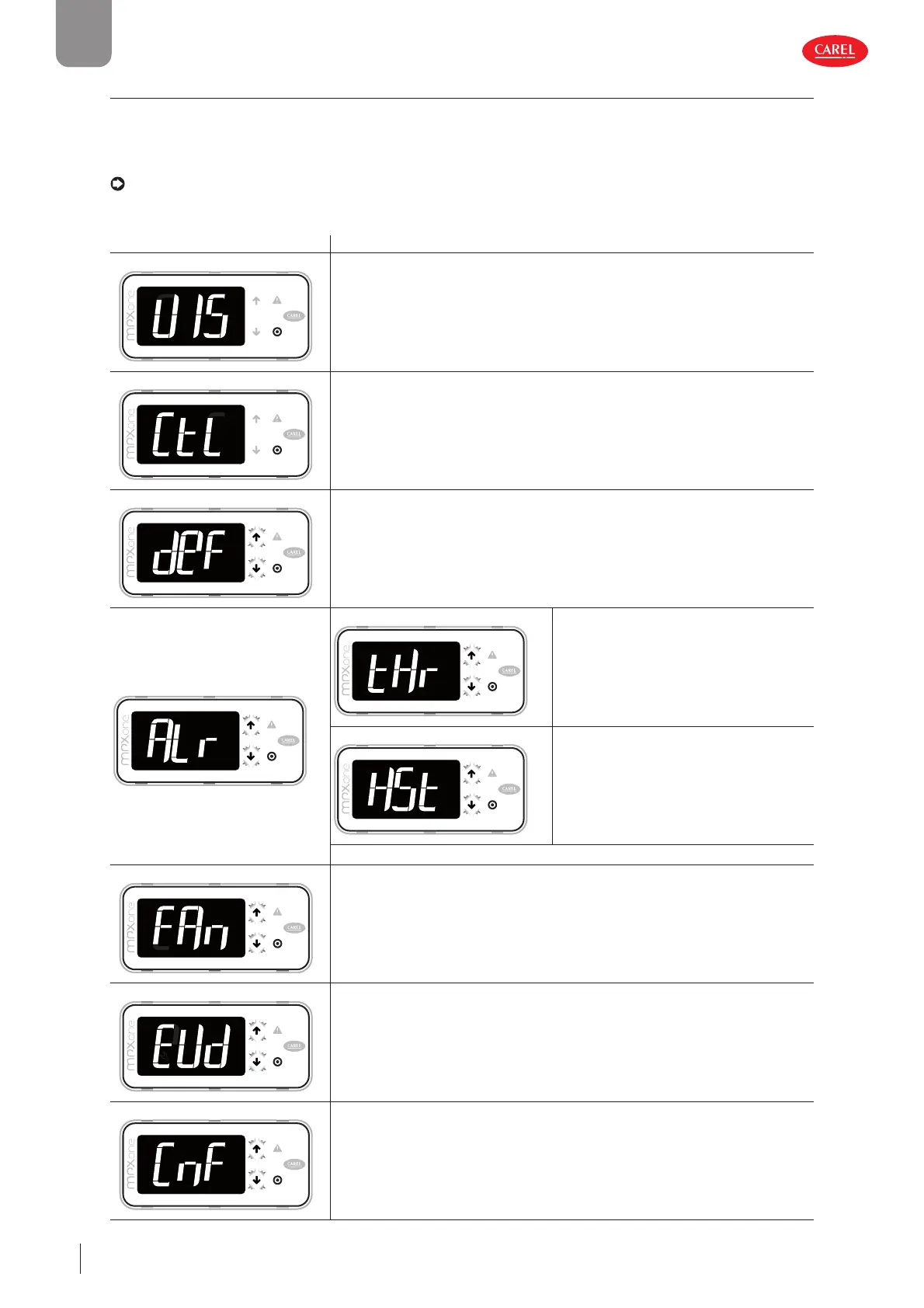
Parameter categories visible on the user terminal
First level Second level
VIS - DISPLAY
300086_100_R01
(1)- Sm, Sd, Sr, SH
(1)(2)- PPU, tGS, tEu, PEu - (1) (2)
ESC
Ctl - CONTROL
300086_101_R01
On, St, rd, P1, P2, P3,/FA, /Fb, /Fc,/Fd, /FE, /UE, / LE (2)- /P4
ESC
DeF - DEFROST
300086_102_R01
Do, d1, dt1, dp1
ESC
ALr - ALARMS
300086_103_R01
tHr - THRESHOLDS
300086_103_R01
AA, A0, A1, AL, AH,Ad
ESC
HSt - LOGS
300086_103_R01
HS0, HS1, HS2, HS3, HS5, HS6, HS7, HS8, HS9
ESC
ESC
FAN - FANS
300086_104_R01
F0, F1, F2, F3
ESC
EVD - EV Driver
300086_105_R01
P1, P3, P7, PH
ESC
CnF - CONFIGURATION
300086_106_R01
H0, H2, H1, H3, In, Sn, r7, /5
ESC











 To Next Page