27
ENG
mpxone +0300086EN rel. 2.2 - 13.11.2023
User interface
rtC - DATE TIME
300086_107_R01
Y__, M__, d__, h__, m__
ESC
Vcc - VCC
300086_108 _R01
/P6, /P7, cMi, CMA, CnF, CMF, cSc, CdF, cct
ESC
ESC
300086_109 _R01
ESC (return to standard display)
* = Advanced only
Notice**: parameters not available on the Basic version.
Procedure
To navigate the menu tree, use the following buttons:
• UP and DOWN to navigate the menu and set the values;
• PRG to enter the menu items and save the changes made;
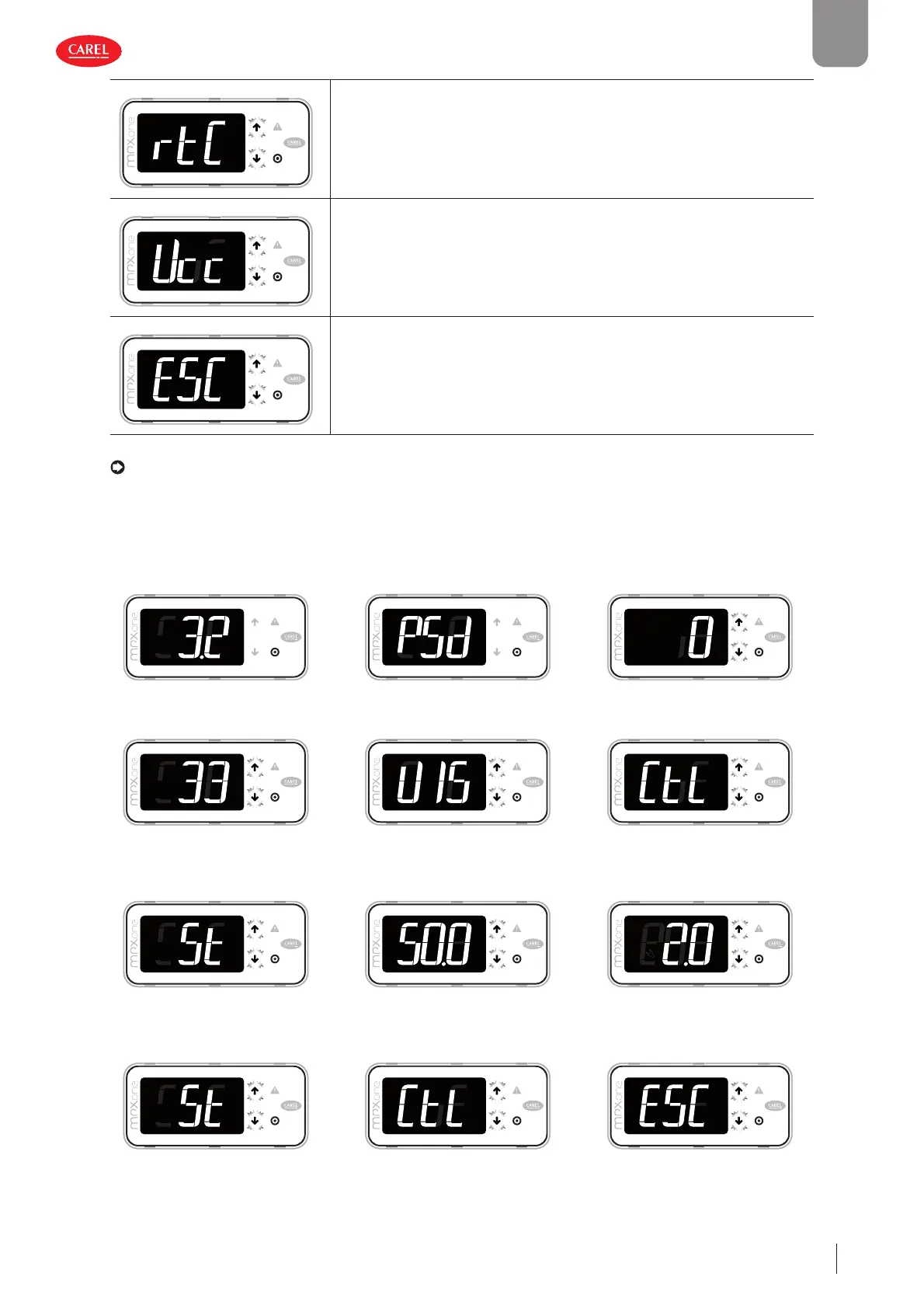
• PRG (3s) to select the menu item or ESC to return to the previous branch. Example of how to set parameter St (set point):
300086_100_R01
300086_101_R01
300086_112 _R01
1. Wait for the standard display to be
shown
2. Press PRG for 3 s: the password
prompt is displayed (PSd)
3. Press PRG: UP and DOWN fl ash
300086_104_R01
300086_106_R01
300086_108 _R01
4. Press UP and enter the password:
33
5. Press PRG: the fi rst category of
parameters is displayed: VIS (=Dis-
play)
6. Press DOWN: the second catego-
ry of parameters is displayed: CtL
(=Control)
300086_102_R01
300086_103_R01
300086_105_R01
7. Press DOWN until reaching param-
eter St (=set point) and PRG to dis-
play the value
8. Press UP/DOWN to modify the val-
ue
9. Press PRG to save the setting and
return to the parameter code
300086_102_R01
300086_108 _R01
300086_107_R01
10. Press PRG for 3 sec or alternatively,
in the parameter level select ESC
and press PRG to return to the pa-
rameter categories
11. Press DOWN to move to the next
category dEF (=Defrost) and follow
steps 5 to 9 to set the other param-
eters
12. After having completed the set-
tings, to exit either: a) from the cat-
egories press ESC and then PRG; or
b) press PRG for 3 s











 To Next Page