29
ENG
mpxone +0300086EN rel. 2.2 - 13.11.2023
Commissioning
4. COMMISSIONING
Once the electrical connections have been completed (see “Installation”) and the power supply has been connected, the oper-
ations required for commissioning the controller depend on the type of interface used, however essentially involve setting the
so-called initial confi guration parameters.
The initial confi guration procedure can be run on the user terminal or mobile device (with the APPLICA app).
The parameters used for commissioning are shown in the Parameter table.
Caution: the parameters that can be set on the user terminal and in the APPLICA app may vary according to the rights
assigned to the access profi le, defi ned by the manufacturer. Therefore, not all of the following parameters may be visible or
modifi able.
4.1 Wizard
MPXone features highly confi gurable inputs and outputs. CAREL in any case recommends a confi guration following the default
settings of the parameters. By following this suggestion, the controller can independently manage the main functions in most
applications, without having to signifi cantly modify the settings of the parameters.
4.1.1 User terminal
When fi rst started, MPXone runs a procedure (confi guration wizard) that requires the settings of the critical parameters, relating
to:
• correct confi guration of the probe types;
• correct communication of the controller with the supervisor and the main/secondary network;
• management of the electronic valve, if the external driver is available.
Notice: the confi guration wizard can also be:
• run via the “APPLICA” app
• skipped by creating a parameter confi guration using the SPARK confi guration software.
During this procedure, the device remains in standby and all of its functions are deactivated (including control and communi-
cation via RS485). The confi guration wizard is displayed on the user terminal; this therefore needs to be connected if the confi g-
uration has not already been completed. Only after having set all of the required parameters will it be possible to terminate the
confi guration wizard.
Notice: at the end of the guided procedure (wizard), the controller uses the default parameters (for example, set point at the
default value 50°C, and therefore there will be no request).
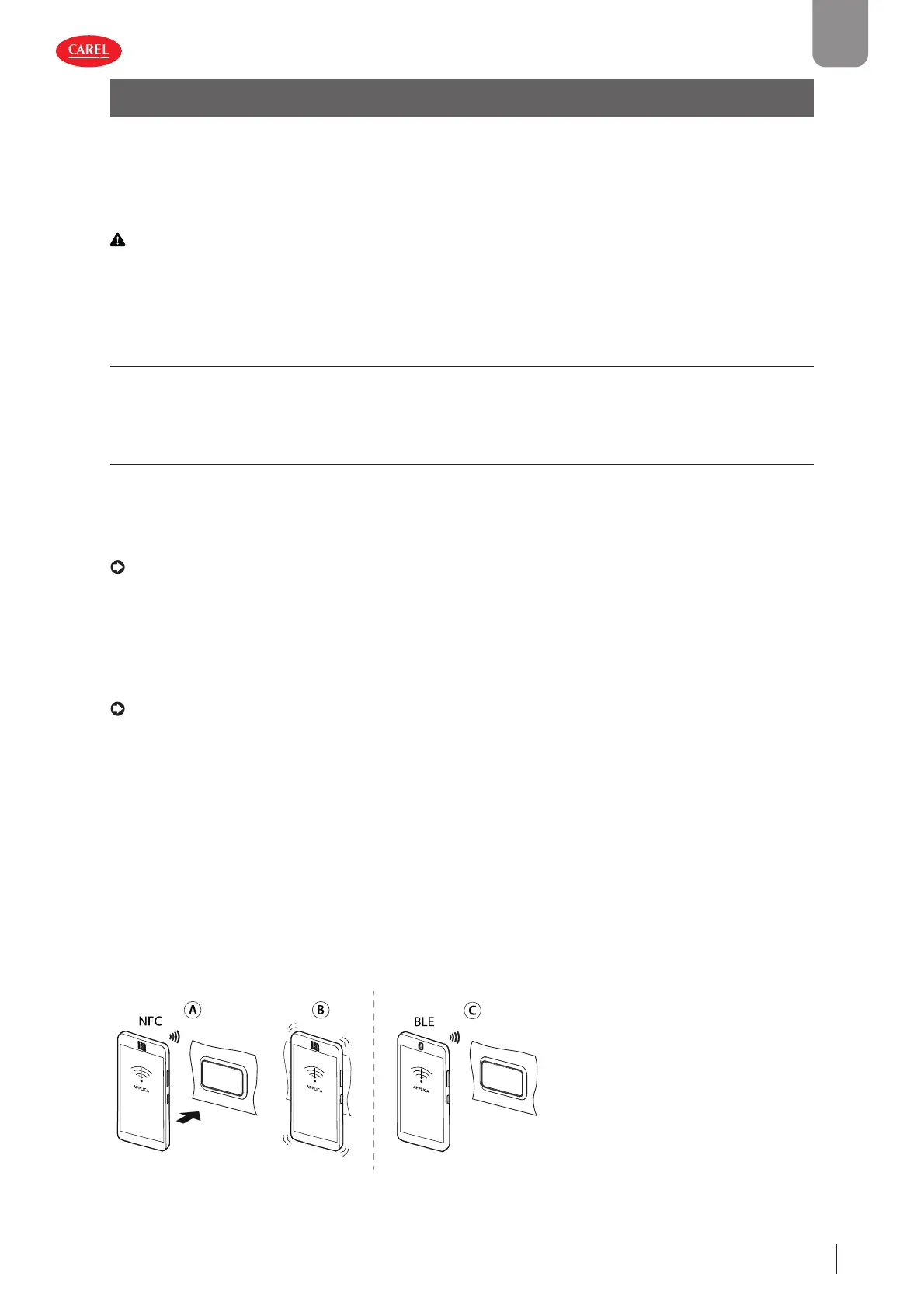
The “APPLICA” app can be used to confi gure the controller from a mobile device (smartphone, tablet), via NFC (Near Field Com-
munication, Android devices only) or Bluetooth.
Procedure (modify parameters):
• download the CAREL “Applica” App, available on the Google Play Store and Apple Store;
• (on the mobile device) enable NFC and/or Bluetooth(*) communication and mobile data;
• open Applica;
• if using NFC communication, move the device to a distance of less than 10 mm from the user terminal, so as to recognise the
model and fi rmware;
• select the access profi le and enter the required password (**);
• set the parameters as needed;
• for communication via NFC
, move the mobile device near to the user terminal again to upload the confi guration parameters.
(*) some Android devices may require geolocation to be enabled in order to view the list of Bluetooth devices in the area.
(*) pre-assigned by the unit manufacturer to allow maintenance only by authorised service technicians. See the parameter table.
300086_028_R01
Fig. 4.a


 To Next Page
 Loading...







