✔ Item Responsibility Description See Section
Ethernet
Network
Customer, Biomedical
Engineers, IT personnel
Install, test, and certify an
Ethernet network prior to
installation.
Network access or network
drop must be located within 8
m (26 ft) of the lower corner at
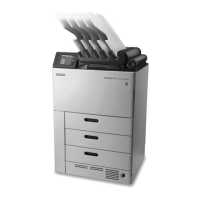
the left rear of the Imager.
The network must conform to
10/100 BaseT (RJ45/Cat5)
specications.
Network
Requirements
Network
Conguration
Customer, Biomedical
Engineers, IT personnel
Provide network (host) name,
DICOM port number, IP
address, subnet mask, and
default gateway.
Network
Requirements
Modality
Conguration
Carestream Field Engineer
or Carestream Service
Provider, Biomedical
Engineers
Provide the following
information for each
modality:manufacturer,
modality type (MR, CR, CT, DR,
etc.), model name, software
type, and a customer-assigned
modality name for use on the
Imager Local Panel.
Modalities
Remote
Management
Services
Customer, Biomedical
Engineers, IT personnel
Provide the following
information for sites with
Remote Management Services:
customer name, customer
department, region, country,
location, proxy server address1,
proxy server port1,
authentication type1, proxy
server username1, proxy server
password. Required if used at
location.
Network
Requirements
Film Customer, Biomedical
Engineers
Before installation, order
DRYVIEW Laser Imaging Film
from your Authorized
Carestream Dealer or
Distributor.
Checklist
AN9405 4 2024-03-06


 To Next Page