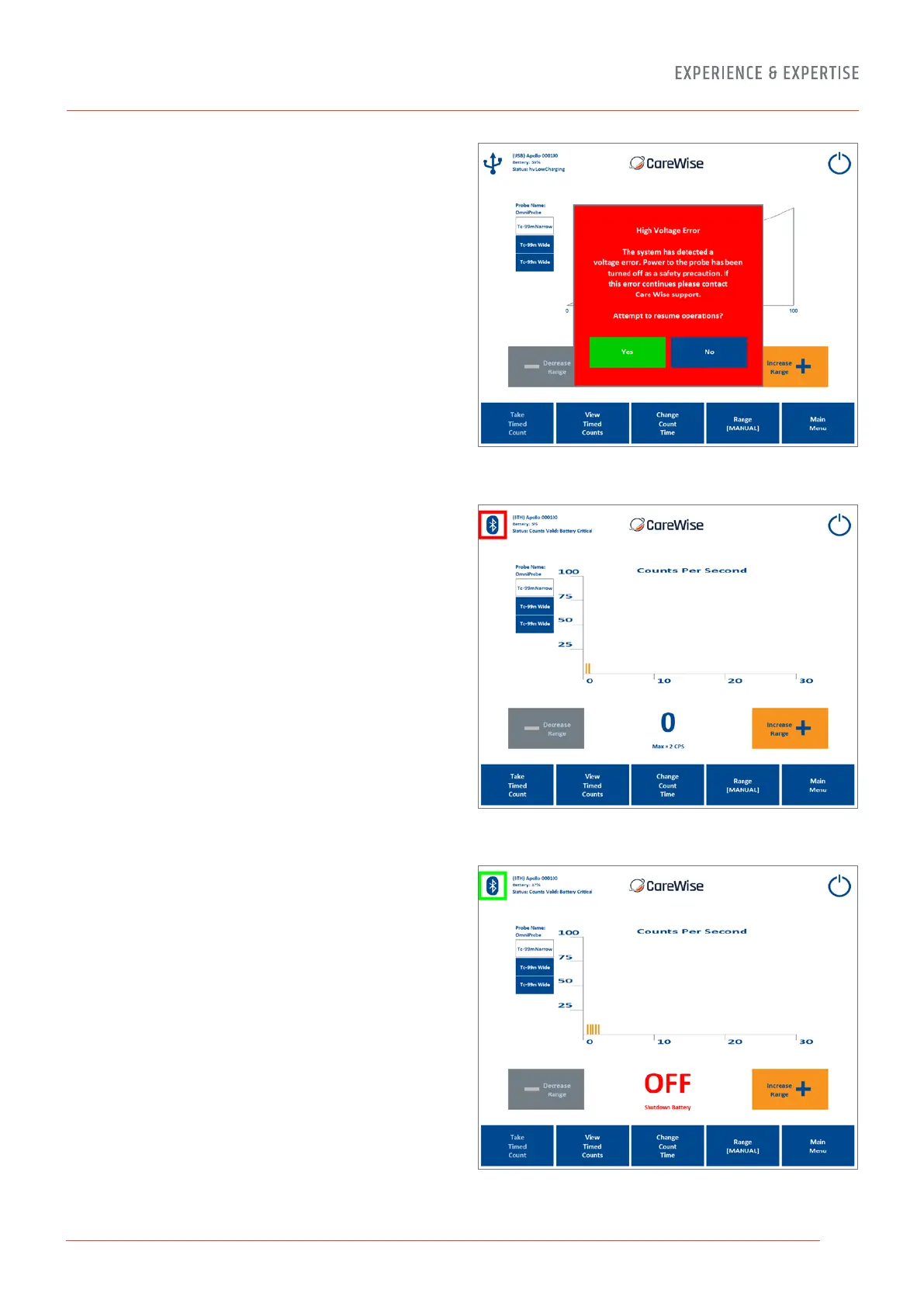
Figure 35 – High Voltage Error
Figure 36 – Low Battery Indications
Low Battery Indications – [Figure 36] If the system is being
operated using an Apollo Handset in Bluetooth
®
wireless mode,
the software will indicate if the battery level drops below a critical
value. In the ‘Battery Critical’ phase, a coloured box will appear
around the Bluetooth
®
symbol in the top, left-hand corner of the
screen, which will alternate between green and red. An audible
‘alarm’ sound will also be generated by the system to indicate
a critical battery level and ‘Battery Critical’ will be displayed in
the instrument status. In this state, please connect the Apollo
Handset to a USB cable attached to the analyser, charging
dock or the wall mounted charger to ensure that the
battery may be recharged.
Figure 37 – Shutdown State
If the battery continues to lose charge, the Apollo Handset will
enter a ‘shutdown’ state – [Figure 37 and 38].
37


 To Next Page