Appendix C
Error Messages
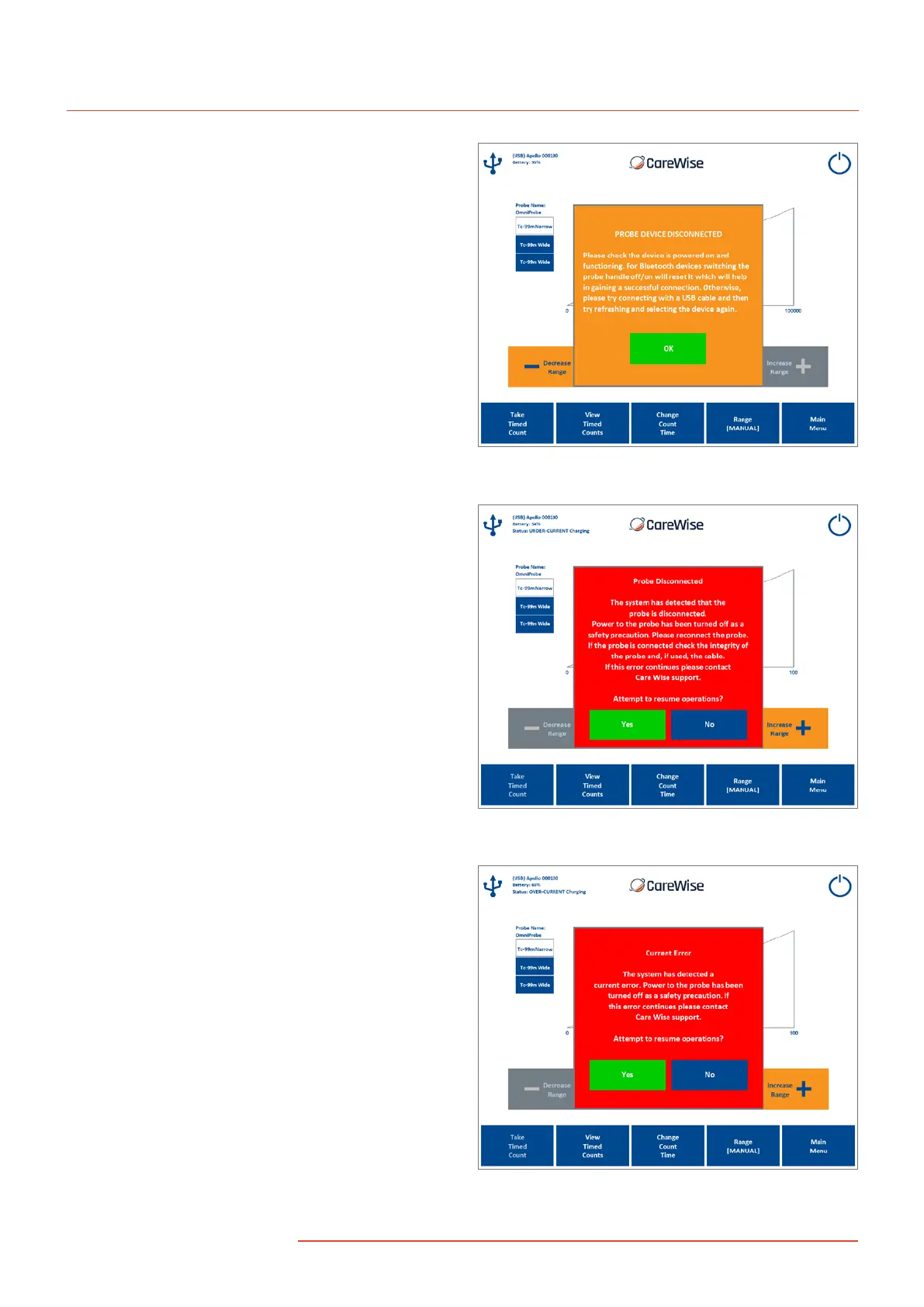
Probe or Apollo Device Disconnected – [Figure 32]
Information: USB/Bluetooth communications have been
disconnected; reconnect the Apollo Handset (Bluetooth
or USB) and press ‘OK’.
Probe Disconnected – [Figure 33] Warning: The OmniProbe has
become disconnected from the Apollo Handset or probe cable.
The Probe Disconnection Error will appear if the probe or cable is
disconnected from the analyzer. Reconnect the probe and select
‘Yes’ to continue.
If this error continues to appear, the probe may be damaged.
Contact Care Wise on +1-813-626-6848 (US & Canada)
+44 (0)1273 497600 (Europe & Worldwide) for assistance.
Figure 32 – Connection Error Message
Figure 33 – Probe Disconnected
Current or High Voltage Errors – [Figures 34 and 35] These
errors will appear if the system detects a short circuit in the probe
or cable. Check the probe and cable for damage, and select ‘Yes’
to continue if there is no visible damage.
If these errors continue to appear, the probe may be damaged.
Contact Care Wise on +1-813-626-6848 (US & Canada)
+44 (0)1273 497600 (Europe & Worldwide) for assistance.
Figure 34 – Current Error
36
|
www.carewise.com
C-Trak Apollo


 To Next Page