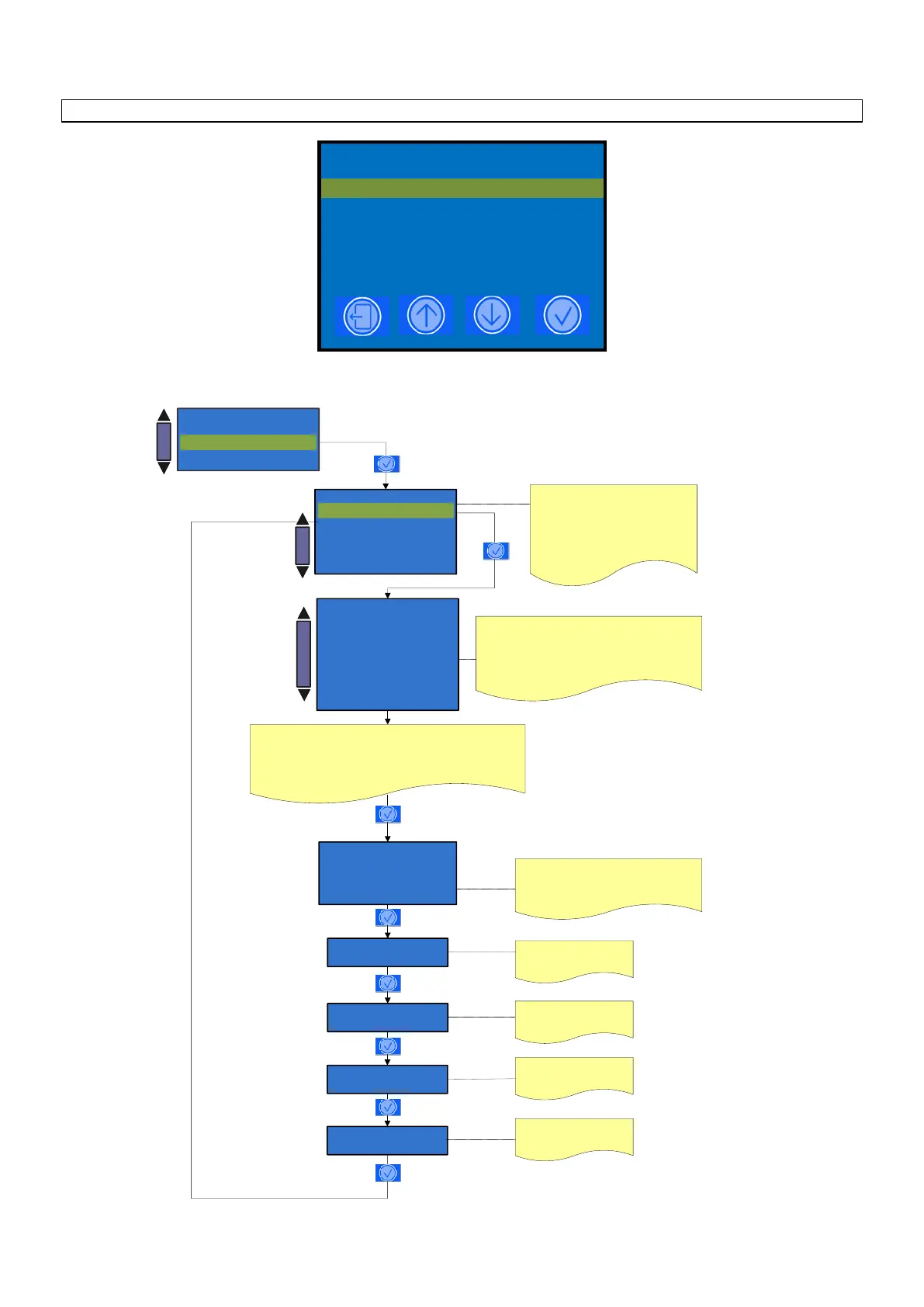
Info reset
- System data
Read doses data
Read doses data
- Doses counter B
- Reset doses counter A
- Reset doses counter B
Doses counter A
Doses counter A
GRX BX
XXXXX
YY
Press the + / - keys to select the count A
or B.
Is possible read two counter A or B,
which can be use one for the total
number of the dispensed daily doses and
another for the total number of the
dispensed weekly or monthly doses .
GRX Indicates the number of the group
BX Indicates the number of the key
XXXXX Indicates the name of the selected key
YY Indicates the number of cups dispensed
Press + / - to select the keys between
B1 to B7 GR1 ( LM ) first dose keys menu
B1 to B7 GR2 ( LM ) first dose keys menu
B1 to B5 GR1 ( COF and Espresso ) first dose keys menu
B1 to B5 GR2 ( COF and Espresso ) first dose keys menu
Group 1 cleaning
X
X: Indicates the n° of Extra
milk carried out
Extra milk
X
X: Indicates the n° of Group
cleaning carried out
Total Dose Y
X
Last reset
YYYY - MM - DD - HH:MM
Y: Indicates the couter A o B
X: Indicates the total dose delivered
YYYY - MM - DD - HH:MM: Indicates the
date and time of the last reset doses counter.
Milker cleaning
X
X: Indicates the n° of Milker
cleaning carried out
Group 2 cleaning
X
X: Indicates the n° of Group
cleaning carried out












 To Next Page