LB.05099.02 Pag. 12 18/10/16
ACCESS THE MAIN SETTING MENUS WITH PASSWORD
ACCESS THE MAIN SETTING MENUS WITH PASSWORD
To enter the programming environments, a password is required which define the access rights to the different environments.
The password must be composed with 5 numbers.
To insert the passwords proceed as follows:
- Turn the machine OFF
- Press
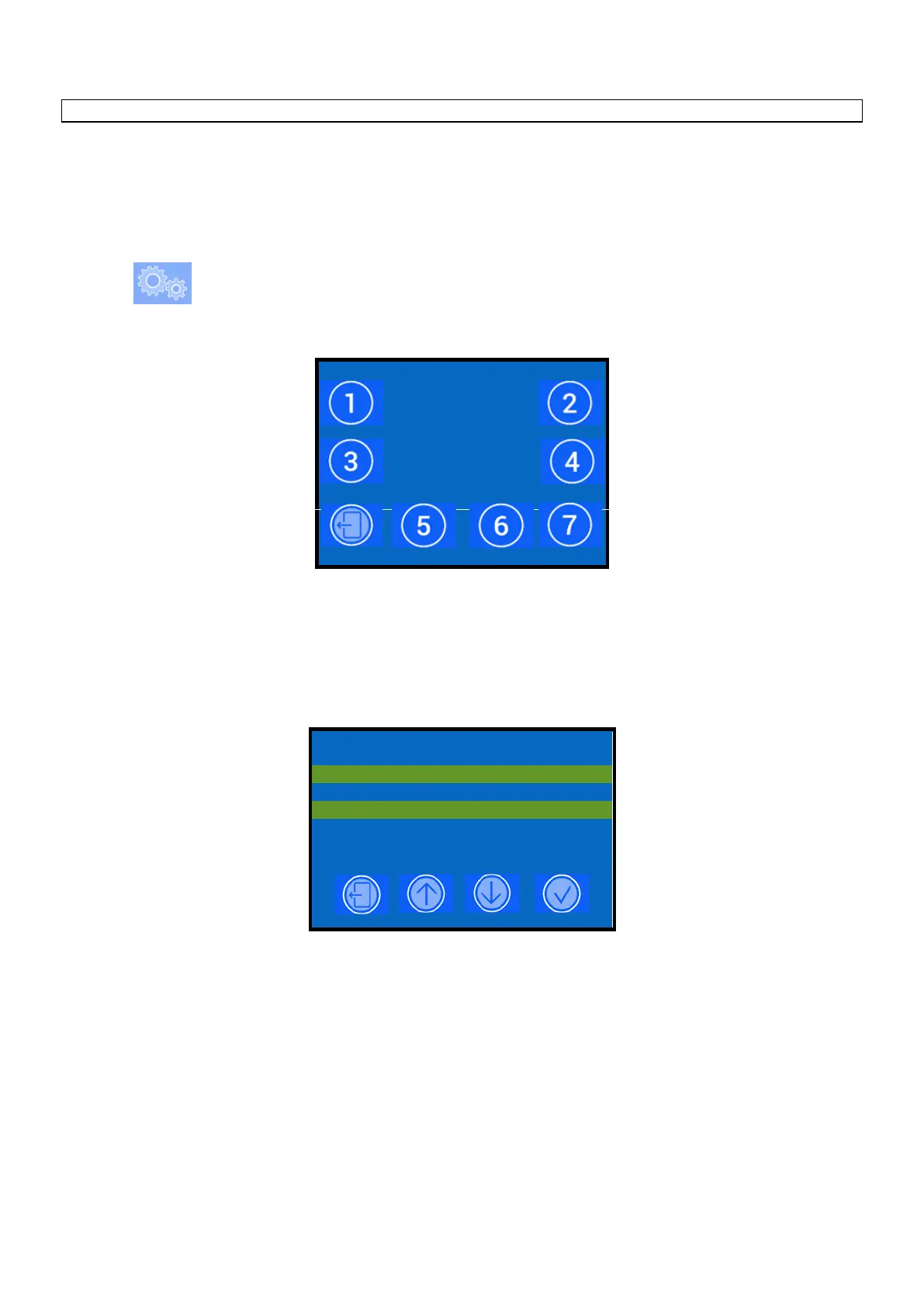
- The display shows:
Enter one of the following passwords:
- User 2 2 2 2 2
- Technician (for Technician password contact the Carimali Technical Service).
After insert the password the display shows the main menu programming environments:












 To Next Page