18” CHIPPER DAILY CHECKLIST
13
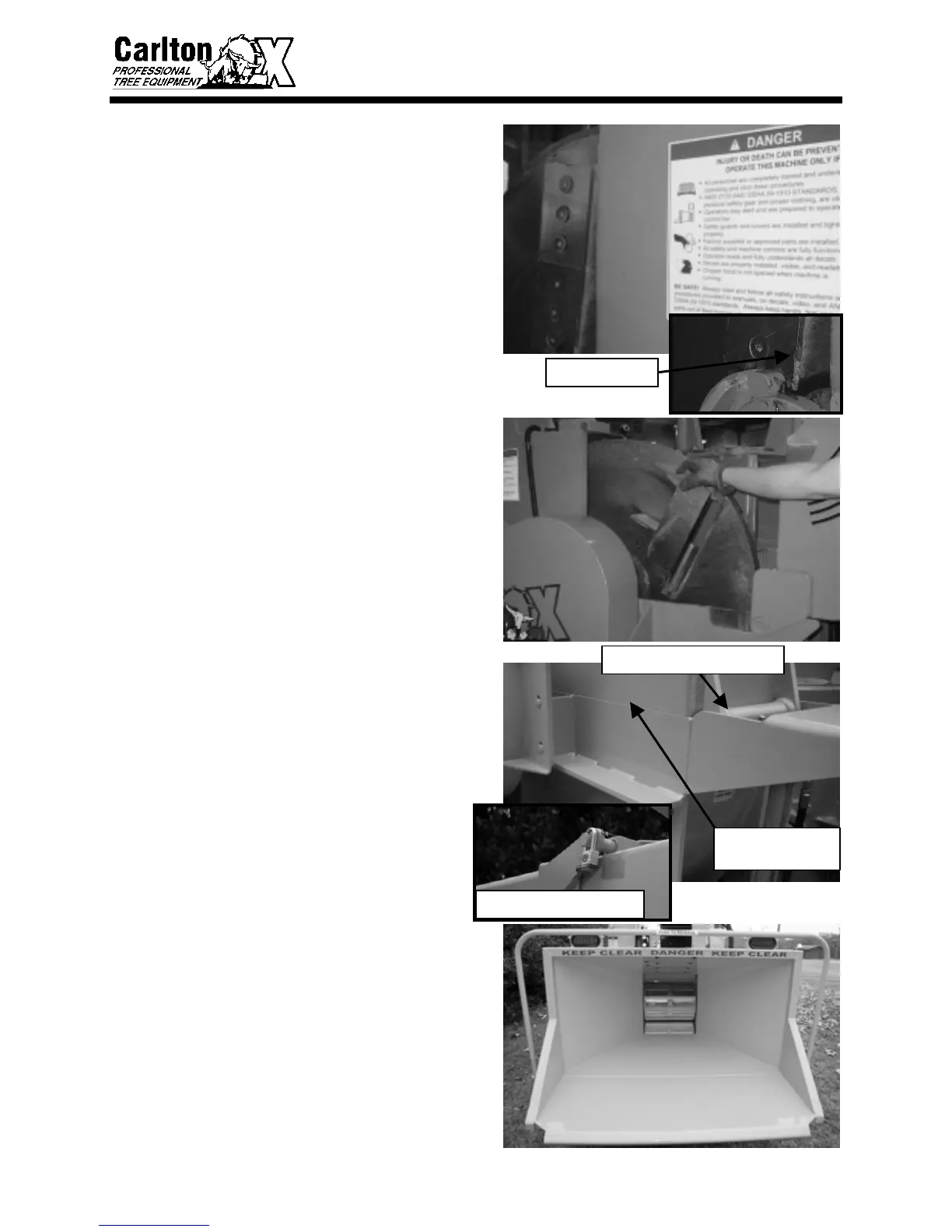
• Inspect knife bolts and nuts for tightness
daily. It is very important to check knife
bolts and nuts after first hour of operation
for new bolts and nuts. It is not
uncommon for bolts to loosen slightly
during this time. The 18” chipper knife
bolts and nuts (5/8”-11) are specially
designed. Torque to 180 ft. lbs.
• Inspect cutter disk knives and anvil for
wear. Do not operate the machine without
a full set of undamaged knives in place.
Worn or chipped knives will cause
clogging and improper operation of the
chipper. (See Servicing Cutter Disk
Section to change or sharpen knives and
anvil.)
• Cutter disk must rotate freely. This will
help insure there are no foreign objects
inside the cutting chamber and there is
ample knife to anvil clearance. (The cutter
disk lock pin will have to be pulled out of
cutter disk to check rotation. Replace pin
after checking rotation to perform further
inspections.)
• When inspection of cutter disk is complete,
close cutter disk hood, insert hood lock pin
and padlock. Make sure hood will not
open. Check cutter disk hood and hinges
for damage and fit, replace immediately if
there is any damage or misalignment.
• Check hinge grease fitting and lubricate
according to Lubrication section. Replace
grease fitting if clogged or damaged.
• Inspect the inside of the infeed chute.
Check to make sure there are no foreign
objects inside the infeed chute. Anything
that is inside of the infeed chute may go
through the chipper. There should never
be anything or anyone inside the infeed
chute when starting the chipper, damage or
injury could occur.
CUTTER DISK HOOD HINGE
CHECK HOOD FOR
DAMAGE AND FIT
CHIPPED KNIFE
HOOD PIN & PADLOCK



 To Next Page