9
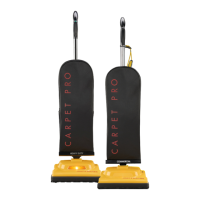
The handle on this vacuum cleaner can
be set to one of three positions – upright,
middle or low.
How to Adjust the Handle
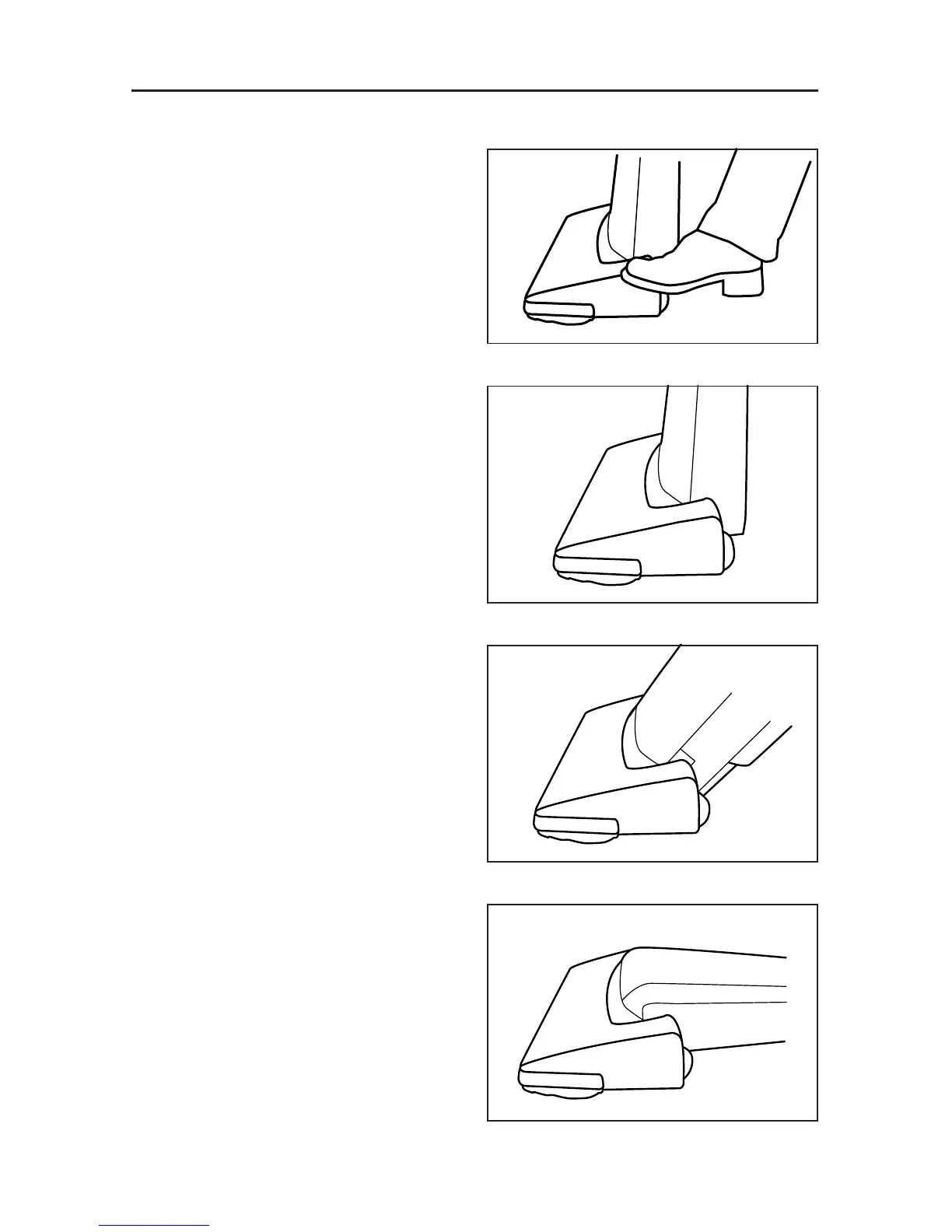
1. To release the handle, step on the on
the left rear corner of the vacuum
cleaner nozzle (Fig. 1).
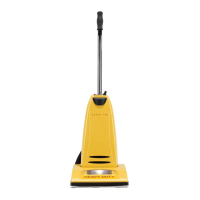
2. Upright position – when cleaning tools
are being used or for storage (Fig. 2).
Handle locks in this position.
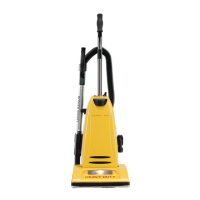
3. Middle position – for normal cleaning
(Fig. 3).
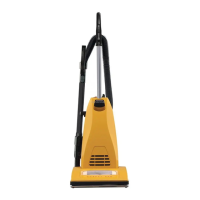
4. Low position – for cleaning under
furniture (Fig. 4).
Edge Cleaning Feature
The edge cleaning feature provides
improved cleaning of carpets near walls
and stationary furniture. For maximum
edge cleaning, position the right side of
the vacuum (from the user’s perspective)
near walls or stationary furniture.
Automatic Self-Adjusting Nozzle
This vacuum cleaner is designed with
an automatic self-adjusting nozzle. No
manual adjustments are required. The
height of the nozzle is instantly and
automatically adjusted to carpet pile
height. This self-adjusting feature allows
the nozzle to float evenly over all carpet
pile surfaces.
HANDLE ADJUSTMENTS
Fig. 1
Fig. 2
Fig. 3
Fig. 4



 To Next Page