62-12147 16
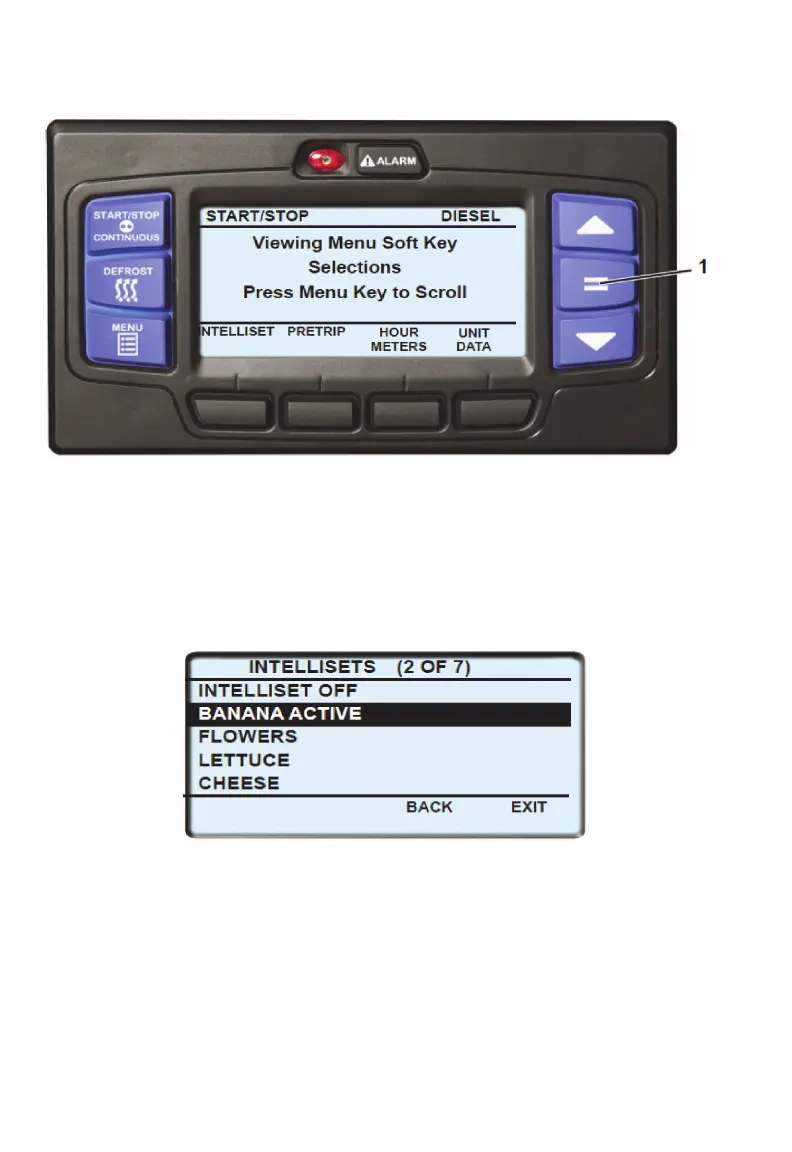
3. The IntelliSet screen will display with a 15-second timeout and five of the
available IntelliSets listed. There may be more than five IntelliSets
available. This information is provided, in parenthesis, on the first line. For
example, in the following illustration there are four IntelliSets available and
the second IntelliSet is highlighted. Press the ▲ or ▼ key to scroll through
the list of available IntelliSets. The IntelliSet that is currently selected will
have the word “ACTIVE” or “MODIFIED” to the right.
4. To change to another IntelliSet, press the ▲ or ▼ key to scroll through the
list and highlight the IntelliSet desired. Press the “=” key. The highlighted
IntelliSet will become active and an “INTELLISET CHANGED” message
will display.
5. Press the EXIT soft key to return to the default display.
NOTE
If setpoint change is allowed, refer to Changing Setpoint section for
setpoint change instruction.









 To Next Page