DLFSOAH: Installation Instructions
Manufacturer reserves the right to change, at any time, specifications and designs without notice and without obligations.
19
OPTIONAL PARTS INSTALLATION
Wi-Fi Dongle Installation
Use the following steps below to install the Wi-Fi dongle.
NOTE: If you choose this configuration, it is recommended that the
installation of the wireless dongle be performed during the
panel installation.
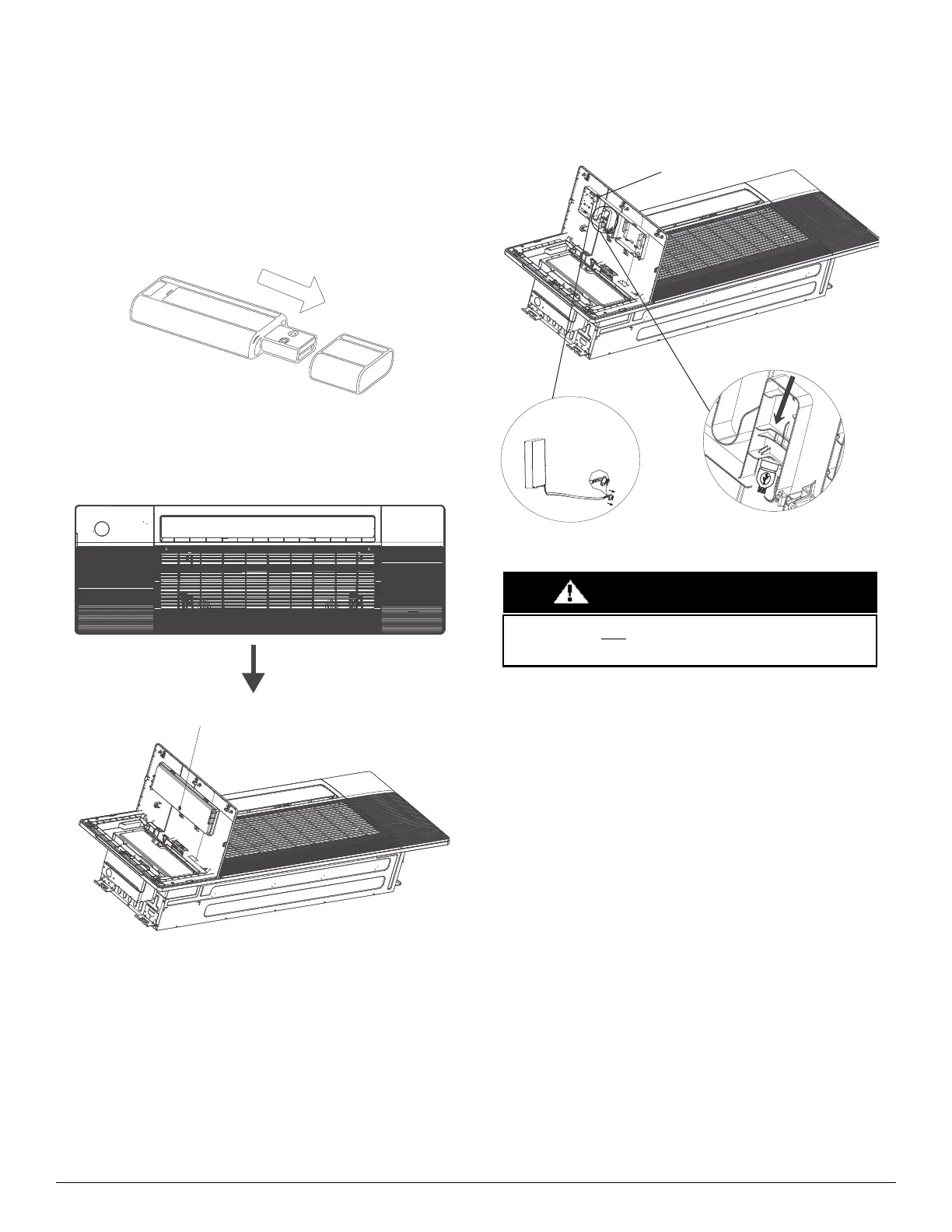
1. Remove the Wi-Fi dongle protective cap.
Fig. 46 — Wi-Fi Dongle Installation
2. Open the cover with the display panel, loosen the screw and remove the
cover.
Fig. 47 — Wi-Fi Dongle Installation
3. Open the front panel and insert the Wi-Fi dongle into the reserved
interface.
Fig. 48 — Wi-Fi Dongle Installation
Loosen the screw and remove the cover
This interface is only compatible with the wireless dongle (Wi-Fi
dongle) provided by the manufacturer.
WAR N I N G




 To Next Page