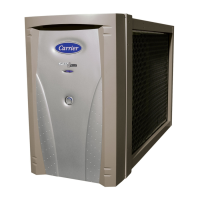
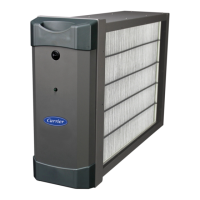
The Carrier Room Air Purifier is a device designed to improve indoor air quality through advanced filtration and smart features. It is available in several models: RMAP-ST, RMAP-XL, RMAP-SST, and RMAP-SXL, with Wi-Fi® enabled models offering enhanced connectivity.
Function Description:
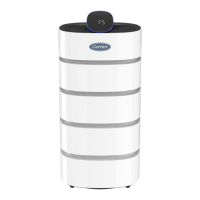
The primary function of the Carrier Room Air Purifier is to filter and clean the air in a room. It employs a three-level filtration system to remove various airborne particles and odors. The device continuously monitors incoming air, measures pollution levels, and displays the air quality on an LED screen. Its 360-degree airflow design ensures efficient circulation, pulling in polluted air from below and releasing cleaner air in multiple directions.
Important Technical Specifications:
- Power: All models operate on 120V, 60Hz, 1-phase power.
- Dimensions (W x D x H):
- RMAP-ST and RMAP-SST: 13.7" x 13.7" x 26.5" (350mm x 350mm x 675mm)
- RMAP-XL and RMAP-SXL: 13.7" x 13.7" x 31.5" (350mm x 350mm x 800mm)
- Room Size Coverage:
- RMAP-ST and RMAP-SST: Up to 430 sq. ft.
- RMAP-XL and RMAP-SXL: Up to 560 sq. ft.
- Filter Replacement Model Numbers:
- RMAPFIL-ST for RMAP-ST and RMAP-SST
- RMAPFIL-XL for RMAP-XL and RMAP-SXL
- Filtration System:
- Pre-Filter (microfiber net): Removes large dust particles and pollutants.
- HEPA Filter: Removes 99.97% of particles that are 0.3 microns in size.
- Carbon Filter: Removes odors, gases, and VOCs not removed by the HEPA filter.
- Connectivity: Wi-Fi® models (RMAP-SST, RMAP-SXL) offer Wi-Fi® connectivity and remote control capabilities. Non-Wi-Fi® models (RMAP-ST, RMAP-XL) do not include Wi-Fi® or a remote control.
- Safety: Features a polarized plug to reduce the risk of electric shock. Designed for 120V use only. Includes a safety lock function to prevent accidental operation by children.
Usage Features:
- Control Panel and Display: The device features a top-mounted control panel with an LED display that shows PM2.5 readings, fan speed (F1-F18), timer settings, and indicators for filter replacement and Wi-Fi® status. An Indoor Air Quality Indicator light ring around the display changes color to reflect air quality (Green: Good, Yellow: Moderate, Orange: Bad, Red: Very Bad).
- Power ON/OFF: Controlled by a dedicated button on the control panel or remote.
- Fan Speed Adjustment: Users can manually adjust the fan speed from level 1 (F1) to level 18 (F18) using up/down arrows on the control panel or remote.
- Smart Auto Mode: This mode automatically adjusts the fan speed based on the detected indoor air quality, optimizing filtration efficiency without manual intervention. Activated by the "Auto" button.
- Turbo Fan Operation: A feature that allows the room's air to be filtered faster. Activated by pressing the up and down fan speed buttons simultaneously for three seconds. The display shows "tub" during this mode.
- Sleep Mode: Designed for quiet operation, this mode runs the system normally but with the display panel dark (except for a moon icon). The fan speed is set to level 1 by default but can be adjusted up to level 10 to limit noise.
- Auto-Off Timer: Allows users to set a specific run time (1 to 12 hours) after which the air purifier will automatically turn off.
- Mute Function: Pressing and holding the fan speed down arrow and "Auto" buttons simultaneously for three seconds can turn the beep sound on or off.
- Remote Control: Wi-Fi® models include a remote control with buttons for Power ON/OFF, Smart automatic operation, Timer, Safety lock, Sleep mode, LED ON/OFF, and fan speed/timer adjustment. The remote contains a lithium button/coin cell battery, and users are advised to secure the battery compartment and seek medical attention if batteries are swallowed.
- Wi-Fi® Connectivity (for Wi-Fi® models):
- Carrier Home App: Connects to the Carrier Home app via Bluetooth® for initial setup and Wi-Fi® provisioning.
- Remote Access Features: Through the app, users can create an account, view all connected devices, monitor indoor PM2.5 and TVOC levels, control air purifier speed, set to AUTO mode, view remaining filter life, order new filters, view outdoor air quality levels, and integrate with Alexa® or Google Home®.
- Casters (Optional): The product package may include casters and screws for easy mobility. Instructions are provided for replacing the bottom bases with casters.
Maintenance Features:
- Filter Replacement Indicator: A red light illuminates on the display when it's time to replace the filter, typically every 6-12 months, depending on usage and environment.
- Filter Replacement Process: Involves holding the top cover and pulling it up, grasping the filter cover hole and pulling it forward, removing the old filter, removing plastic packaging from the new filter, and sliding the new filter back into the unit. After replacement, the filter indicator light must be reset by pressing the Sleep + "Auto" buttons for five seconds or more.
- Cleaning the Product: The exterior can be cleaned with a damp cloth. The inside of the filter cabinet should be cleaned with a vacuum cleaner and damp towel.
- Pre-Filter Cleaning: The pre-filter should be cleaned with a vacuum cleaner or soft brush between filter replacements. It should never be washed with water.
- Dust Sensor Cleaning: The dust sensor, located on the right side of the product, should be cleaned with a damp cotton swab and then thoroughly dried with a clean, dry cotton swab. Harsh cleaning chemicals like acetone or alcohol should not be used on sensor parts.
- Long Term Storage: For storage, the product should be run for one hour, disconnected from power, covered, and stored in a dry space away from direct sunlight.
- Troubleshooting Guide: The manual includes a troubleshooting section to address common issues such as the product not turning on, filter replacement indicator remaining on, strange smells, "FAN" flashing, and Wi-Fi® pairing problems.
- Customer Support: Contact information (1-888-320-0909 and CarrierAtHome.com) is provided for customer assistance, FAQs, and filter replacement orders.
- Warranty: The Carrier Room Air Purifier comes with a one-year warranty from the date of purchase.


 To Next Page

 General