The xploview software can be launched by double clicking
the xploview icon from the desktop, or from the start menu
(Start > All Programs > xploview).
Mac OS based PC
The xploview software can be launched by double clicking
the xploview icon from the Applications menu.
10
Connecting the device
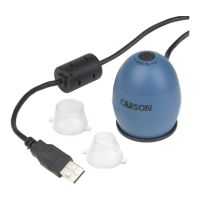
Connect the device to the computer using the USB cable
provided.
When the device is connected to the computer for the first
time, a driver will automatically be installed by Windows or
Mac OS. This process could take up to a few minutes.
Starting the xploview software
Windows based PC



 To Next Page