EasyManua.ls Logo

CAS CRYSTAL XR - User Manual

CAS CRYSTAL XR
24 pages
Print Icon
To Next Page IconTo Next Page
Loading...
SALT AND MINERAL CHLORINATOR
INSTALLATION & OPERATING INSTRUCTIONS

Questions and Answers

  • L
    Lindsey BrownAug 16, 2025
    Why is the water flow LED blinking red on my CAS Water Filtration System?
    • L
      lisasimsAug 16, 2025
      The water flow LED might blink red on your CAS Water Filtration System due to low or no water flow. Ensure sufficient water flows through the chlorinator cell, verify that the pump is running, check for air pockets (perform backwash if needed), and inspect the skimmer and pump baskets to confirm they are clean and securely tightened. Also, check the cell and brass pins, and tighten the cell connections if necessary. Suction leaks could also be the cause.
  • T
    Trevor HallAug 19, 2025
    What to do if my CAS Water Filtration System has power and direction lights on but no output lights?
    • A
      Andrew MartinezAug 19, 2025
      If your CAS Water Filtration System shows power and direction lights but no output lights, there are several things to check: * Make sure the cell is connected properly by checking the brass pins and cell connections, tightening if needed. * Adjust the output using the Output (+) button to increase the lights. * If there's excessive buildup in the cell, cleaning it may resolve the issue. * Low salt levels can also cause this, so verify and adjust as needed. * The cell could be damaged or at the end of its life; damaged coating reduces cell life and output. If all else fails, the cell might need replacing.
  • M
    Megan RayAug 22, 2025
    Why is the chlorine output low or non-existent in my CAS Water Filtration System?
    • P
      peter32Aug 22, 2025
      Low or no chlorine output in your CAS Water Filtration System can stem from several causes. Start by checking the output settings to ensure they are correctly configured. Excessive calcium buildup on the cell plates can act as an insulator, so cleaning the cell electrode is important. Also, verify the salt level, pH, and stabilizer levels, adjusting them as needed. If the cell is old, it may be nearing the end of its life. If none of these steps resolve the issue, further troubleshooting may be needed.
  • A
    Alexis OliverAug 26, 2025
    What to do if the warning LED is solid orange on my CAS Water Filtration System?
    • W
      westheatherAug 26, 2025
      If the warning LED is solid orange on your CAS Water Filtration System, it indicates a low salt warning. Check the salt level using the salt guide to resolve this issue.
  • P
    Pamela FosterAug 28, 2025
    Why is the output reading low on my CAS Water Filtration System?
    • J
      James GeorgeAug 28, 2025
      A low output reading on your CAS Water Filtration System can be due to several factors. First, ensure the output is not set too low by adjusting it with the (+) button. Low salt levels can also cause this, so check and adjust the salt level accordingly. Calcium buildup on the cell plates can act as an insulator, requiring you to clean the cell electrodes. Low water temperature and insufficient water flow through the cell can also reduce output; backwashing the filter may help.
  • C
    Christine JacksonAug 31, 2025
    What does it mean when the warning LED is blinking orange on my CAS Water Filtration System?
    • A
      Ashley DiazAug 31, 2025
      If the warning LED is blinking orange on your CAS Water Filtration System, it means the salt level is too high. You should check the salt guide to address this issue.
  • J
    John StewartSep 3, 2025
    How to fix a CAS Water Filtration System pool pump outlet if it's not working properly or the pump is always on?
    • E
      Erin CarterSep 3, 2025
      If the pool pump outlet on your CAS Water Filtration System isn't functioning correctly or the pump is always on, ensure the pump is plugged into the bottom of the power pack and not directly into the wall outlet.
  • R
    Robert JenkinsSep 6, 2025
    What does it mean if the warning LED is solid red on my CAS Water Filtration System?
    • P
      phillipschristineSep 6, 2025
      If the warning LED is solid red on your CAS Water Filtration System, it indicates an internal temperature trip. This may be due to a salt level that is too high. Check the salt guide. The fault will reset once the transformer cools down.
  • R
    Richard PattonSep 9, 2025
    What to do if my CAS Water Filtration System has no operation at all, and no lights are on?
    • X
      xcombsSep 9, 2025
      If your CAS Water Filtration System shows no operation and no lights are on, first ensure that the unit's power cord is properly plugged into the wall outlet and that the outlet is turned on. If it's plugged in but still not working, test the wall outlet with another working appliance to rule out an issue with the power source.
  • R
    Robin YoungSep 12, 2025
    Why is the cell not cleaning and there's excessive calcium buildup on the cell, or the power pack isn't changing direction in my CAS Water Filtration System?
    • S
      Sheri RobinsonSep 12, 2025
      If the cell isn't cleaning, and there's excessive calcium buildup, or the power pack isn't changing direction on your CAS Water Filtration System, this could be due to excessively high calcium levels, a change of direction time set too high, or a faulty Main Power Supply PCB. Check the calcium hardness and adjust the water accordingly. Manually try to reverse direction. Decrease the cell cleaning time.

Summary

Important Warnings and Safety Instructions

Important Warnings

Covers general safety information about the product's operation and potential hazards like electric shock.

Important Safety Instructions

Focuses on user responsibility, especially regarding children and professional servicing.

General Warnings

Provides specific warnings like mixing acid and handling wet units, plus gas buildup.

Pool Preparation for Salt Chlorinator

Salt Level Requirements and Warnings

Details ideal salt levels for different models and warnings about levels above 6000ppm.

Guidance on Adding Pool Salt

Provides guidance on how to add salt, including quantity recommendations and dissolution methods.

Power Pack and Cell Installation

Cell Electrode Installation Procedure

Details how to connect the Cell Housing and Cell to the pool pipework.

Installation Diagram and Important Notes

Illustrates the installation layout and provides important notes on pump rating and flow.

Powerpack Operation and Features

LED Indicator Chart for Faults and Status

Provides a detailed chart explaining the meaning of the "+/-" and WARNING LEDs.

Water Chemistry Management for Pool Health

Ideal Chlorine Levels and Output Adjustment

Details ideal chlorine levels and how to adjust output settings.

Ideal Salt Levels and Importance

Explains ideal salt levels, importance, and consequences of incorrect levels.

Chlorinator Maintenance Procedures

Inspecting and Cleaning the Cell Electrode

Provides instructions for inspecting and cleaning the salt chlorinator cell.

Cell Cleaning Process and Safety

Continues instructions for cell cleaning, including solution preparation and safety.

System Troubleshooting Guide

Troubleshooting: No Operation or Lights

Addresses issues where the unit shows no signs of power or operation.

Troubleshooting: Power On, No Output

Troubleshoots cases where the unit is powered but not producing chlorine.

Troubleshooting: Water Flow LED Red

Explains causes and solutions for the red blinking water flow indicator.

Troubleshooting: Low Chlorine Output

Guides on diagnosing and fixing low chlorine output issues.

Troubleshooting: Overall Low or No Chlorine Output

Addresses overall low or no chlorine production issues.

Overview

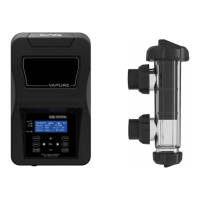
The CAS Crystal XR Salt and Mineral Chlorinator is an advanced aquatic system designed to produce chlorine from a mild salt solution, ensuring a healthy and sparkling clean pool. This device is available in various models (10, 15, 25, 25LS, 35, 35LS 45, and 55HD), offering options with or without a timer and pump outlet. It is a reverse polarity unit, meaning it automatically changes the direction of current every 7 hours (adjustable from 4 to 10 hours) to dislodge calcium and keep the cell plates clean, minimizing the need for manual cleaning.

Function Description

The primary function of the XR Salt and Mineral Chlorinator is to generate chlorine for pool sanitation. It achieves this by passing a mild salt or mineral solution through an electrolytic cell, converting the salt into chlorine. The device is designed to operate with pool water balanced according to the Langelier Saturation Index, with a recommended pH range of 6.8-7.8. It is crucial to maintain appropriate salt levels (3000-4000ppm for regular models, 1200-1800ppm for Freshwater/Ultra-Low Salt models) for optimal performance and to prevent damage to the cell. The unit can also operate with mineral/magnesium chloride salts, requiring an additional 20-30% of the product to achieve the correct TDS (Total Dissolved Solids) for efficient operation.

Usage Features

The XR Chlorinator offers several user-friendly features for controlling chlorine production and monitoring system status:

  • Output Adjustment: Chlorine production can be increased or decreased in 5% increments using the "+" and "-" buttons. Ten green LEDs indicate the chlorine production level, with each solid LED representing 10% and a blinking LED representing 5%.
  • Chlor Boost: This feature allows for a temporary increase in chlorine output to 100% for a set duration (default 24 hours, adjustable from 4 to 36 hours). It is activated by holding the "+" and "-" buttons simultaneously for 3-5 seconds.
  • Cell Switch: This switch controls whether the electrolytic cell is ON or OFF. In models with a timer, the pump is controlled by the timer, while the cell's operation is governed by this switch. The backlight on the Cell Switch illuminates when the cell is ON.
  • Polarity Change: The unit automatically reverses polarity every 7 hours to clean the cell plates. Users can manually initiate a temporary polarity change by turning the cell switch OFF, waiting 3 seconds, and then turning it ON again. The permanent polarity change frequency can also be adjusted between 4 and 10 hours.
  • LED Indicator Chart: The power pack features two LEDs that provide quick reference for various states and faults:
    • "+/-" LED (Green): Solid green indicates forward direction, while blinking green indicates reverse direction.
    • Warning LED:
      • Solid Green: No faults detected, normal operation.
      • Solid Orange (Low Salt): Indicates low salt levels, calcium build-up, insufficient water flow, or worn cell plates.
      • Blinking Orange (High Salt): Indicates excessively high salt levels, which can cause excessive heat and waste electricity.
      • Solid Red (Internal Temperature Trip): Indicates an internal temperature issue, often due to high salt levels. The fault resets once the transformer cools down.
      • Blinking Red (Water Flow Fault): Indicates air cavities in the cell chamber, pump issues, or clogged filters.
  • Circuit Breaker: This automatically operated electrical switch protects the cell circuit from damage caused by overcurrent, overload, or short circuit. It can be reset by pressing the button after it has tripped.
  • Timer (for models with timer): The timer allows users to program specific operating hours for the unit and the pump. It features "AUTO," "ON," and "OFF" modes, enabling flexible control over the chlorinator's operation. The timer can be reset, and the software version can be checked. Day and time settings are individually adjustable.

Installation and Setup

The XR Salt Chlorinator is designed for outdoor installation with an IP34 rating. The power pack should be installed in a well-ventilated position, at least 1 meter above ground, and no further than 1.5 meters from the chlorinator cell. It is crucial to avoid storing the power pack near chemicals or in unventilated sheds to prevent corrosion. The cell housing should be connected horizontally in the return line to the pool, after the filter, gas heater, solar heating, or heat pump. This horizontal installation creates a natural gas trap, preventing gas build-up. Reducing bushes are provided for 40mm PVC pipes. The cell lead connects the power pack to the cell cap, and the power pack plugs into a weatherproof RCD protected 10amp outlet. For timer units, the pump plugs into the AC socket at the bottom of the power pack.

Maintenance Features

Maintaining the XR Salt Chlorinator is straightforward, focusing on water chemistry and cell inspection:

  • Water Chemistry Monitoring: Regular testing of pool water is essential.
    • Chlorine: Ideal levels are 1-3ppm (1-3mg/L), not exceeding 4ppm. Check weekly.
    • Salt: Ideal levels are 3500-4000ppm (1200-1800ppm for low salt models). Check every 4-6 weeks.
    • pH: Ideal levels are 7.4-7.6 for concrete pools and 7.2-7.4 for fiberglass/vinyl pools. Check weekly.
    • Total Alkalinity: Ideal levels are 80-150ppm for concrete pools and 80-120ppm for fiberglass/vinyl pools. Check every 4-6 weeks.
    • Calcium Hardness: Ideal levels are 250-300ppm for concrete pools and 150-190ppm for fiberglass/vinyl pools. Check every 3 months.
    • Stabiliser: Ideal levels are 30-60ppm. Check every 4-6 weeks.
  • Cell Electrode Cleaning: While reverse polarity cells typically require less cleaning, calcium deposits can still form. The cell should be inspected periodically. To clean, turn the unit OFF, unscrew the cell locking ring, and remove the electrode. Immerse the electrode in a Cell Cleaner solution (1 part hydrochloric acid to 10 parts water, or a stronger solution for excessive build-up) for about 10 minutes. Rinse thoroughly and re-install, ensuring the O-ring is clean, greased with silicone grease, and the locking ring is hand-tight.
  • Power Pack Inspection: Little maintenance is required for the power pack itself. Ensure the 3-pin plug and pump plug are securely connected to a weatherproof RCD protected outlet. Check all plugs and cords for damage. The power pack has air vents to keep internal components cool; these should not be covered. A special oil spray is applied during production to deter insects, and periodic surface spray on the mounting wall can help keep insects away. Always turn off power before spraying.

The XR Salt and Mineral Chlorinator is designed to provide reliable and efficient chlorine production, contributing to a clean and healthy swimming environment with minimal user intervention, provided proper installation and maintenance guidelines are followed.


CAS CRYSTAL XR Specifications

General IconGeneral
Storage Tank Capacity3.2 gallons
Operating Temperature40-100°F
Filtration MethodReverse Osmosis
Stages of Filtration5
Operating Pressure40-80 PSI

Related product manuals