26
Chapter 4. Clerk Operation
There are three different type of clerk modes.
max number of sales per CLERK : 99
Table 3: Clerk Mode (refer to clerk mode setting on page 94)
Modes DESCRIPTION Receipt Printing
0
All clerks can use the scale for a
seriesof sales activity.
It prints ticket (receipt) including
each item and total information.
1
Only one clerk can use the scale for
a series of sales activity.
However, other clerk can use the scale for
other series of sales activities in this mode.
It prints only part of ticket (receipt),
which a transaction is made, and
prints total amount after a series of
transactions are completed.
2
(Supermarket
mode)
Only one transaction per clerk at a
moment.
It prints ticket (receipt) only for one
transaction per clerk.
3(Label-1
Mode)
Only one transaction per clerk at a
moment
It prints Label (receipt) only for one
transaction per clerk.
4(Label-2
Mode)
Only one transaction per clerk at a
moment
It prints Label (receipt) only for one
transaction per clerk.
a. CLERK MODE 0 (All clerk operation)
• All clerks can use the scale for a series of sales activity.
• It prints ticket (receipt) including each item total information.
Assumption : (These are consecutive, separate, transactions.)
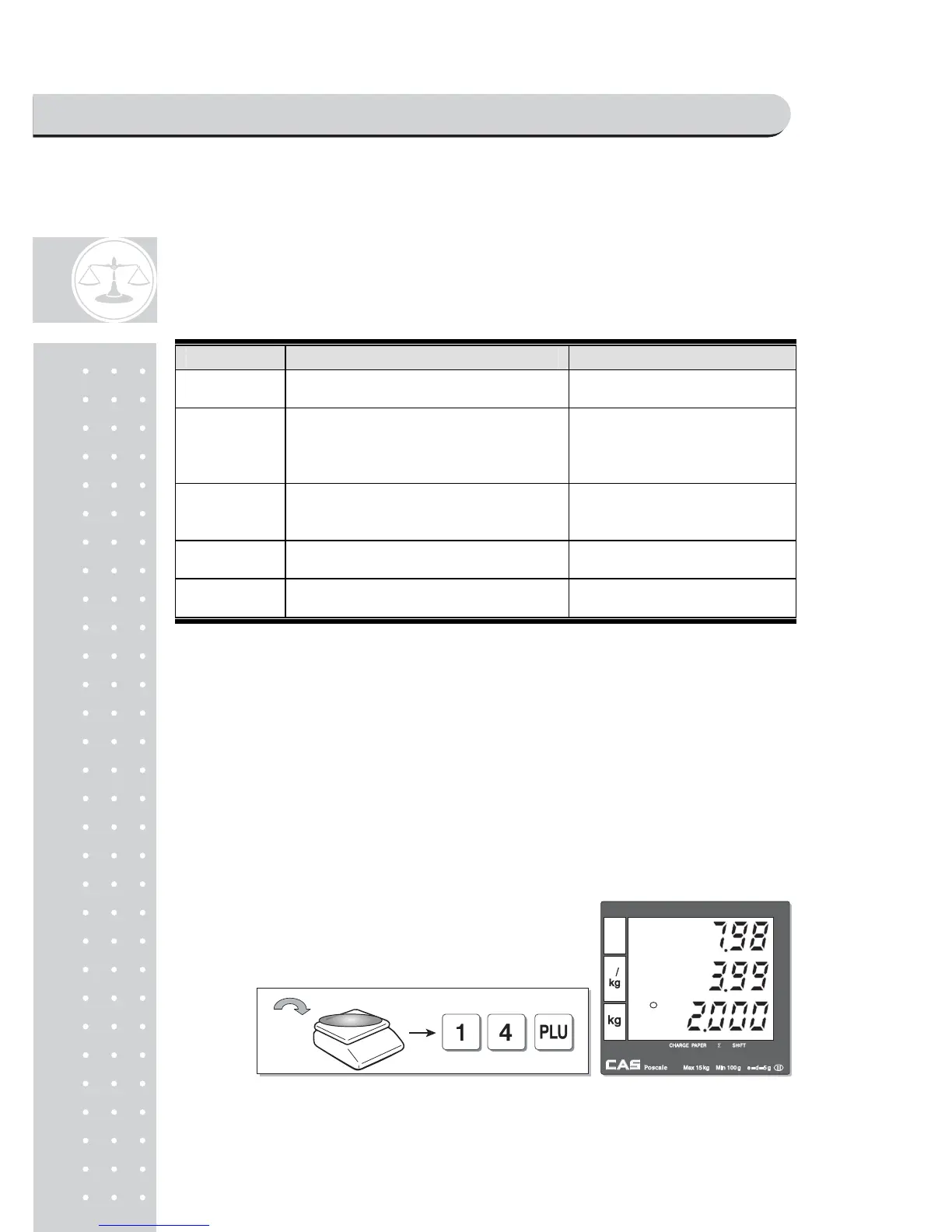
a) 2kg of Beef Sirloin (PLU setting # 14, €3.99/kg, No weight; No) for clerk C1.
b) 3kg of Turkey (PLU setting # 15, €4.99/kg, No weight; No) for clerk C2.
c) 3kg of Rib Eye (PLU setting # 17, €5.99/kg, No weight; No) for clerk C3.
d) 3 packs of Potato (PLU setting # 1, €1.99/pack, No weight; Yes) for clerk C1.
e) All of above-mentioned PLUs should have other code number than "code 0".
① Call up PLU of Beef Sirloin, #14 for clerk C1.
SAELS MODE



 To Next Page