29
※User may print out individual clerk's receipt by pressing individual clerk key(using
, , & ) then key.
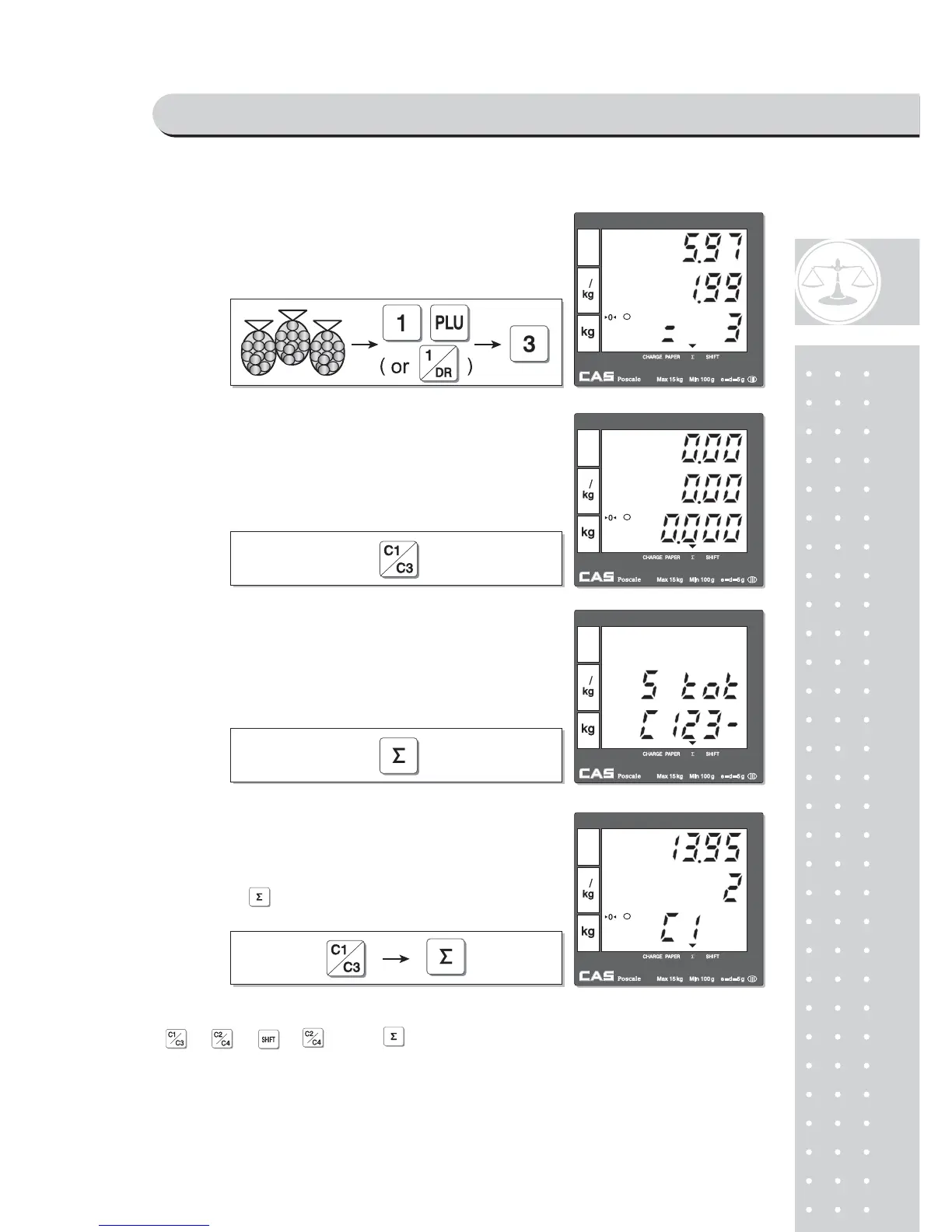
C⑩ all up PLU of Potato(No weight Item),
#1 for clerk C1. Customer purchase 3 packs
of Potato.
S⑪ elect the clerk 1.
S⑫ ubtotal Mode.
Get subtotal amount.
⑬ Select appropriate clerk (C1, C2, C3, C4)
Selecting C1 in the SUBTOTAL mode and
pressing key prints out a ticket (receipt)
for Clerk1 transaction(s).
SAELS MODE



 To Next Page