31
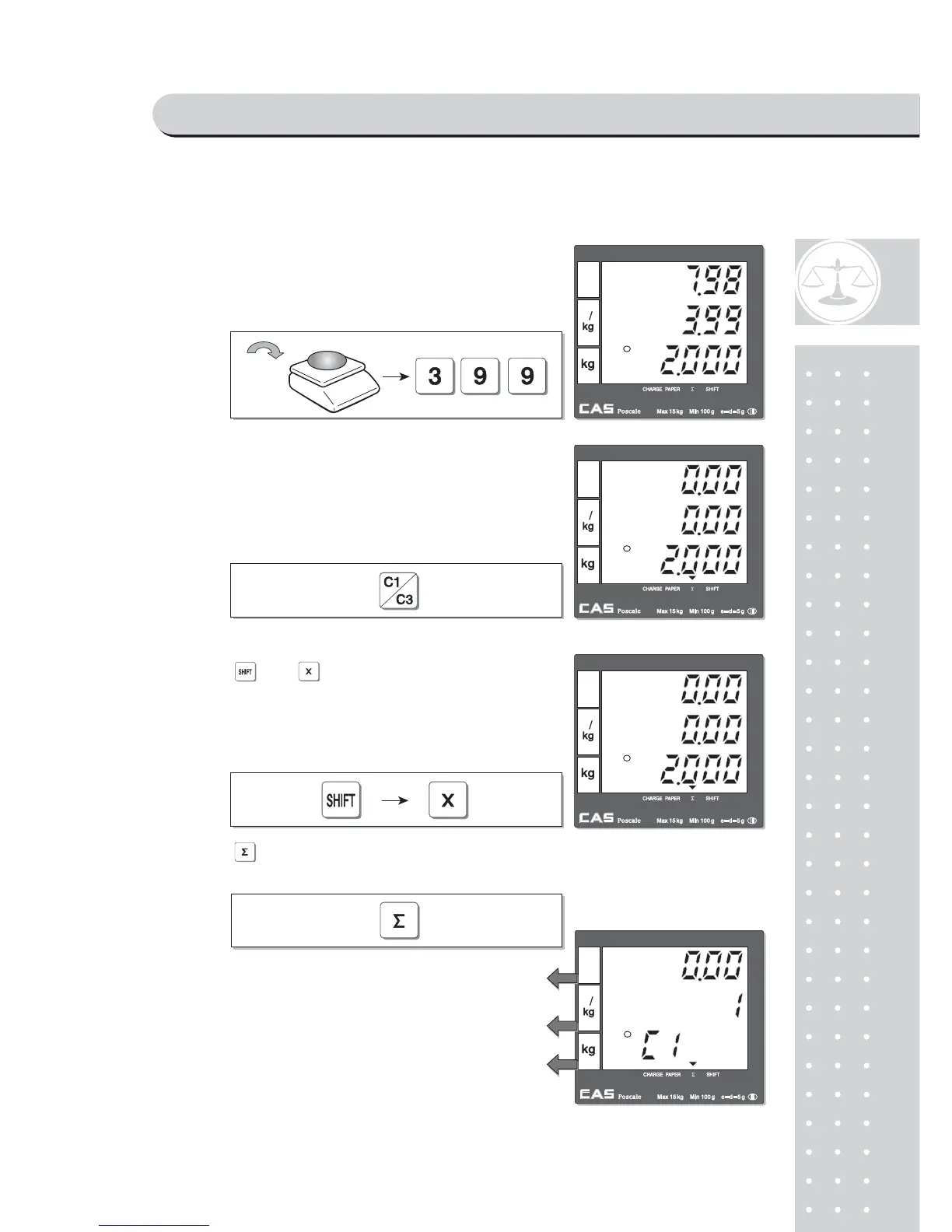
b. CLERK MODE 1 (Only one clerk operation)
x Total price through previous transactions.
x The number of transactions.
x Current clerk number in current transactions.
①For example, put 2kg of item whose unit price
is 3.99 and clerk 1 is making current transaction.
②Press to select the clerk 1. It automatically
prints out ticket (receipt) for current transaction.
③VOID
Press and to void (delete) latest transaction.
Clerk 1 to make sure the lastest transaction is voided
(deleted).
For Clerk Mode "0" user should press appropriate
clerk
deleted after pressing "Shift" +"X"key.
④ Press to have subtotal amount and
transaction after previous void transaction.
SAELS MODE



 To Next Page