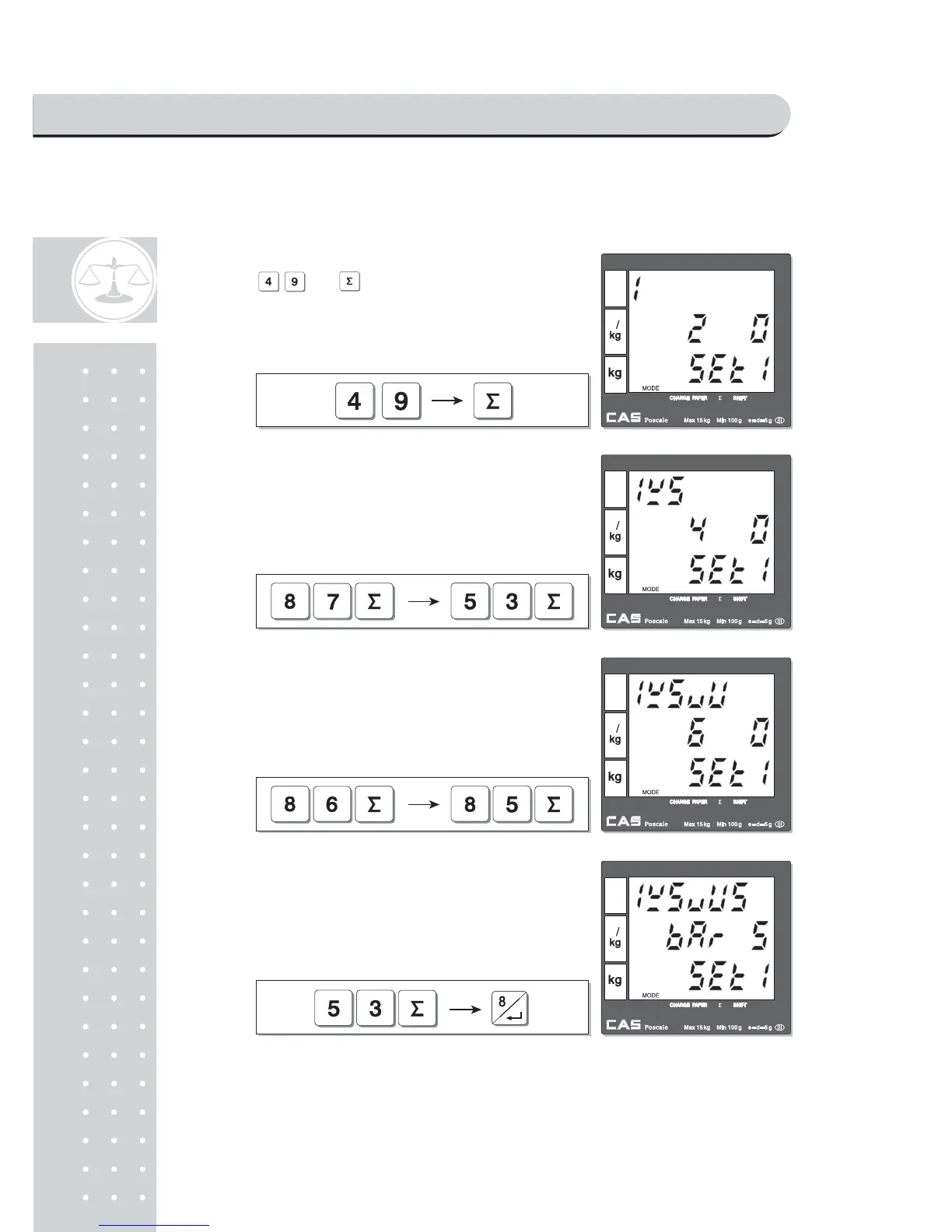
Lets try to set barcode for above case 1. User should input codes- 49, 87,53, 86,
80, 53- for barcode string, 1W5VU5.
③Press and to input "1", the first digit
of string in barcode for a single sale setting mode.
④ Press the following keys to continue to input
barcode string.
⑤ Press the following keys to continue to input barcode
string.
Press the following keys to continue to input barcode⑥
string.
PROGRAM MODE



 To Next Page