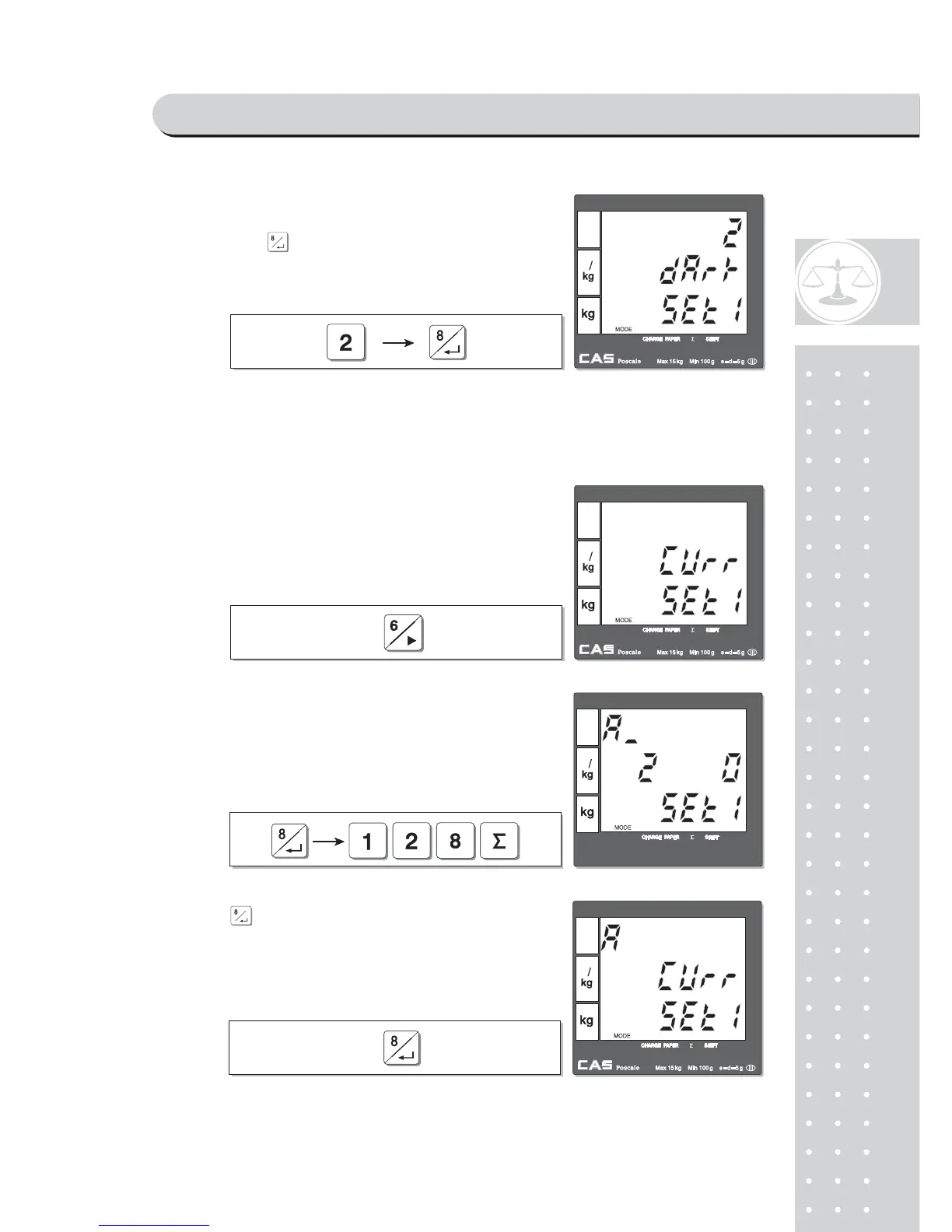
h. Currency symbol or name
② Press appropriate numeric key to set printing darkness
of 1~5 and to save it. For example, set 2.
"5" is the most dark set.
Currency symbol or name setting mode. User①
can input appropriate characters for currency,
using code table on page 104. Maximum
number of character is 3.
Let’s try to input "€ " for Euro.
② Input "128" for € symbol.
Press③ to save it.
PROGRAM MODE



 To Next Page