92
Chapter 12. CLERK
This chapter explains what kind of clerk modes there are and how different they
are. In addition, it shows how to input name of clerk 1~4.
a. Clerk mode
There are three different type of clerk modes. max number of sales per CLERK : 99
Table 3 : Clerk Mode
Modes Description Receipt Printing
0
All clerks can use the scale for a
series of sales activity.
It prints ticket (receipt) including
each item and total information.
1
Only one clerk can use the scale for a
series of sales activity. However, other
clerk can use the scale for other series of
sales activities in this mode.
It prints only part of ticket (receipt),
which a transaction is made, and
prints total amount after a series of
transactions are completed.
2
(Supermarket
mode)
Only one transaction per clerk at a
moment.
It prints Label (receipt) only for one
transaction per clerk.
3
(Label-1 Mode)
Only one transaction per clerk at a
moment.
It prints Label (receipt) only for one
transaction per clerk.
4
(Label-2 Mode)
Only one transaction per clerk at a
moment.
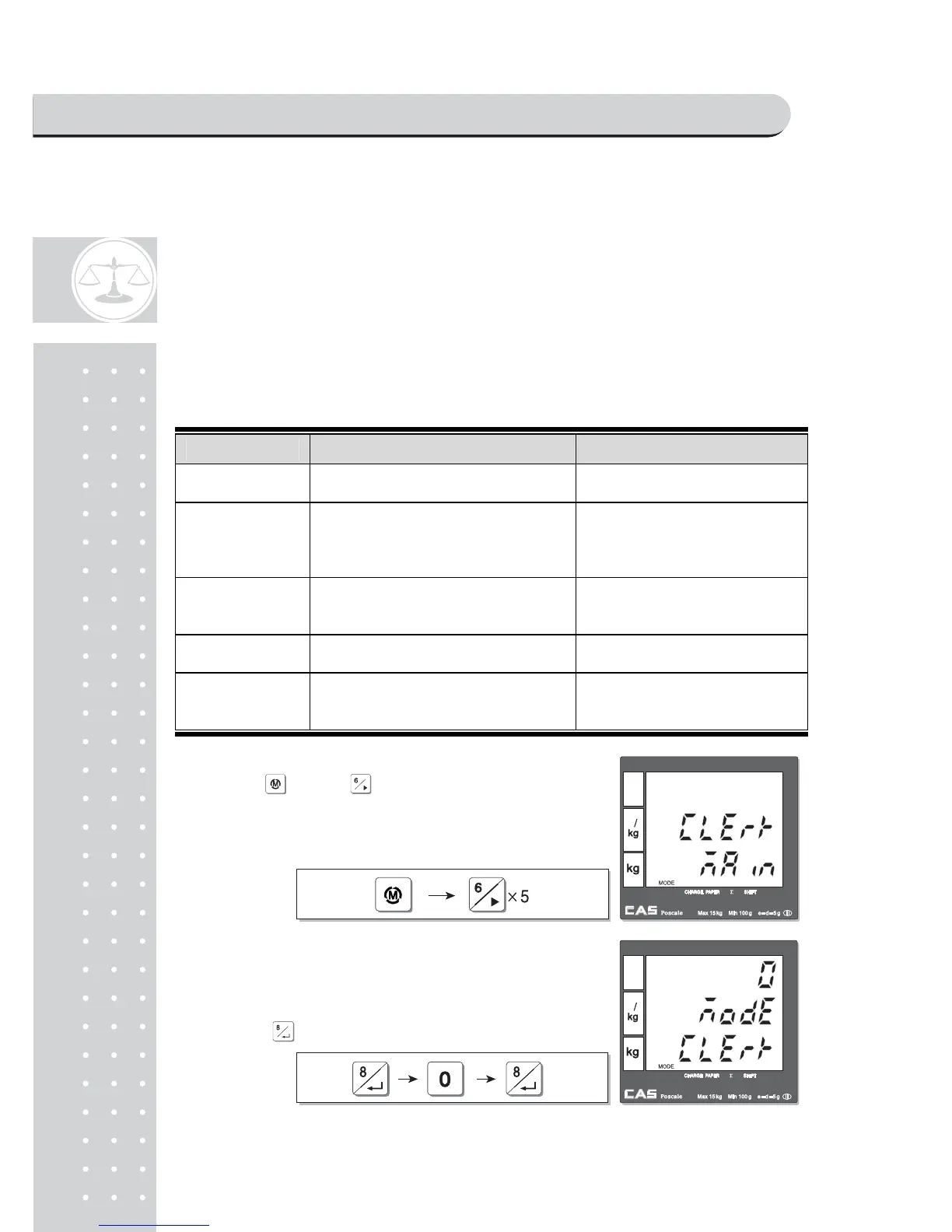
Using key and go to clerk setting
mode
from main menu.
①Using key and go to clerk setting
mode from main menu.
②User may select one of three clerk modes, "0",
"1", or "2" by inputting appropriate numeric
key. For example, "0" here. Then, save it by
pressig .
PROGRAM MODE



 To Next Page