KEY FUNCTIONS
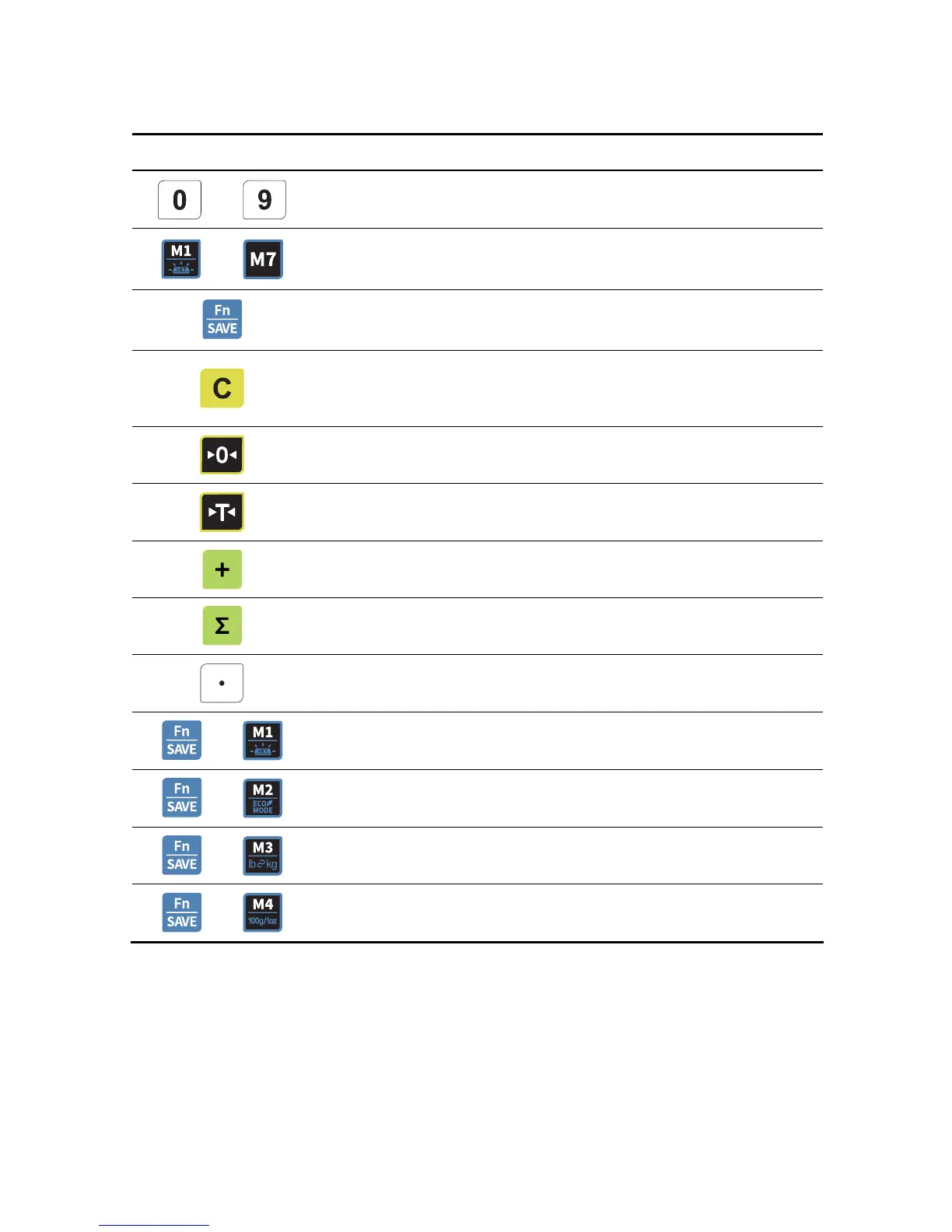
KEYS FUNCTIONS
~
Used to enter all the numeric data
~
PLU key.
Function key(Back-light, Power Save
Used to enter PLU setting
Used to clear all the numeric price display
Used to clear sum total price
Used to clear all the daily total prices
Used to correct the zero point
To set or clear tare value
PLU save key.
To make several sales transaction by adding up.
To check total sales amount or finalize sales transaction.
Used to enter the decimal point when price is entered.
+
Used to change back-light setting.(OFF, ON, AUTO)
+
Power Save Mode
+
Used to change the unit of weight.(kg or lb)
+
Used to price per 100g ($/100g) or 1oz ($/1oz)
8



 To Next Page
 Loading...











