10 8305557-R2
USING INDICATOR
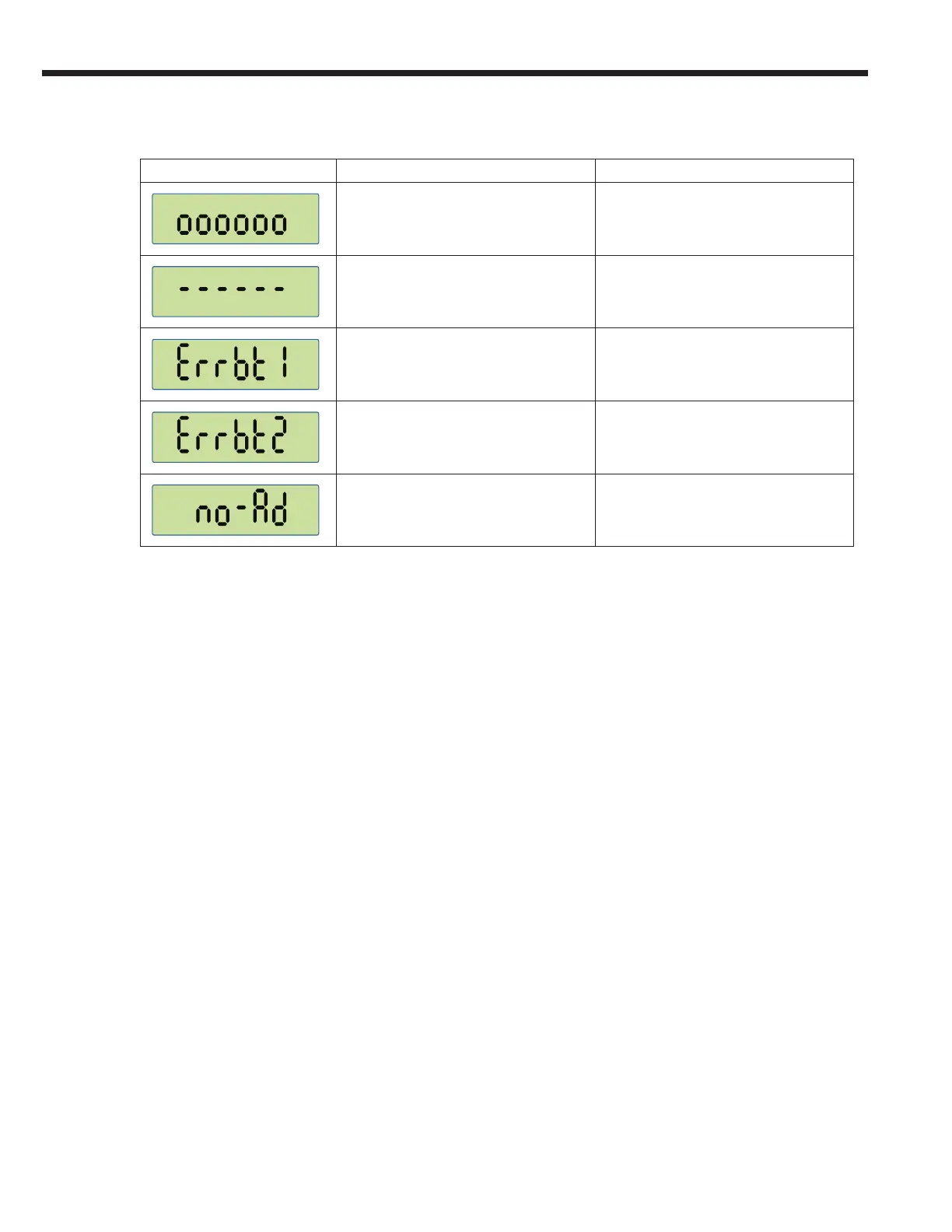
Error Message Meaning To Exit Error Mode
Forks are overloaded Automatic after removing weight
Weight on scale is negative or load cell
signal is negative
Press the ZERO/OFF key.
Lift the forks from the ground.
Problem with Fork 1, no communication
Verify weigh system is powered ON
and forks are in range of the indicator.
Restart indicator.
Restart forks and indicator.
Problem with Fork 2, no communication
Verify weigh system is powered ON
and forks are in range of the indicator.
Restart indicator.
Restart forks and indicator.
Forks not detected
Verify weigh system is powered ON
and forks are in range of the indicator.
Restart indicator.
Restart forks and indicator.
Indicator Messages



 To Next Page