SECTION 2 - CONTROLS, INSTRUMENTS AND OPERATION
2ï65
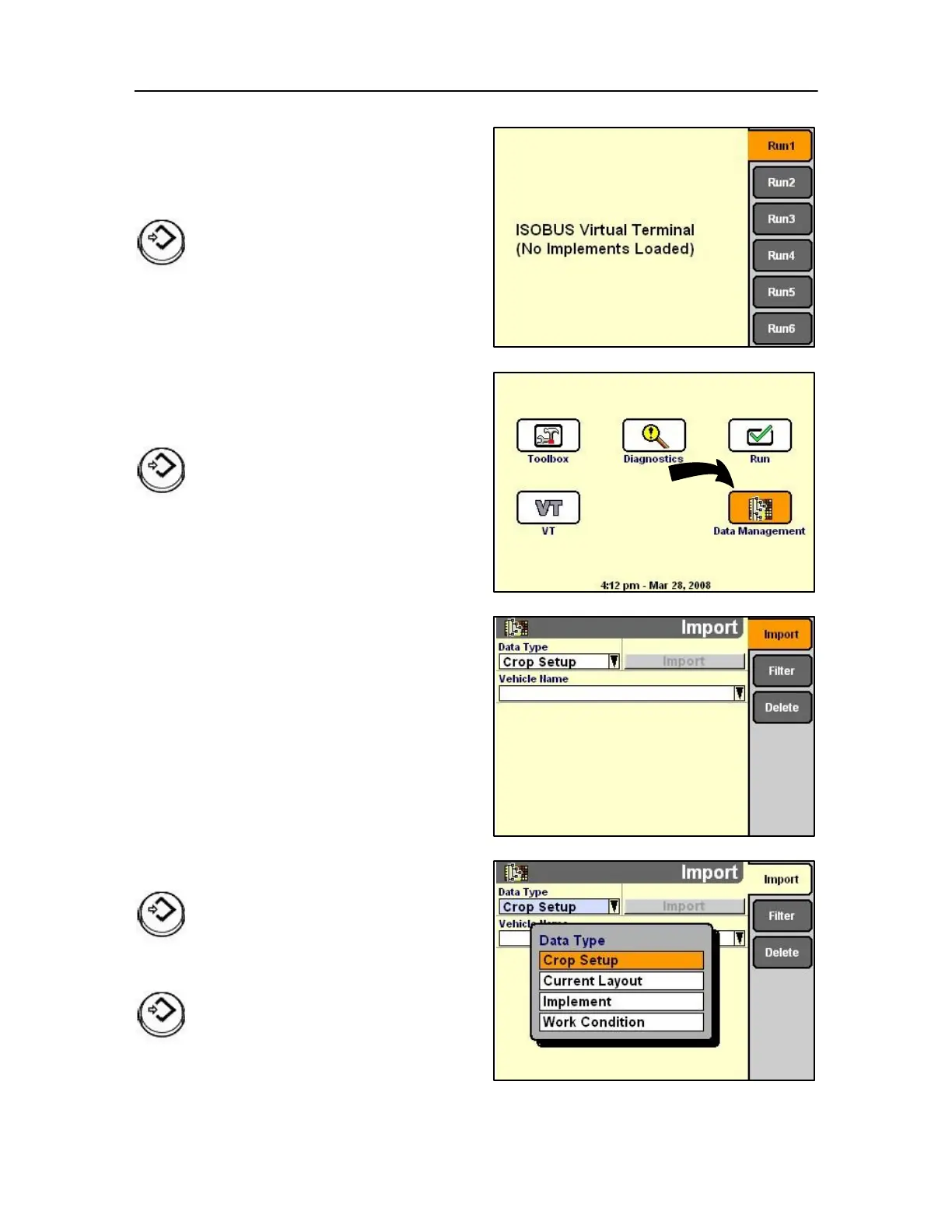
The run screens become active as each implement
software is downloaded to the Monitor.
For example the baler could be in the Run 1 screen
and all data as selected by the operator will appear.
Press Select or touch to start the
application.
Data management screen
On the Home Screen, highlight the Data management
icon.
Press Select or touch to start a selection.
The selected screen enables the operator to log
multiple information.
Highlight the Data Type
Press Select or touch to access the pop-up list.
Press Select or touch to confirm the request



 To Next Page