SECTION 2 - CONTROLS, INSTRUMENTS AND OPERATION
2ï100
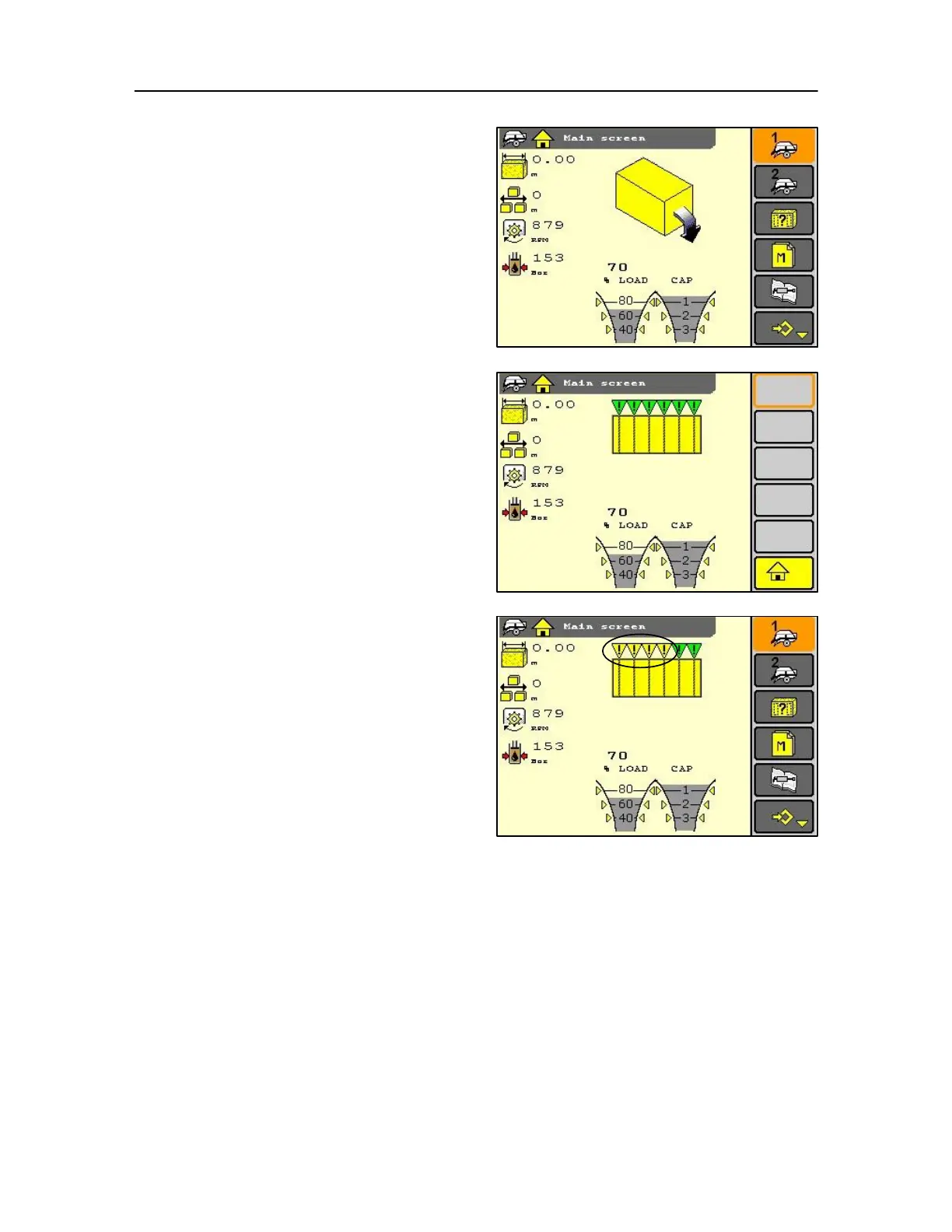
Bale drop indication
• Each time a finished bale drops from the bale chute,
the symbol appears.
• The symbol remains for three seconds.
Knotting cycle indication:
• Each time a knotting cycle starts, the symbol
appears. At the same time a short audible alarm is
heard.
• The symbol remains for three seconds.
When a knotter is not performing well, the audible
alarm may sound and icon will appear in darker
shading or a different colour (depending upon the
monitor fitted).
The shading or colour change indicates on which knotter
the problem occurred.
Green flags = Okay
Yellow flags = Error
IMPORTANT: If the electrical system gives a command to
start knotting and the system is not starting (for any
reason), you will have a "knotter trip
motor blocked" warning. 216
From then onwards, the electrical system can not be
activated anymore as a measure of safety. The system can
only completely resume if the software sees a knotting
cycle.
This can be done by starting a mechanical knotting cycle
or resetting of the monitor.
WARNING MESSAGES (YELLOW)
IMPORTANT: Only examples of warning screens are now
reviewed, as options are installed and software changes
made new screens will appear that will not be shown
here.



 To Next Page