SECTION 2 - CONTROLS, INSTRUMENTS AND OPERATION
2ï36
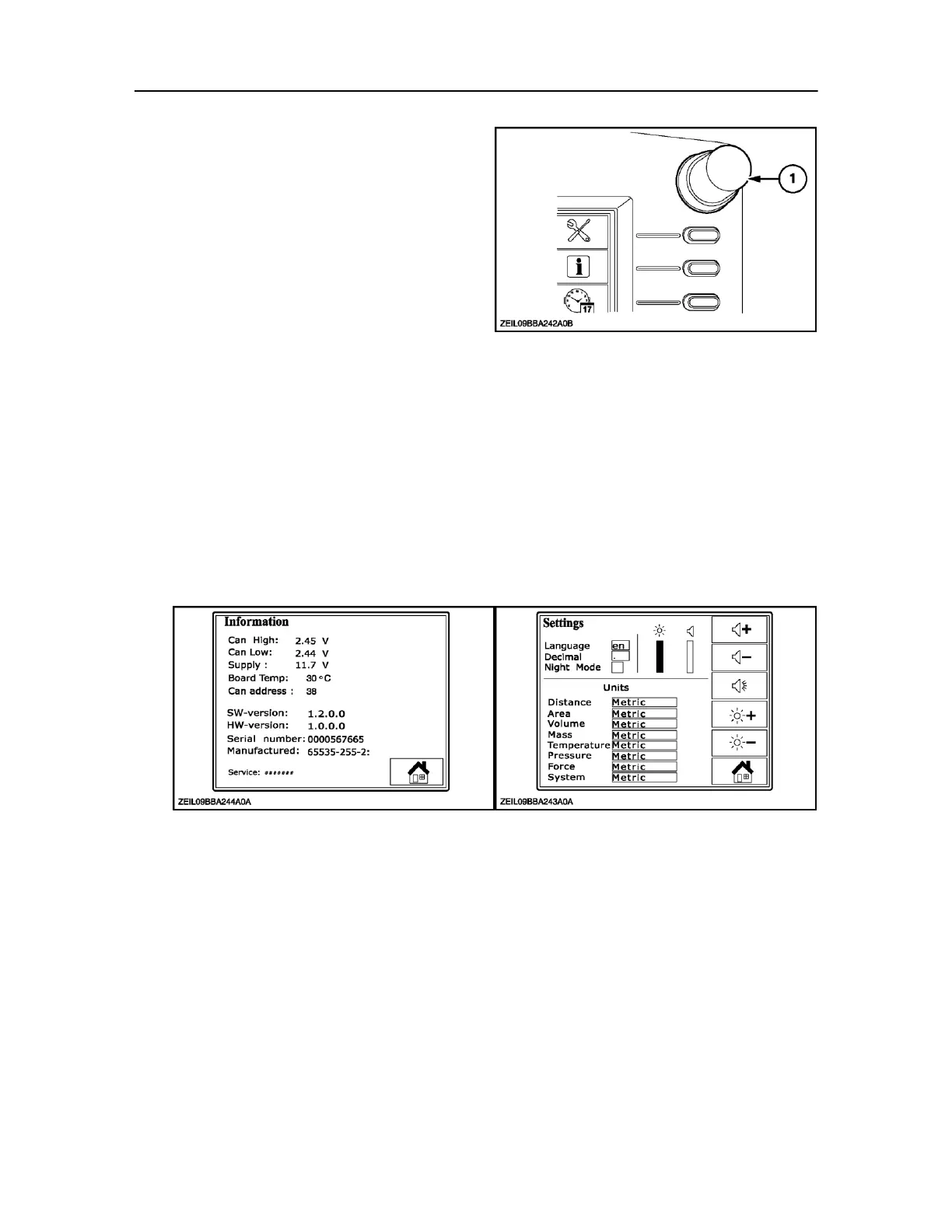
To navigate around the display twist the Rotary
encoder (1) clock wise or anti clockwise to select the
field you want to change.
Press the encoder to highlight the field you want to
change
Press the encoder again to save the selection.
60
Screens controlled by the monitor
In this screen the following items can be selected at
the choice of the operator and adjusted:
Language choice Decimal
Night / Day mode
Units metric or Imperial
Increase Decrease sound
Test buzzer
Increase decrease contrast display
This screen displays only the monitor performance
and software version. It is not used by the operator,
but will appear if selected.
62
Date and time screen



 To Next Page