E-34
To search for a city
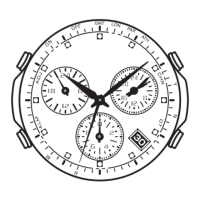
In the World Time Mode, press D to move the second hand (which is pointing at the
currently selected city code) clockwise.
• About one second or so after you release D, the hands of the watch will move to
the current time in the zone of the city code indicated by the second hand.
• Note that it can take as long as one minute for the hands to move to the applicable
time.
• All operations except for the following are disabled while the watch’s hands are
moving to the current time for a newly selected city code.
D: City selection
C: Timekeeping Mode
To check whether a time zone time is AM or PM
1. In the World Time Mode, use D to select the city whose setting you want to check.
2. Press B and the second hand will move to either AM or PM.
• The second hand will return to the city code you selected in step 1 after about five
seconds or if you press B again.



 To Next Page