Recording Your Current
Location (TIME&PLACE)
While traveling or otherwise on the go, you can
use the procedure below to record your
current location, along with the time and date,
on your phone. Recorded location information
can be viewed on the CASIO WATCHES
phone app map while the watch is connected
with your phone.
●
Recording Your Current Location
1.
X
Enter the Timekeeping Mode.
l
Navigating Between Modes
2.
X
When you are in the location you want
to record, press (D).
This records, in phone memory, the
latitude and longitude of the location you
are in when you press the button, along
with the date and time.
●
[OK] appears when registration is
complete. [ERR] appears when
registration fails.
●
At this time the time settings of your
phone and watch will be synced with
each other.
●
Viewing a Recorded Location on a Map
1.
Y
Tap the “CASIO WATCHES” icon.
2.
Y
Perform the operation shown on the
phone screen to view recorded location
information.
Note
●
You can use the CASIO WATCHES
phone app to delete recorded location
information.
Connection
Connecting with a Phone
Your watch can connect with a phone that is
paired with it.
●
If the watch is not paired with the phone you
want to connect with, refer to the information
below and pair them.
l
C
Pair the watch with a phone.
●
Connecting with a Phone
1. Move the phone close to (within one meter
of) the watch.
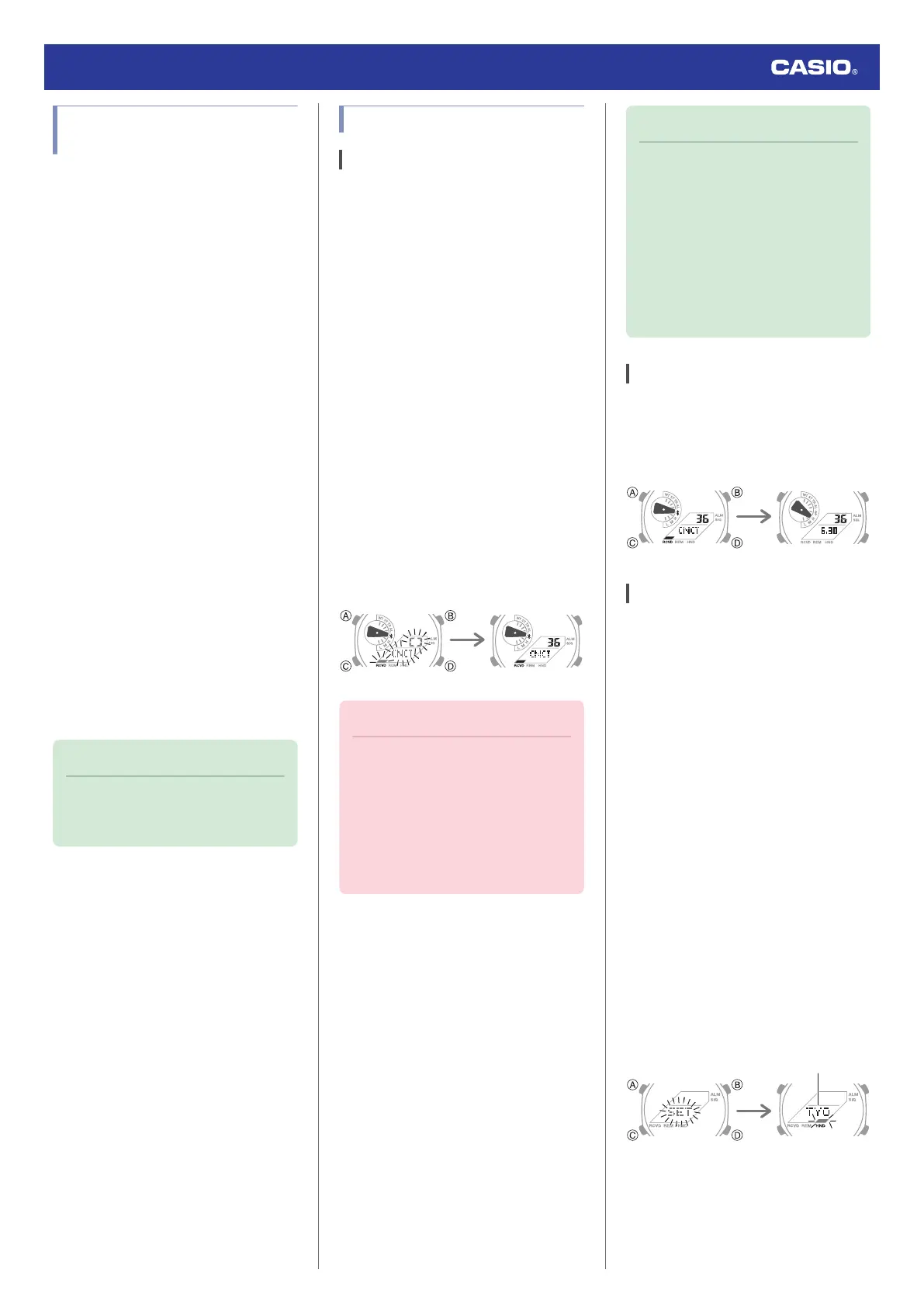
2.
X
Hold down (C) for at least three seconds
until [CNCT] starts to flash. Release the
button when the mode hand moves to
e
.
When a connection is established
between the watch and phone, [CNCT]
will stop flashing.
●
If connection fails for some reason,
[ERR] will appear on the display
momentarily and then the watch will
return to the Timekeeping Mode.
ConnectedTrying to connect
Important!
●
If you have problems establishing a
connection, it could mean that the
CASIO WATCHES phone app is not
running on your phone. On your
phone’s home screen, tap the “CASIO
WATCHES” icon. After the app starts
up, hold down the watch’s (C) button
for at least three seconds.
Note
●
The connection will be terminated if
you do not perform any operation on
the watch or phone for a fixed amount
of time.
To specify the connection limit time,
perform the following operation with
the CASIO WATCHES phone app:
“Watch settings”
n
“Connection time
with the app”. Next, select a setting of
3 minutes, 5 minutes, or 10 minutes.
Disconnecting from Your Phone
Pressing any button will terminate a Bluetooth
connection and return to the Timekeeping
Mode.
Unpairing
Unpairing the watch from a phone requires
both the CASIO WATCHES phone app and
watch operations.
●
Deleting Pairing Information from the
CASIO WATCHES phone app
1.
Y
Tap the “CASIO WATCHES” icon.
2.
Y
Perform the operation shown on the
phone screen to unpair.
●
Deleting Pairing Information from the
Watch
1.
X
Hold down (C) for at least one second
to enter the Timekeeping Mode.
2.
X
Hold down (A) for at least two seconds.
Release the button when the name of the
currently selected Home City appears on
the display.
●
This is the setting mode. The hands
automatically shift out of the way for
easy viewing of the display and other
indicators.
Watch Operation Guide 5729
14



 To Next Page