Swapping Your Home Time
and World Time
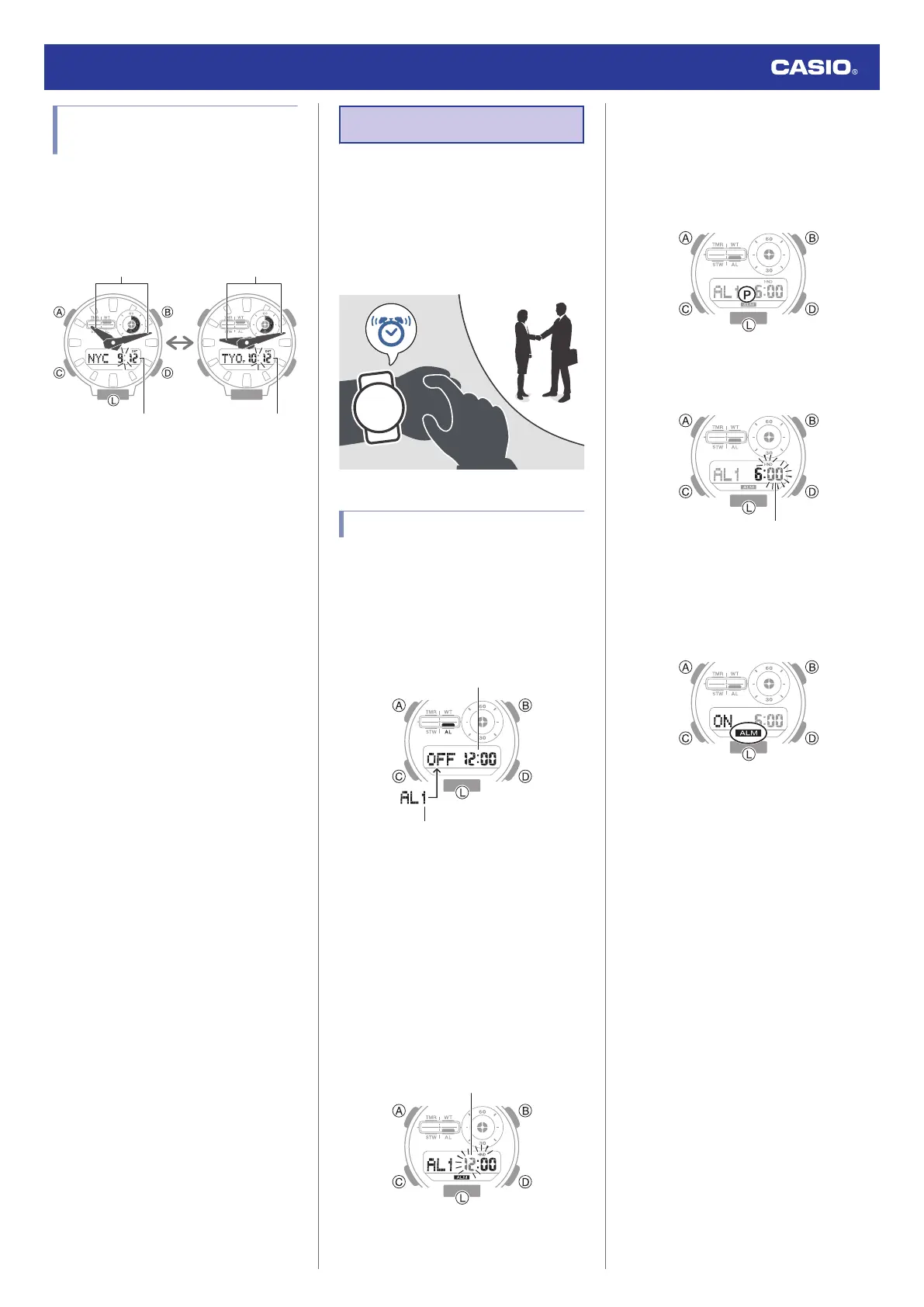
In the World Time mode, hold down (B) for at
least three seconds to swap your Home City
time with your World Time.
After swapping
Before swapping
World Time
Home City Time World Time
Home City Time
Alarm
The watch will beep when the alarm time is
reached. You can configure up to four
standard daily alarms, and one daily alarm
with snooze. The hourly time signal causes the
watch to beep every hour on the hour.
●
Snooze causes the alarm to sound up to
seven times, at five-minute intervals.
Configuring Alarm Settings
1. Enter the Alarm Mode.
l
Navigating Between Modes
2. Press (D) to scroll through alarms ([AL1]
to [AL4], [SNZ]) until the one you want to
configure is displayed.
3. Hold down (A) for at least two seconds.
Release the button when the hours digits
start to flash.
●
This is the setting mode. The hands
automatically shift out of the way for
easy viewing of the display and other
indicators.
●
While the setting is being configured,
the watch will exit the setting operation
automatically after about two or three
minutes of non-operation.
4. Use (B) and (D) to change the hour setting.
●
Holding down (B) or (D) scrolls through
settings at high speed.
●
If you are using 12-hour timekeeping,
[P] indicates p.m.
5. Press (C).
This causes the minutes digits to flash.
6. Use (B) and (D) to set the minute setting.
7. Press (A) to exit the setting screen.
●
[ALM] is shown on the display while an
alarm is set.
Watch Operation Guide 5735
11



 To Next Page