EasyManua.ls Logo

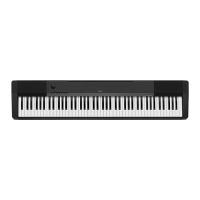
Casio CDP-100 - User Manual

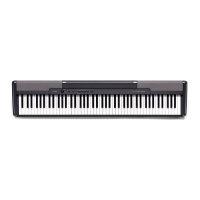
Casio CDP-100
16 pages
Print Icon
To Next Page IconTo Next Page
Loading...
CDP100ES1A
ES
USER’S GUIDE
GUÍA DEL USUARIO
Please keep all information for future reference.
Guarde toda información para tener como referencia futura.
Safety Precautions
Before trying to use the piano, be sure to
read the separate Safety Precautions.
Precauciones de seguridad
Antes de intentar usar el piano, asegúrese
de leer las Precauciones de seguridad
separadas.

Other manuals for Casio CDP-100

Questions and Answers

  • C
    Craig GillespieJul 25, 2025
    How to fix no sound on Casio Electronic Keyboard?
    • J
      Jesse DavisJul 26, 2025
      If your Casio Electronic Keyboard isn't producing any sound when you press the keys, first, make sure the VOLUME knob isn't set to MIN; try turning it towards MAX. Also, check if headphones are connected, and if so, disconnect them. Finally, verify that Local Control is turned on.
  • S
    Stacey MaldonadoAug 1, 2025
    What to do if there is no sound during demo tune play on Casio Electronic Keyboard?
    • L
      Linda HawkinsAug 2, 2025
      If your Casio Electronic Keyboard demo tune isn't producing any sound, first ensure that the VOLUME knob is not set to MIN; if it is, adjust it towards MAX. Secondly, check if headphones are connected to the digital piano; disconnect them if they are.
  • C
    Charles MckinneyAug 10, 2025
    Why is my Casio CDP-100 out of tune?
    • M
      mcleanglendaAug 10, 2025
      If your Casio Electronic Keyboard sounds out of tune, it might be due to the piano key setting being set to a value other than C. Try changing the piano key setting to C, or turn the power off and then back on again. Alternatively, the incorrect pitch setting of the piano could be the cause. Correct the pitch setting, or turn the power off and then back on again.
  • R
    Richard HumphreyAug 16, 2025
    What to do if Casio CDP-100 Electronic Keyboard produces no sound from external MIDI source?
    • B
      Brandon KelleyAug 16, 2025
      If no sound is produced by a connected external MIDI sound source when you press the keys on your Casio Electronic Keyboard, it could be due to a mismatch between the digital piano's Send Channel and the MIDI sound source's Send Channel. Ensure that the Send Channel settings are identical. Another possibility is that the volume or expression setting of the external sound source is set to 0. If so, adjust the volume or expression setting of the external sound source to an appropriate value.

Summary

Important Safety Instructions

General Safety Precautions

Key safety instructions for operating the appliance, covering handling, environment, and maintenance.

AC Adaptor Usage

Important AC Adaptor Precautions

Crucial information regarding the use and handling of the AC adaptor for safe operation.

Power Supply

Using the AC Adaptor

Instructions for using the specified CASIO AD-12 AC adaptor for powering the unit.

Connections

Other Settings

Using MIDI

Explanation of MIDI, connection methods, and settings for Send Channel and Local Control.

Troubleshooting

Common Issues and Solutions

Guide to diagnosing and resolving common operational problems with the digital piano.

Specifications

Technical Details

Detailed technical specifications of the CDP-100 digital piano, including models, dimensions, and power.

Casio CDP-100 Specifications

General IconGeneral
MIDI-keyboard number of keys88 keys
DC-in jackYes
Dimensions (WxDxH)1322 x 278 x 132 mm
Power requirements12V DC, 18W
Weight and Dimensions IconWeight and Dimensions
Weight11200 g

Related product manuals